Leaf User Manual
P/N: 97-4000, Revision 08, Release date: 2020-11-10 Page 28 of 85
4. Select the Pulse Duration Envelope to either 200ms or 300ms as specified by the
desired protocol.
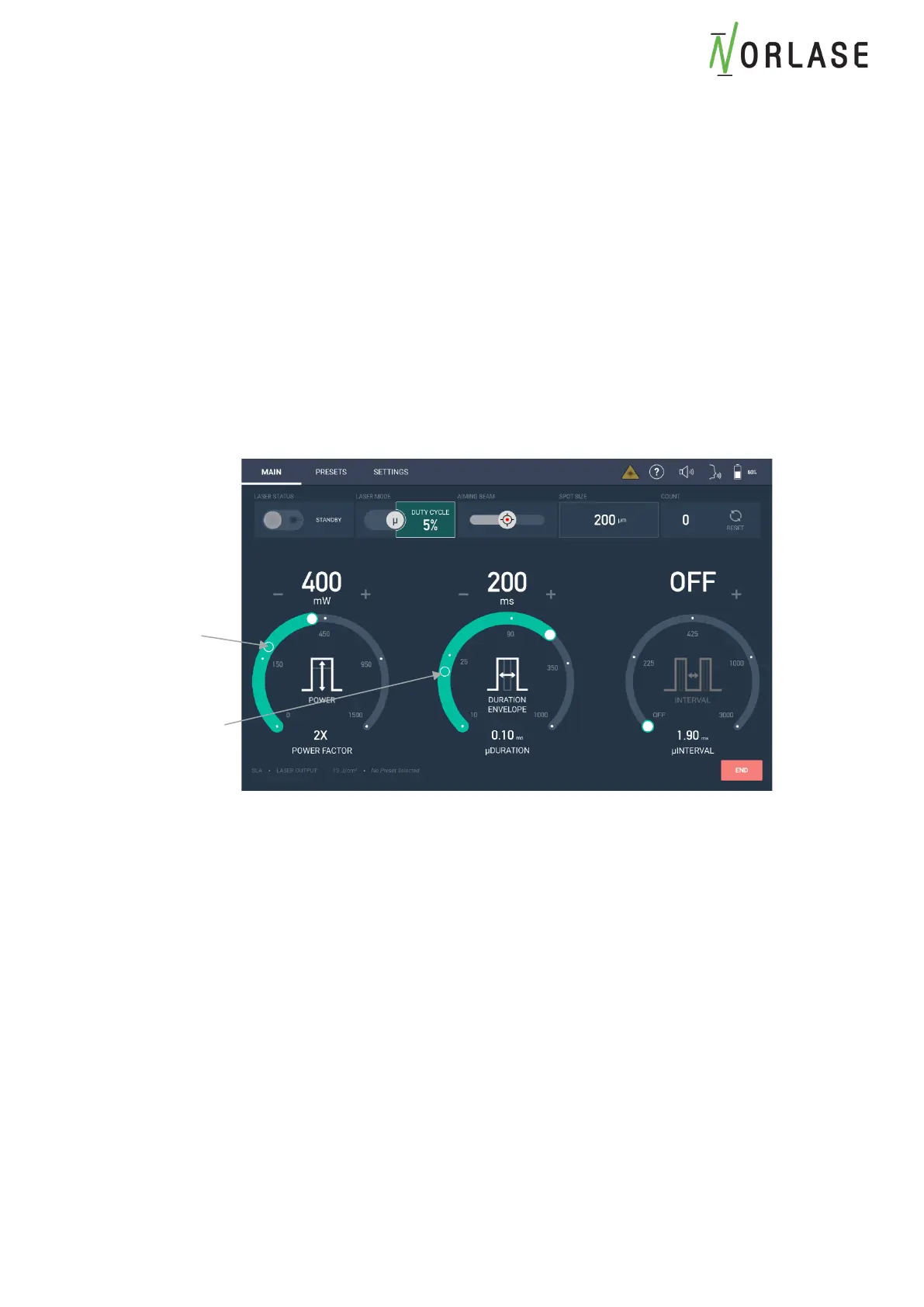
5. Select the Power Factor specified by the desired protocol. The Power Factor is
adjustable from 1X (default) to 4X the titration power level. The Power Factor will multiply
the titration power by the desired level automatically when in µSec mode. The circle in
the display will show the original titration level for the Power and Duration for reference.
In the example below, the titration power is 200mw, the Power Factor is 2X, so 400mw
will be delivered during the 5% Duty Cycle µSec treatment. The Duration shows the
titration level at 20ms and the Pulse Duration Envelope of the µSec treatment.
Please Note: If the titration power multiplied by the Power Factor equals a non-standard
power setpoint, the nearest power setpoint will be used and the displayed Power Factor
will be adjusted accordingly.
6. Begin treatment in the desired area.
7. Press “END” when treatment is complete.



 To Next Page