Leaf User Manual
P/N: 97-4000, Revision 08, Release date: 2020-11-10 Page 32 of 85
Settings Tab
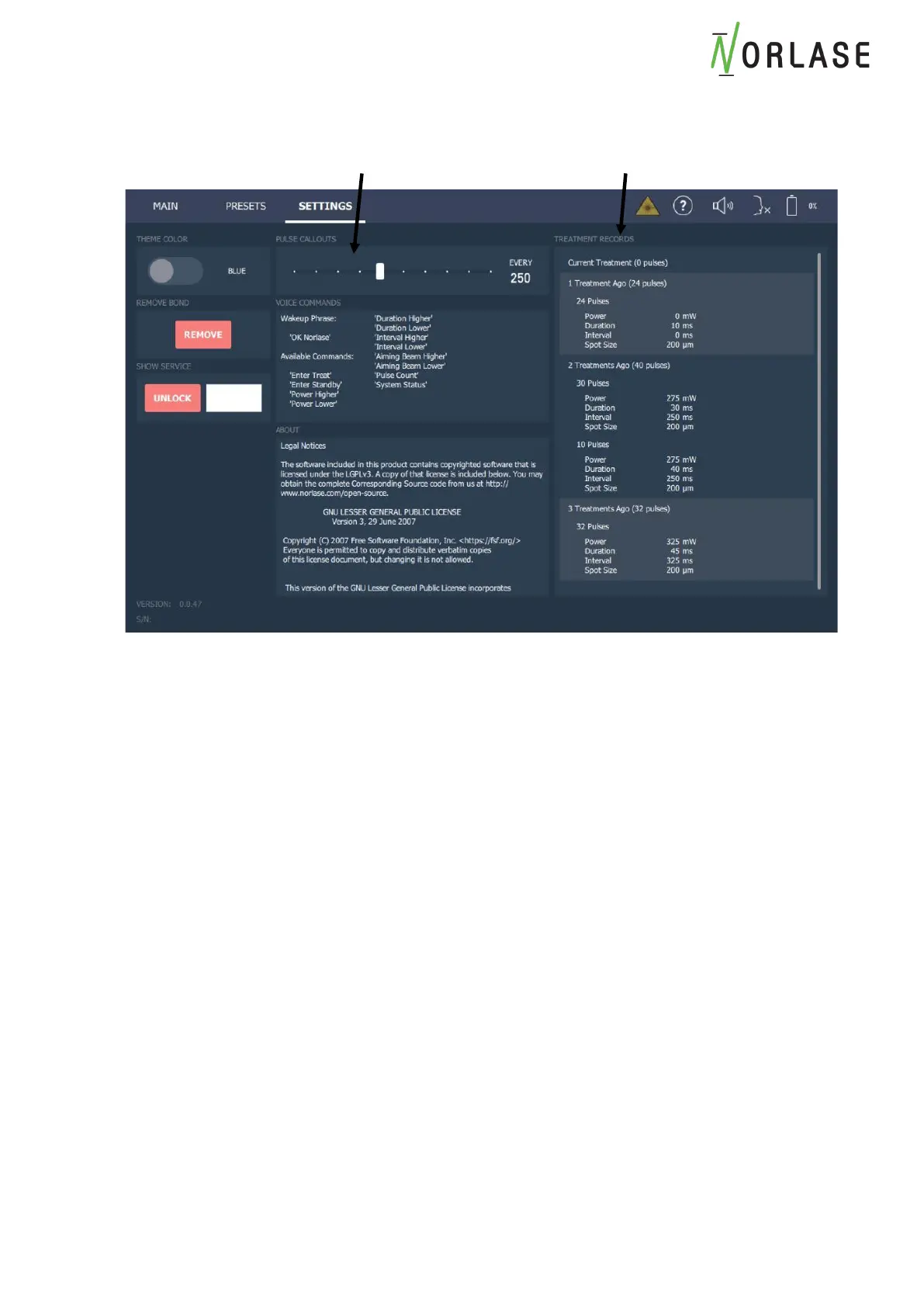
Pulse Count Callout
This feature enables the system to audibly call out the Pulse Count each time a User defined
setpoint is reached. As an example, if the Pulse Count Callout is set to 250, the system will
audibly callout the number of pulses when 250, 500, 750, 1000 and every 250 pulses thereafter.
This feature can be set to OFF, 50, 100, 250, 300, 350, 400, 450 & 500.
Treatment Record Log Files
The system will retain treatment information for the current treatment and the previous four laser
treatments under the “Settings” tab on the User Interface. This will allow easy reference to the
delivered parameters of previous cases but is NOT meant to be a historical archive, PACS
storage system or a server where the information can be recalled. No patient information is
recorded and the reference calls out the “Current Treatment”, “1 Treatment Ago”, “2 Treatments
Ago”, “3 Treatments Ago”, “4 Treatments Ago”.
The information provided are the total number of pulses in parenthesis next to the identifying
treatment and then the number of pulses for each Power, Duration, Interval and spot size change
made during the procedure.



 To Next Page