Installing Line cards and cross-connecting telephones Page 391 of 488
Communication Server 1000E Installation and Configuration
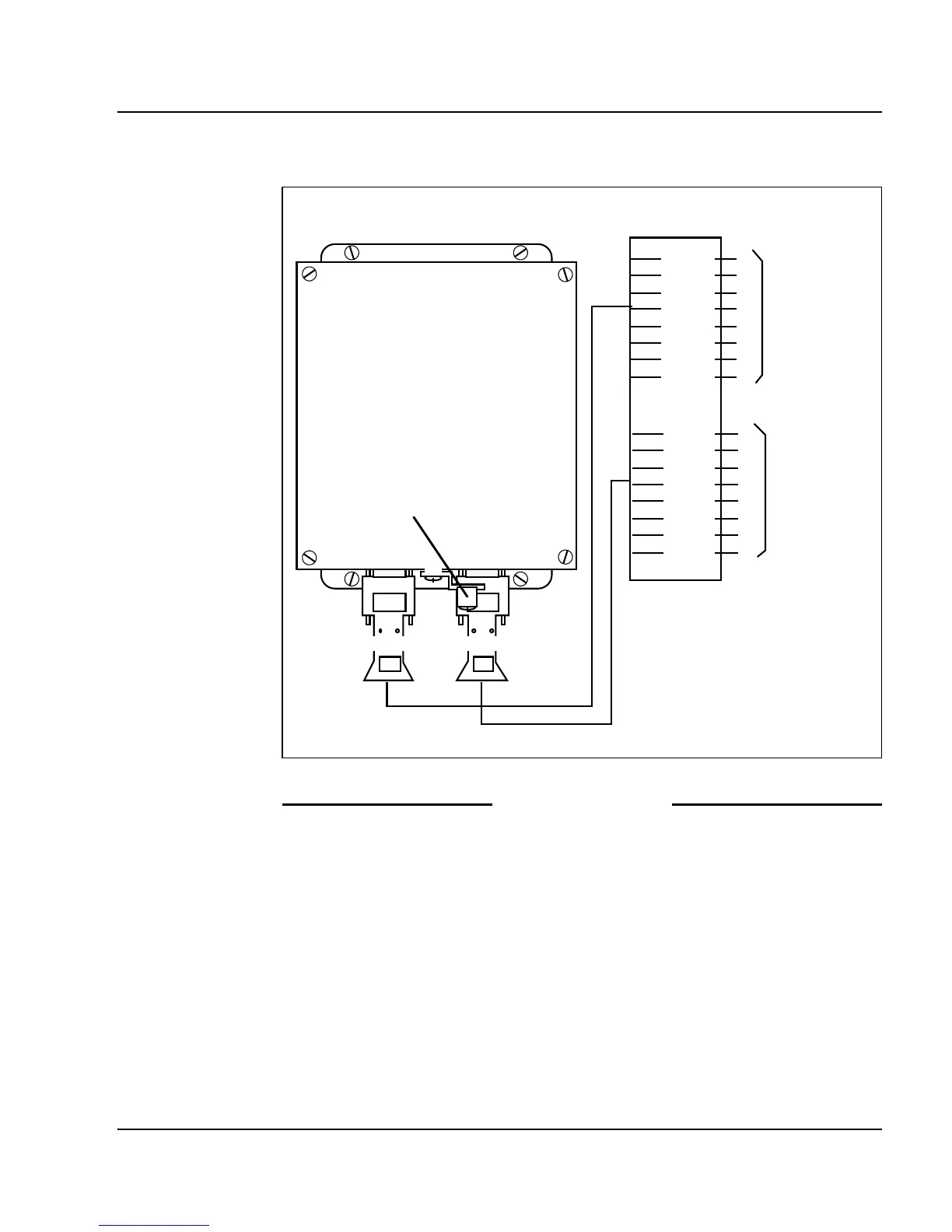
Figure 143
NTAK92BA Off-Premise Protection Module connections
End of Procedure
Connecting an attendant console
Procedure 101
Connecting an attendant console
1 Locate the attendant console terminations at the cross-connect terminal.
2 Locate the Line card terminations at the cross-connect terminal.
3 With cross-connect wire, connect the Line card and other connections to
the console, as shown in Figure 144 on page 392.
To off-premise
telephones
To analogue
line card in
Option 11
cabinet
NTAK92AA
Off-Premise
Protection
Module
Connector J1Connector J2
Ground lug
BL - 1W
BL - 2W
O - 1W
O - 2W
G - 1W
G - 2W
BR - 1W
BR - 2W
BL - 1W
BL - 2W
O - 1W
O - 2W
G - 1W
G - 2W
BR - 1W
BR - 2W
J2
J1
NTAK9204
Cable
NTAK9204
Cable
Cross-connect
terminal block
T1
R1
T2
R2
T3
R3
T4
R4
T1
R1
T2
R2
T3
R3
T4
R4
553-8351.EPS



 To Next Page