98 Chapter 5 Configuring the system
NN46110-500
To add an IP address:
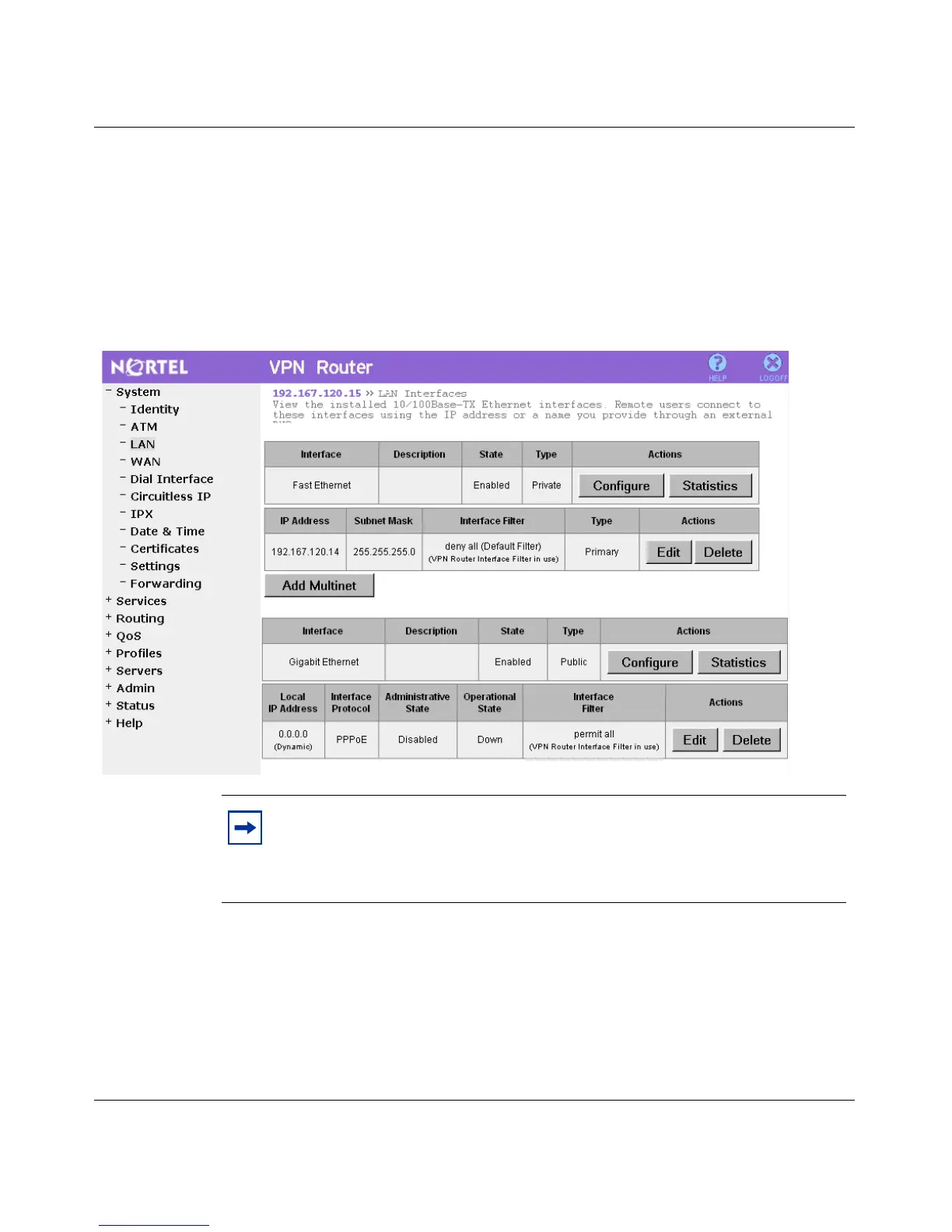
1 Click the Add Multinet button on the LAN Interfaces window.
Figure 14 on page 98 shows the LAN > Interfaces window. From this window
you can add, modify, or delete a multinet address using the GUI. The Interface
Filter option is not available for the secondary addresses.
Figure 14 LAN > Interfaces window
The LAN Interfaces > Add IP Address window appears.
Figure 15 on page 99 shows the Add IP Address window.
Note: Each interface has an Add Multinet button. If you are
configuring multinet for Fast Ethernet, you click the Add Multinet button
for Fast Ethernet. If you are configuring multinet for Gigabit Ethernet,
you click the Add Multinet button for Gigabit Ethernet.



 To Next Page