Chapter 3 Using certificates 79
Configuring the Contivity VPN Client
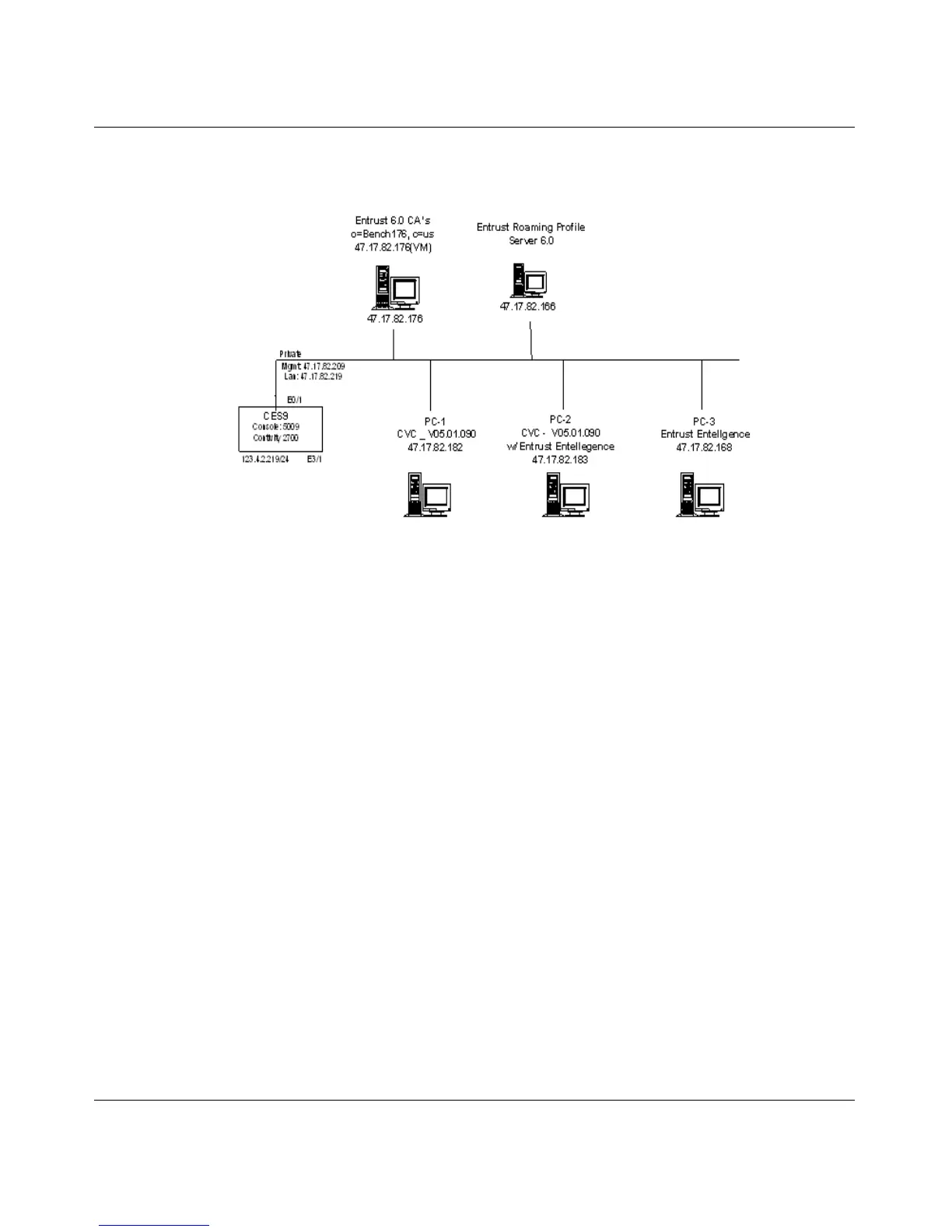
Figure 27 on page 79 shows PCs connected to a roaming server.
Figure 27 PCs connected to roaming server
Configuring Entrust for Roaming Profiles
Three components are configured for Roaming Profiles:
• Certificate Authority server
• Roaming Profile server
• Roaming Profile clients
Configuring the Certificate Authority Server
From the Registration Authority (RA):
1 Export, Edit, and Import the mastercert.spec file.
2 Edit the entmgr.ini file.
3 Edit the entrust.ini file, place into the C:\WINNT directory.
4 Add a Roaming User.



 To Next Page