3-9
3 Implementation
3. Implementation
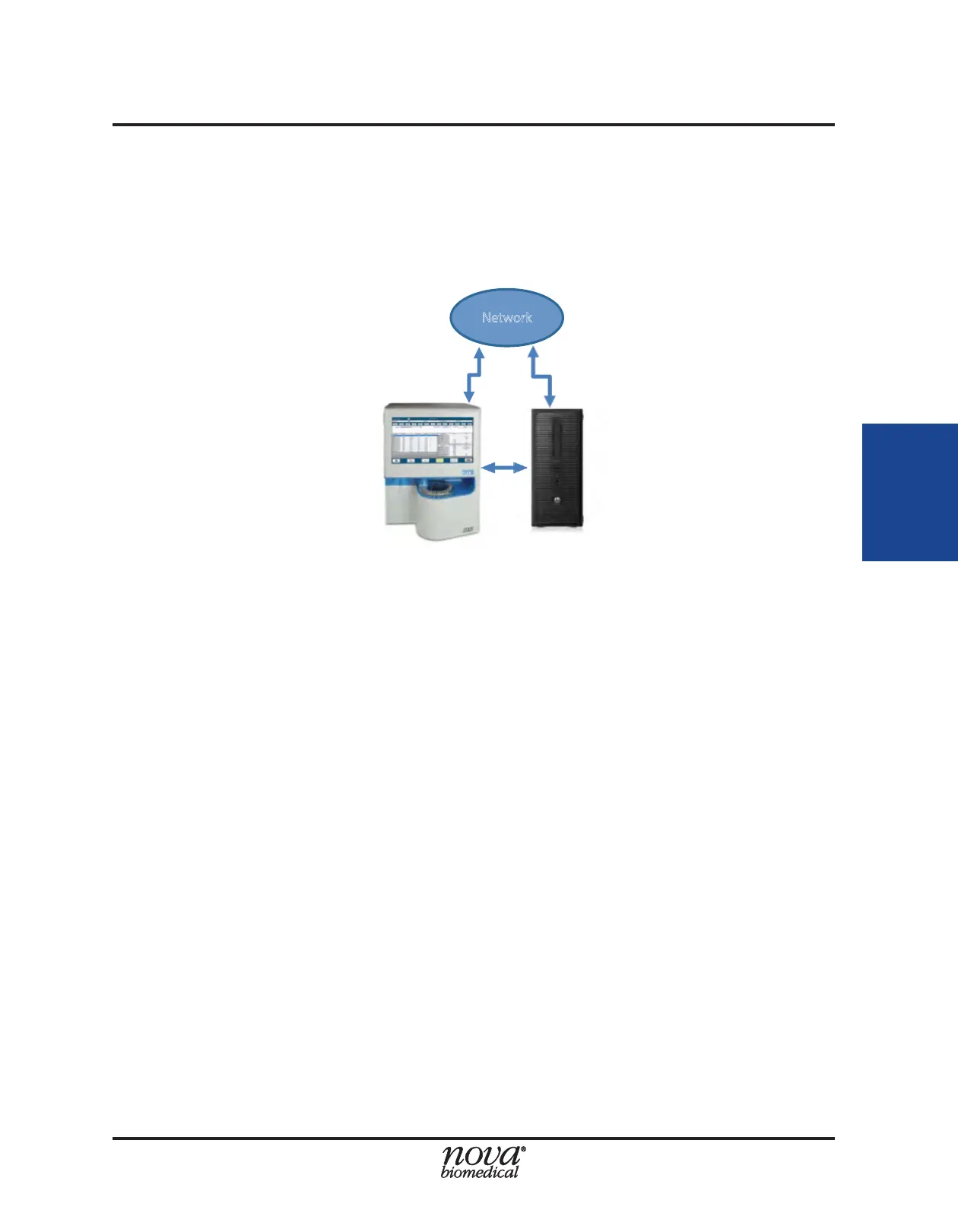
In the third arrangement, the FLEX2 and ambr® computer are connected to the network
directly. In addition to the Ethernet cable connecting the FLEX2 and ambr® computer
to each other, one Ethernet cable is required to connect the ambr® control computer to
a laboratory/corporate network port, and another cable is needed to connect the FLEX2
to another available laboratory/corporate network port.
NOTE: The Ethernet-to-USB adapter included in the ESM accessory pack should only
be used to connect the FLEX2 to a local area network port. It should not be
used for connecting the FLEX2 to ambr® computer.
In any of the three arrangements detailed above, the FLEX2 Bridge and ambr® computer
must each be assigned a xed IP address. During installation, the IP addresses will be
congured as listed below, by default. If you wish to use an alternate address, please
inform your Nova Service representative during the installation process.
• FLEX2 Bridge PC 192.168.7.4
• ambr® Control PC 192.168.7.1
3.4 Date and Time Settings
Communication between the ambr® and FLEX2 + ESM relies on proper synchronization
between the ambr® computer and the FLEX2 Bridge/Host computers. The date, time,
time-zone, and daylight savings settings on the FLEX2 Bridge computer must match
those congured on the ambr® computer, and vice versa. It is important that the times
set on each computer are congured to be as close together as possible (at least within
one minute of each other). The FLEX2 Bridge computer can be set up to synchronize
with the user's network time protocol if connected to a corporate/laboratory network.
ambr® Control Computer
Figure 3.11 Option 3: FLEX2 and ambr® directly connected to network


 To Next Page