4-8
BioProfile FLEX2 ESM Instructions for Use Manual
4.4 Online Sampling
4.4.1 Analysis Preparation
Prior to sampling, the ambr® queries the FLEX2 for ESM status along with the status
of the analytical modules included in the selected Sample Type. The ESM must be
connected, initialized, and primed. Further, all consumables
must be installed and valid (non-expired), the selected
FLEX2 modules must be available and primed, and key
parameters must be calibrated and passing QC (if QC
Lockout is enabled) for the analysis sequence to begin.
The analysis time for an online sample is 6-7 minutes from
the ambr® request to results reporting, depending on the
congured analysis panel.
4.4.2 Sampling Sequence
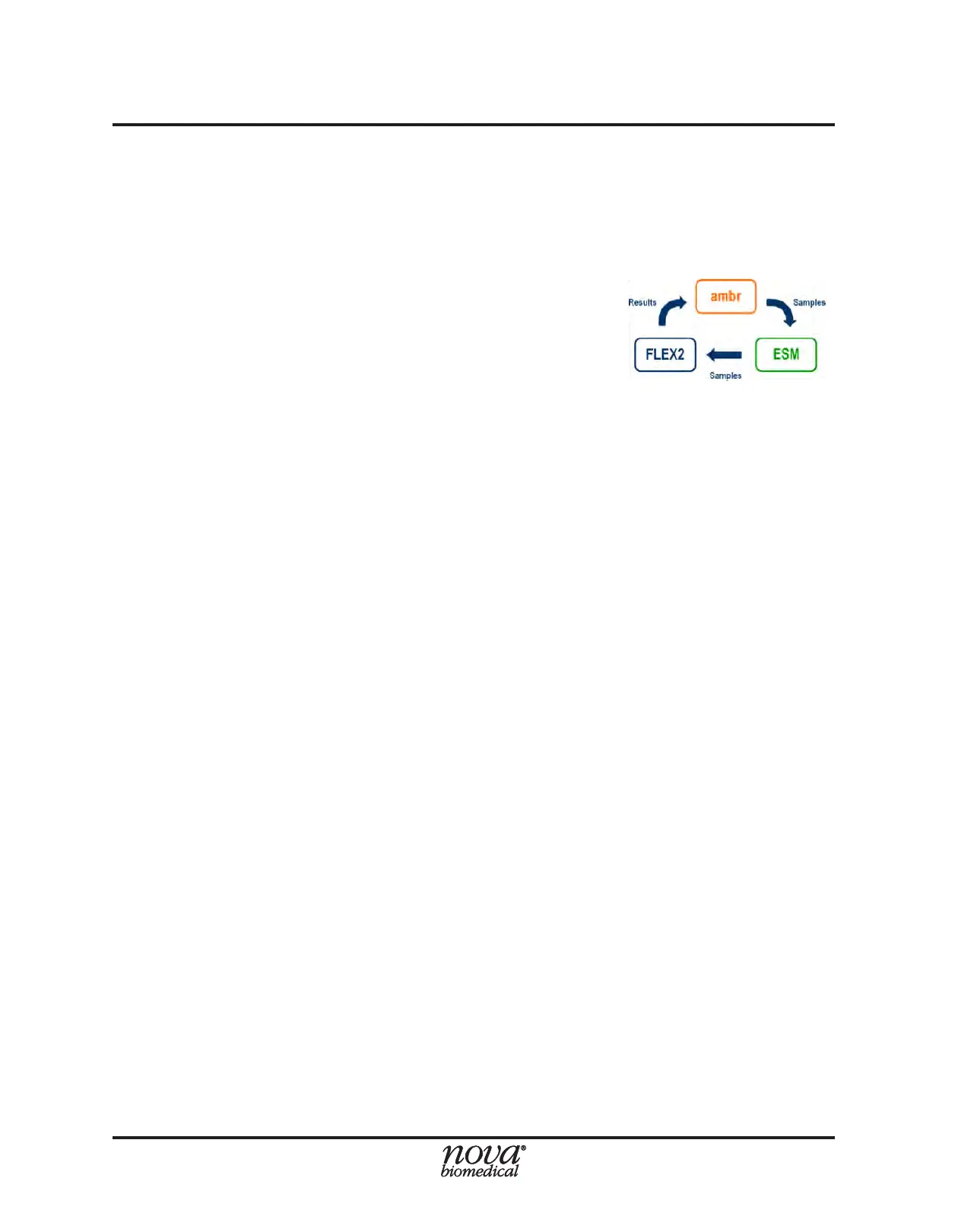
1. The ambr® computer sets the FLEX2 to a ‘Busy’ state, reserving it for analysis.
The FLEX2 sequence countdown timer icon will appear in the Status Bar.
2. The ambr® robot arm obtains a full sample from a microculture vessel (400, 450,
or 500µL from ambr® 15; 675µL from ambr® 250)
3. The ambr® robot arm moves above the ESM sample cup and dispenses 30 µL
of sample into the cup for ow test.
4. The ESM syringe pump drains the test sample from the sample cup and draws
it to the ESM air detector.
5. The ambr® robot arm dispenses the remainder of the sample volume into the
sample cup.
6. The ESM syringe pump drains the cup and draws the sample through the sample
(CF) line to the ESM air detector.
7. The air detector is queried for uid to ensure there is sufcient sample volume.
8. If no uid is detected at the air detector, the ESM syringe draws again and repeats
Step 7.
9. If uid is detected, FLEX2 sample acquisition proceeds.
10. The FLEX2 sample probe moves to the sample port septum and aspirates the
sample.
11. FLEX2 sample analysis continues based on the selected modules congured in
the Sample Type.
12. Analysis results appear on FLEX2 User Interface and are stored in FLEX2 Historical
Results. They are automatically transmitted to the ambr® database.
13. The ESM ow path is purged, followed by an automated cleaning cycle.
Figure 4.12 Sampling
Sequence


 To Next Page