4-5
4 ESM System Operation
4. ESM System Op.
4.3 ESM Configuration
4.3.1 Configuring Sample Types
Once the ESM is in Ready status, a FLEX2 Sample Type must be selected before external
sampling can occur. The End User can use an existing Sample Type or can program a
Sample Type tailored for online sampling with customized parameter panels, module
selections and congurations, a dened ESM sampling volume (ambr® 15, only), and
specic key parameters. At least one selected analytical module must be available for
sampling to proceed.
To Create a Sample Type:
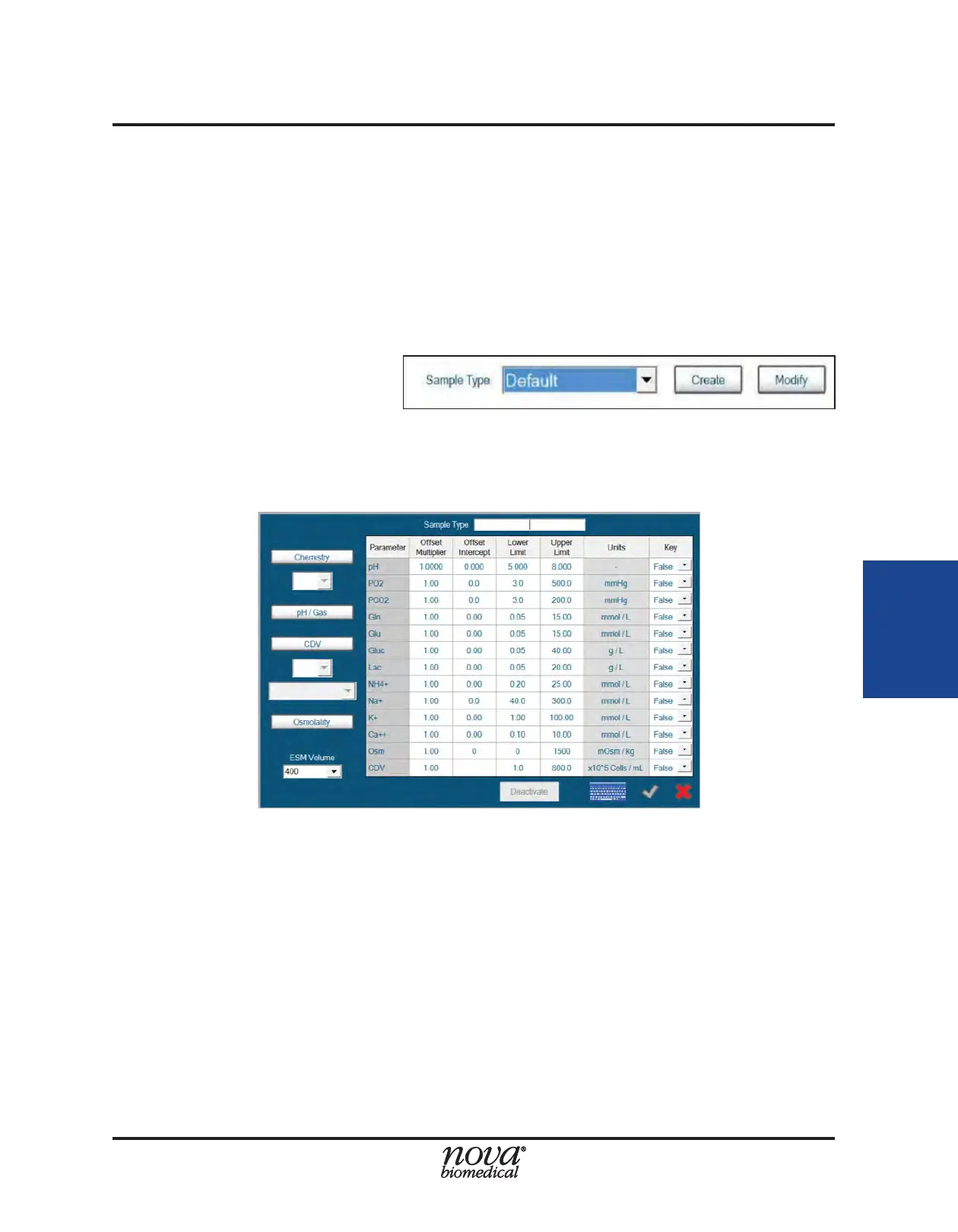
1. From within any of the
FLEX2 Sample Analysis
screens, select Create
next to the Sample Type
dropdown.
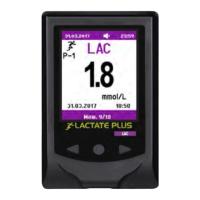
This will open the Sample Type Window:
2. In the information eld next to Sample Type, type the name of the new Sample
Type.
3. On left side of the menu, congure the modules for the Sample Type. Selected
module icons will turn blue.
4. If the Chemistry module is selected for this Sample Type, congure the desired
dilution ratio from the dropdown menu (1:1, 1:2 or 1:4).
5. If the Cell Density (CDV) module is selected for this Sample Type, congure the
desired dilution ratio (1:1, 1:2 or 1:6) and Cell Inspection Type from the dropdown
menu.
NOTE: A new Sample Type cannot have the same name as another congured Sample
Type (even one that has been deactivated).
6. To congure correlation factors for any individual parameter included in the Sample
Type, set the Offset Multiplier and Offset Intercept to the desired values.
Figure 4.7 Create Button
Figure 4.8 Create New Sample Type Menu


 To Next Page