5-5
5 Maintenance
5. Maintenance
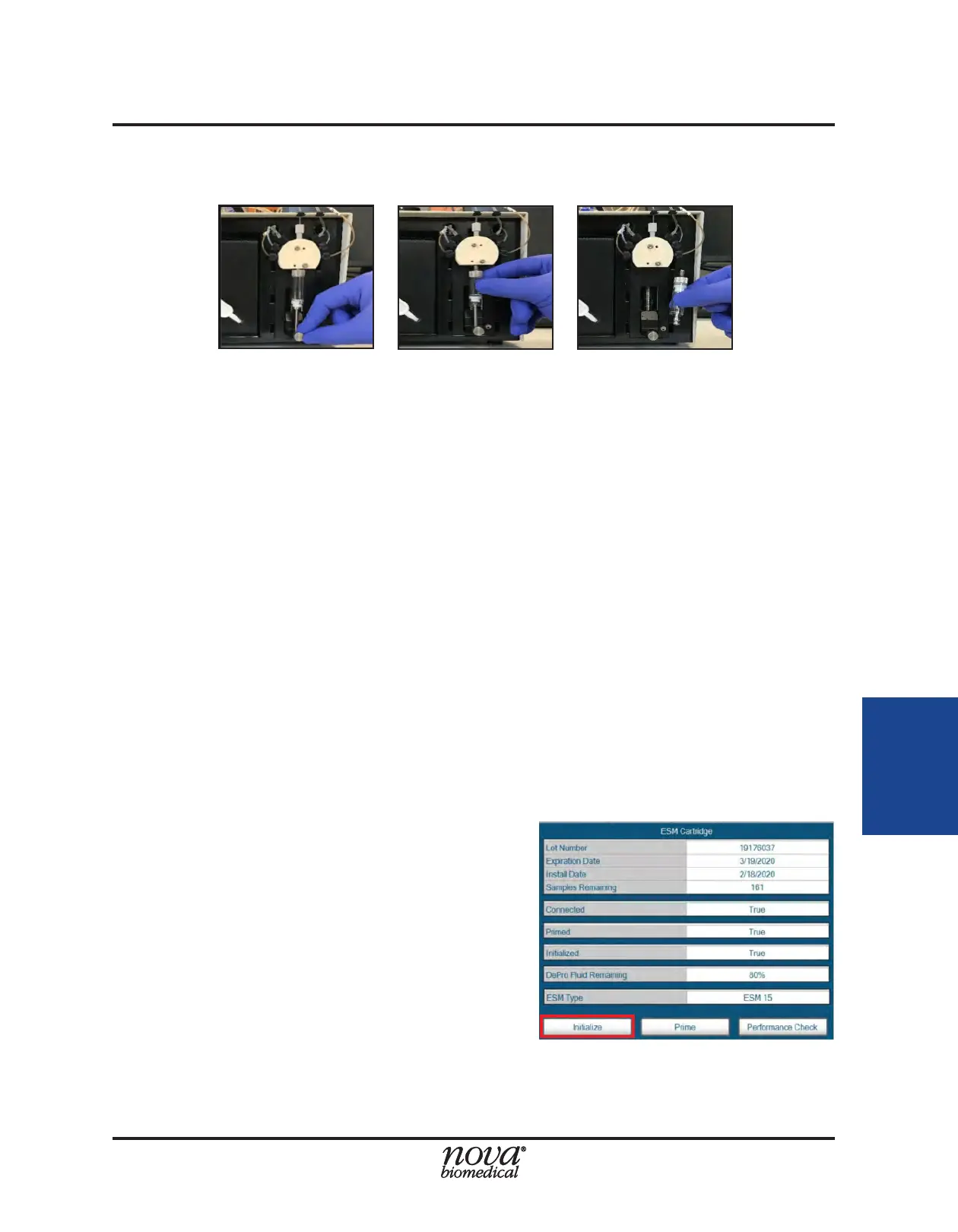
4. Install the new syringe assembly making sure to secure the threaded connections.
5. When the new syringe is installed, select Continue to prime the syringe pump.
5.1.4 Initialize ESM
The Initialize ESM function allows an operator with appropriate privileges to initialize the
ESM when required. During an initialization procedure, the ESM primes the owpath with
System Fluid and attempts to calibrate the ESM air detector. The air detector is responsible
for ensuring proper sample positioning at the FLEX2 sample port for aspiration by the
FLEX2 sample probe. Therefore, the ESM must be initialized for external sampling to
occur.
If a valid ESM Reagent Cartridge is installed when the ESM is powered on, the system
will automatically validate the pack and attempt to run an initialization procedure. An
initialize sequence may need to be run if the reagent cartridge is removed, if the air
detector becomes uncalibrated, or if the ESM status shows Initialized=False.
To perform an initialization procedure:
1. Select the Initialize ESM icon from within the ESM maintenance menu.
2. Select Start in the Command Bar to begin.
3. If the ESM initializes properly, the ESM status from within the ESM Status window
should read Initialized=True.
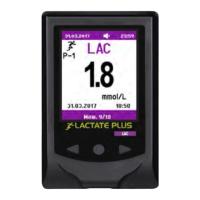
Alternatively, an initialization can be started through the ESM status window:
1. Select the ESM Module icon from the
Status Bar to open the ESM Status window.
2. Select the Initialize button from the bottom
of the ESM Status window (Fig. 5.9)
Figure 5.8 Syringe Plunger and Barrel Removal
Figure 5.9 Initialize Icon in ESM Status Window


 To Next Page