17
4 Operation for measurment
The measurement can be performed by operating application display screen on the tablet.
4.1 Preparation of application
Here, the method setting up the application is explained on the assumption that the customer has
Apple ID. The flow installing the application is as follows.
(1) Connect iPad to the Internet.
(2) Activate App Store on iPad.
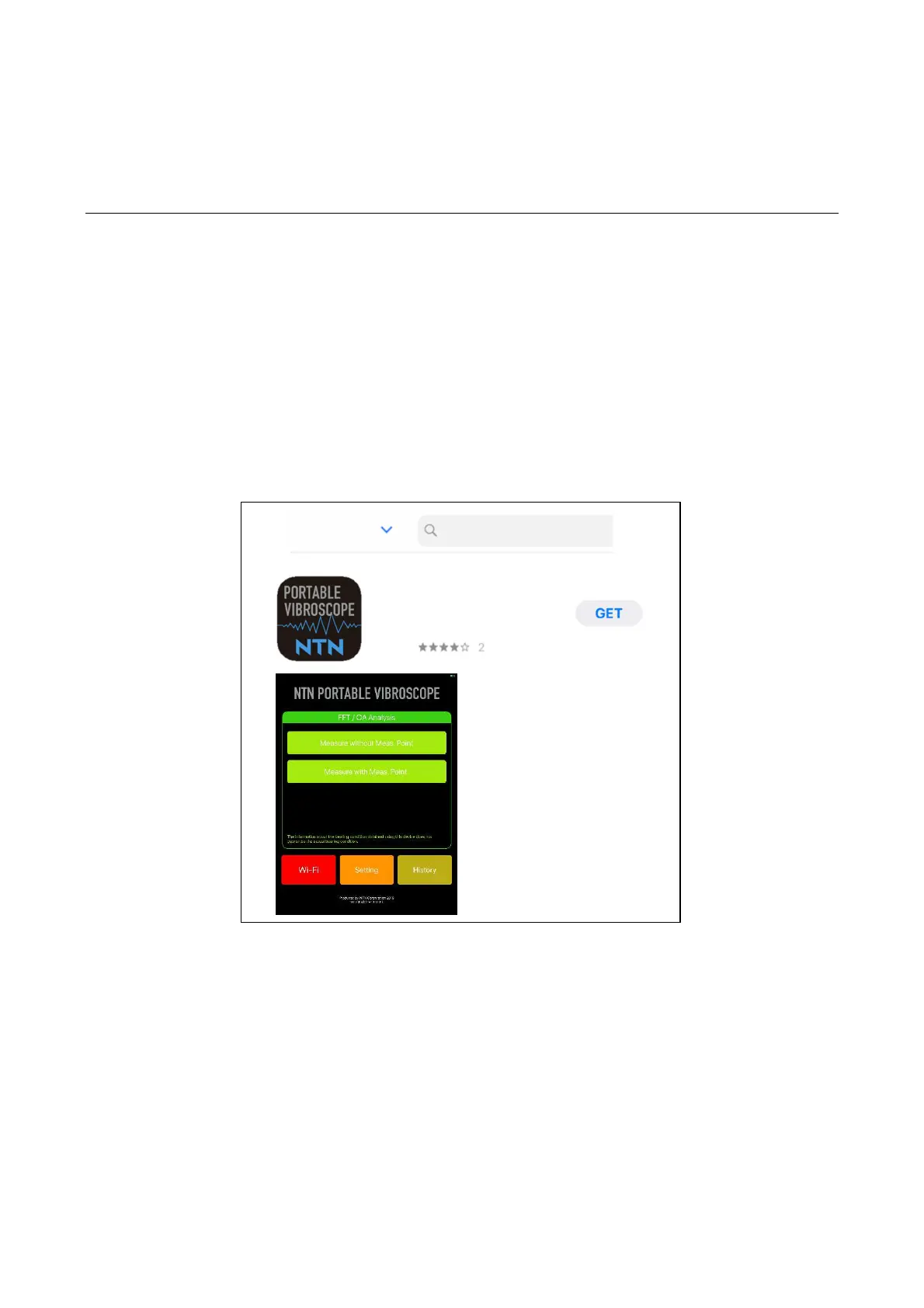
(3) After the activation, tap the icon for search and input “NTN” in the search window. After the
search, some candidate application are displayed and tap "Get" button of "NTN PORTABLE
VIBROSCOPE" (upper figure of Figure 4.1) to download/install it.
(4) After the installation ends, the icon of "NTN PORTABLE VIBROSCOPE" is displayed on the iPad
screen.
(5) If the icon is tapped and the screen of lower figure in Figure 4.1 is displayed, the installation is
completed.
Figure 4.1 Getting of application from App Store
Filter
NTN
Business


 To Next Page