24
(2) Copy of measurement points
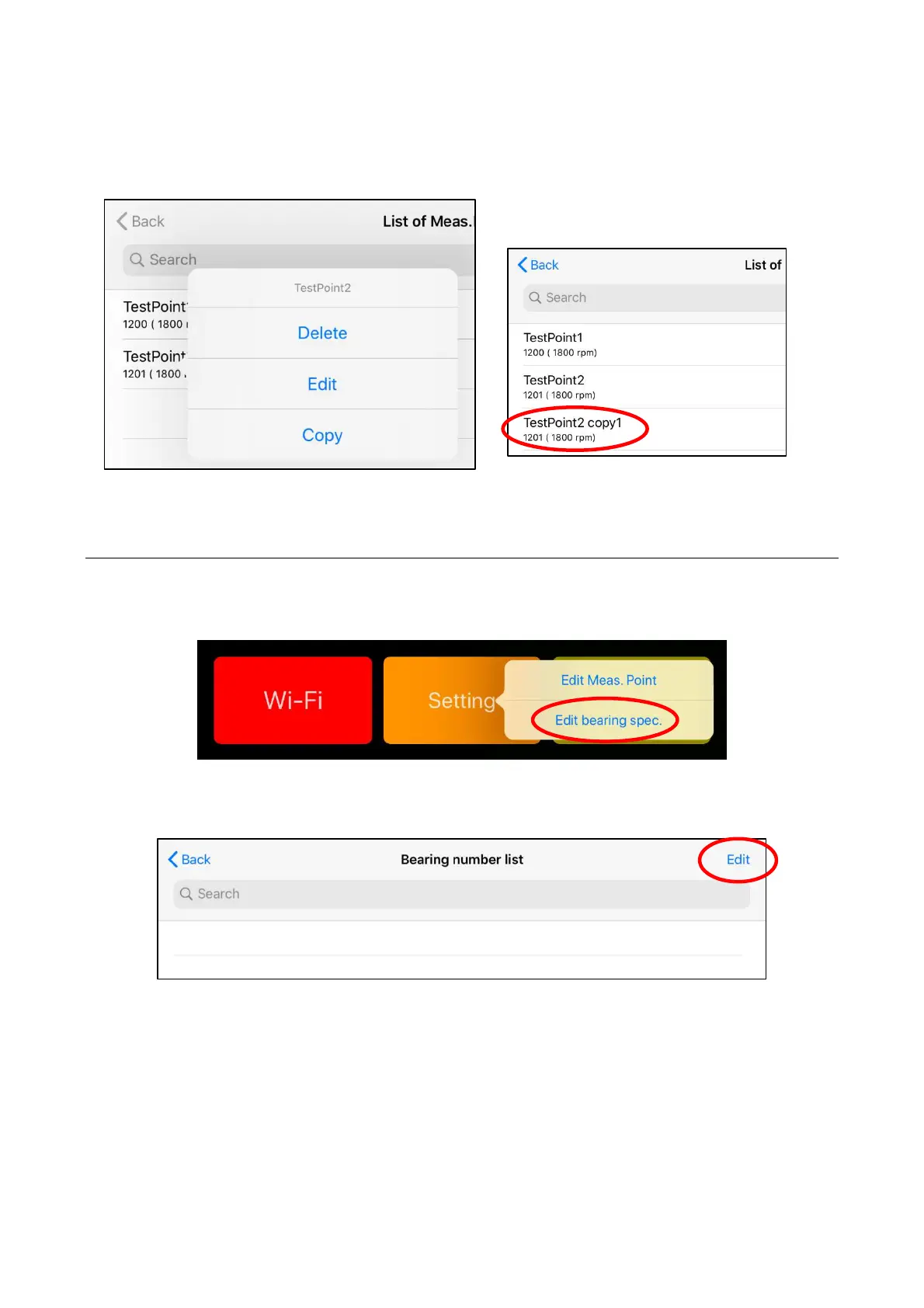
By pressing and holding the measurement point name to be copied, Delete, Edit and Copy
menus are displayed and the information on the measurement point which has been registered
can be copied.
Figure 4.15 Delete, Edit and Copy menus of measurement points and the copied measurement point
4.3.2 Edit bearing specification
When a bearing parts number other than ones that have been registered beforehand is to be registered,
it is used. When tap the “setting” button on the home screen, menus of “Edit Meas. Point” and “Edit
bearing spec.” are displayed, then select " Edit bearing spec."
Figure 4.16 Edit bearing specification
Tap "Edit" on the screen of bearing number list.
Figure 4.17 Selection of bearing editing


 To Next Page