18
4.2 Wi-Fi connection setting
Because it is necessary that the Wi-Fi connection between iPad and this device has been established
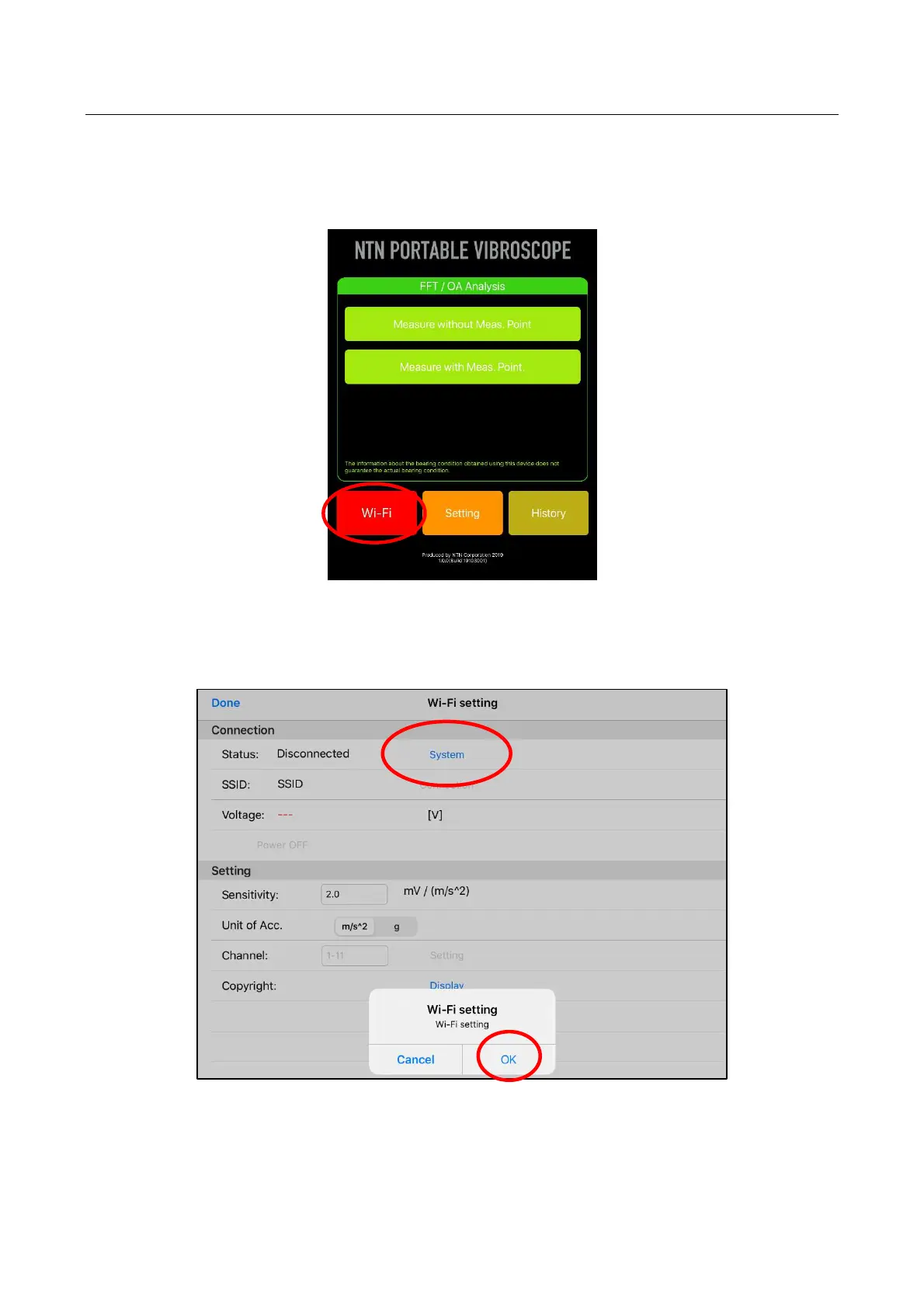
before measurement is performed, turn on the power of this device and tap the “Wi-Fi” button at the lower
left on application home screen. Moreover, Wi-Fi connection can also be established by tapping “Wi-Fi”
button at the upper left on the screens of " Measure without Meas. Point " and "Measure with Meas. Point".
Figure 4.2 Selection of Wi-Fi button
Move to the Wi-Fi setting screen and tap “System”. As the confirmation window appears, select the
“OK.”
Figure 4.3 Wi-Fi setting screen


 To Next Page