34
4.7 CSV output of measurement data
The measurement data of each measurement point can be converted into CSV format.
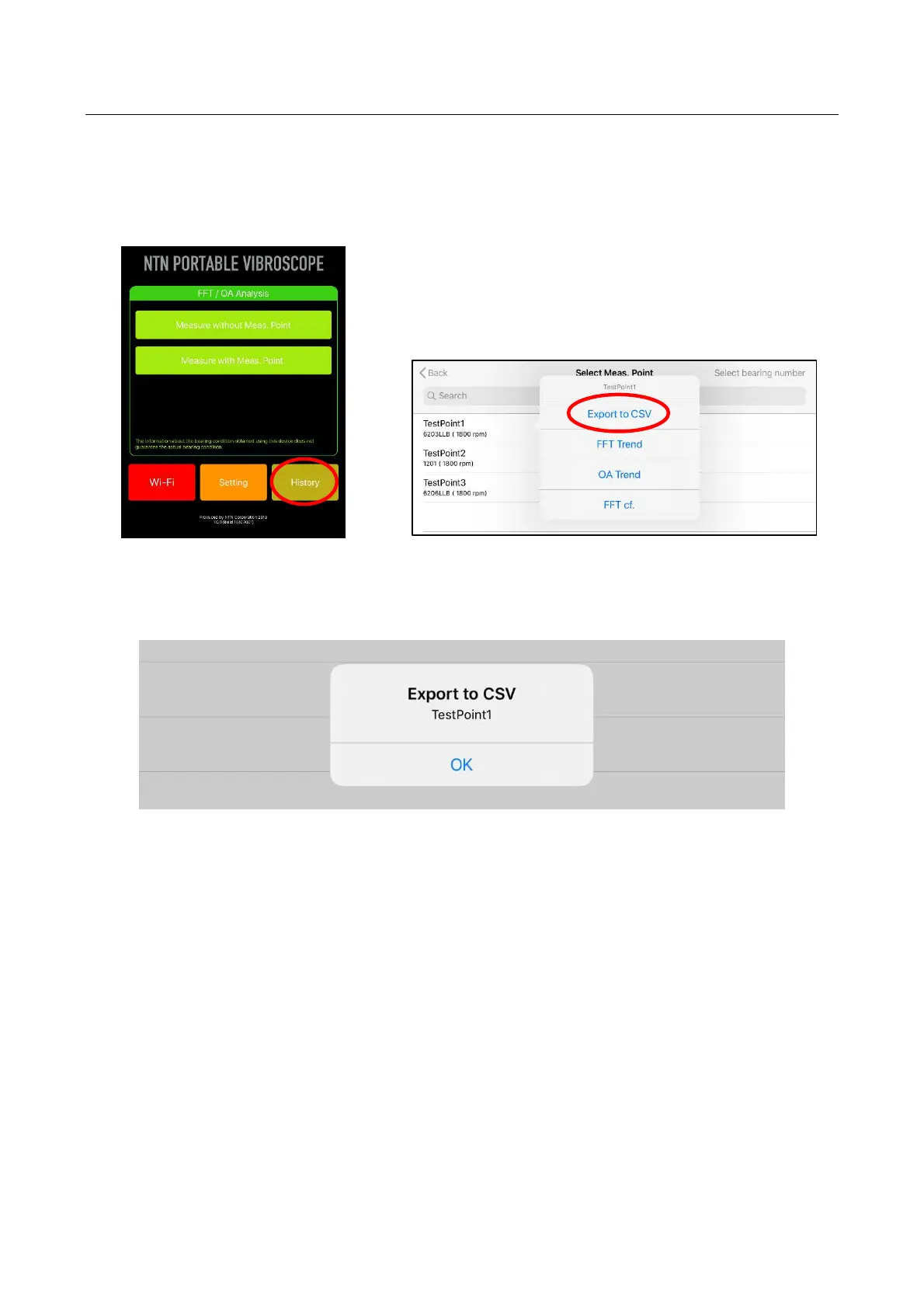
1) Tap the “History” on the home screen of the application.
2) Press and hold the measurement point name desired to output from the displayed list, “Export to
CSV” button is displayed.
Figure 4.46 Home screen Figure 4.47 CSV output screen
3) Tap displayed “Export to CSV” button.
When the following screen is displayed, CSV file has been output in the iPad memory.
Figure 4.48 CSV output completion screen


 To Next Page