33
4.6 History
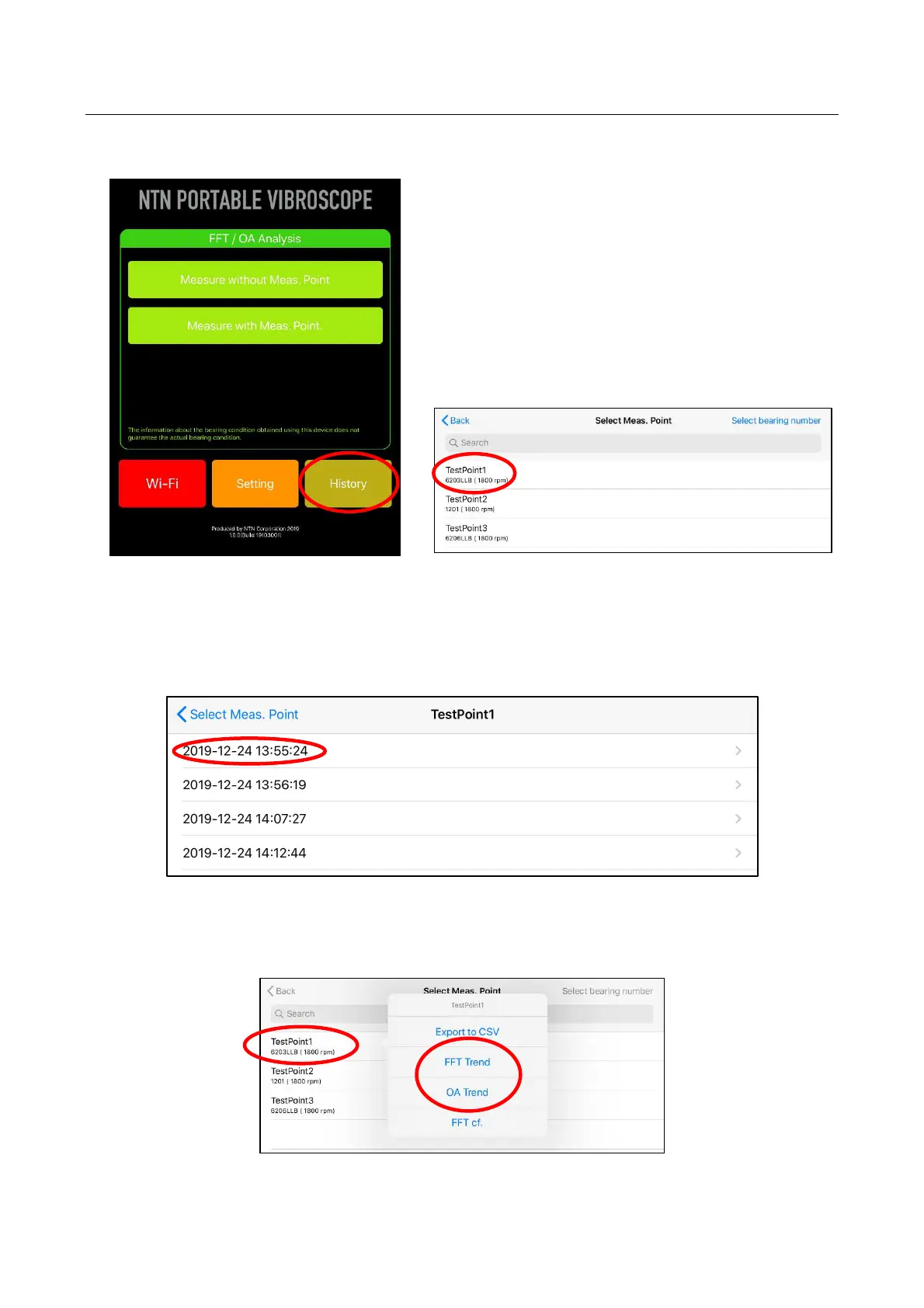
Tapping “History” on the home screen of the application shows the selection screen of the
measurement point, and the saved measurement data can be read.
Figure 4.42 Selection of “History” Figure 4.43 Selection of measurement point name
By selecting the measurement point name, the measurement data is displayed in the list in the order
of saving date and time. By tapping the desired measurement date and time, the measurement result
screen is displayed. The operation after screen is displayed is the same as "4.5 Measure with Meas.
Point".
Figure 4.44 Selection of measurement date and time
By pressing and holding the specific measurement point name on the Select Meas. Point screen, the
graphs of FFT Trend and OA Trend can be displayed.
Figure 4.45 Selection of Measurement point name


 To Next Page