37
4.10 Delete of mesurement data on specific date and time
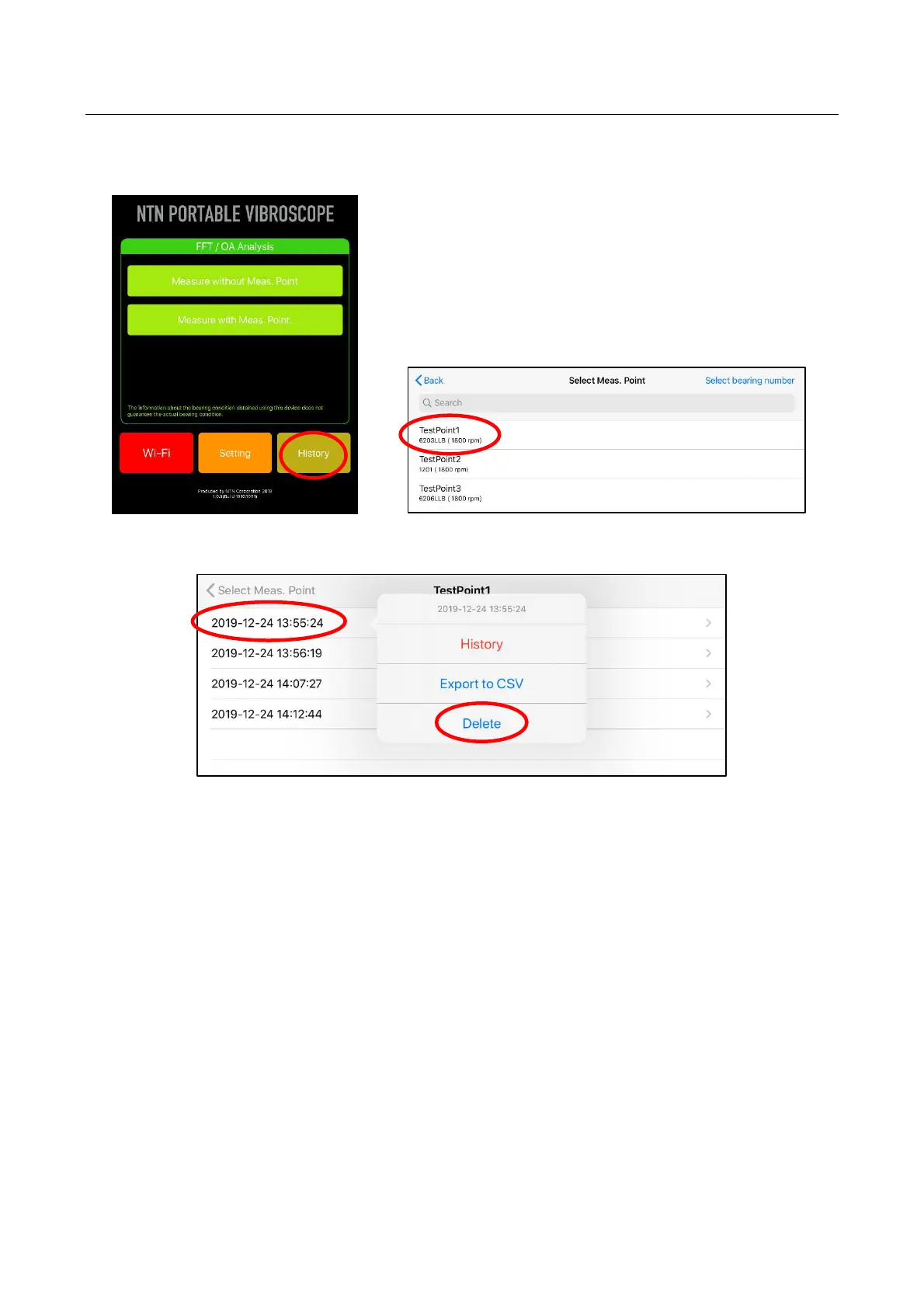
Saved measurement data on specific date and time can be deleted.
After tap “History” button and select measurement point name, deletion screen is displayed by
pressing and holding specific measurement date and time.
Figure 4.54 Home screen Figure 4.55 Selection of Measurement point name
Figure 4.56 Selection of measurement date and time


 To Next Page