19
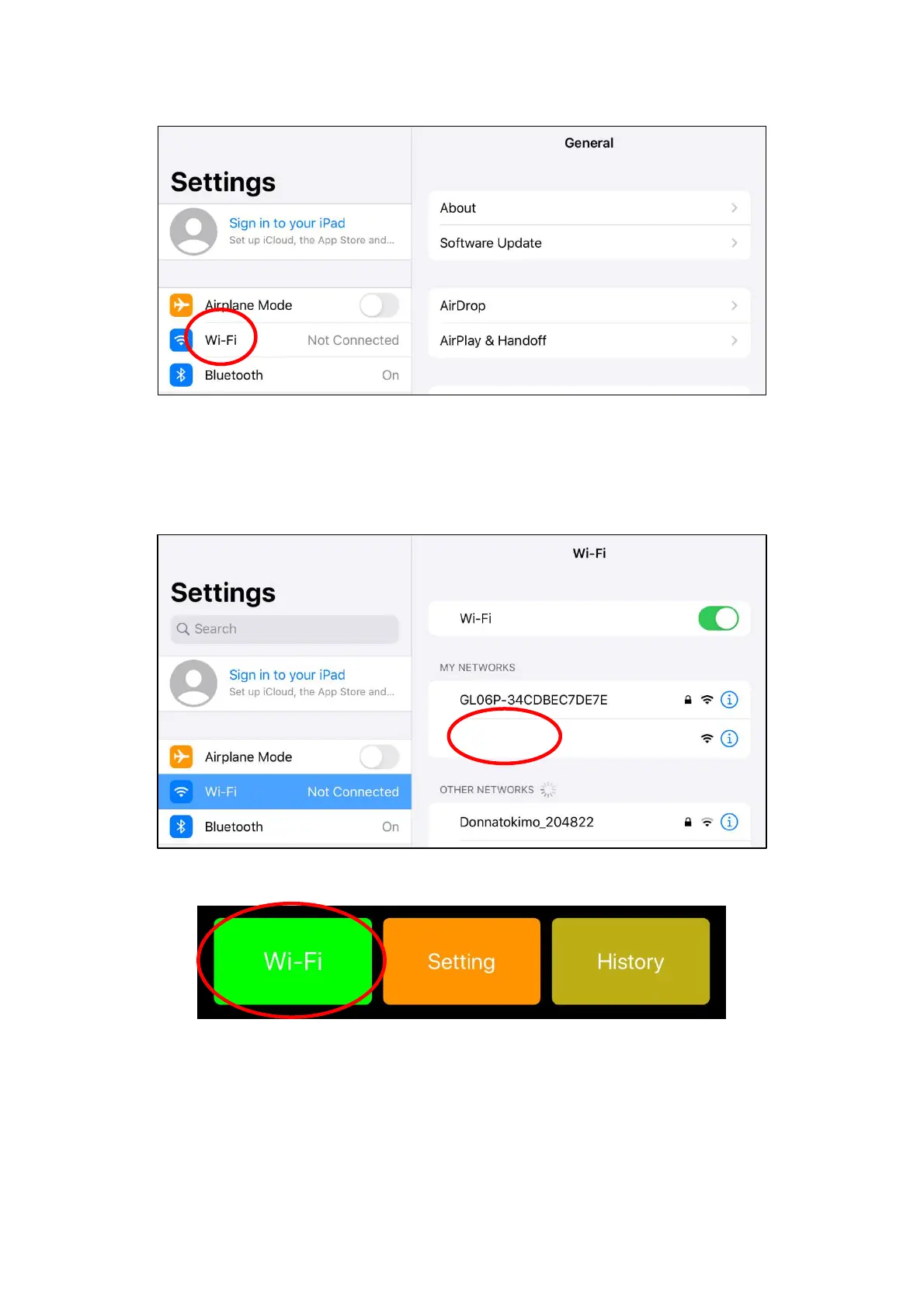
Select "Wi-Fi" from the system setting screen.
Figure 4.4 System setting screen
Select the network of this device that is activated from the displayed network. SSID that begins with
"NTN" is the network ID of this device. After selection, return to the Wi-Fi setting screen and confirm
that the connection status changes to “Connected”, and tap the “Done” button.
Figure 4.5 Selection of SSID
Figure 4.6 Wi-Fi connection completed
NTN-XXXXXX


 To Next Page