21
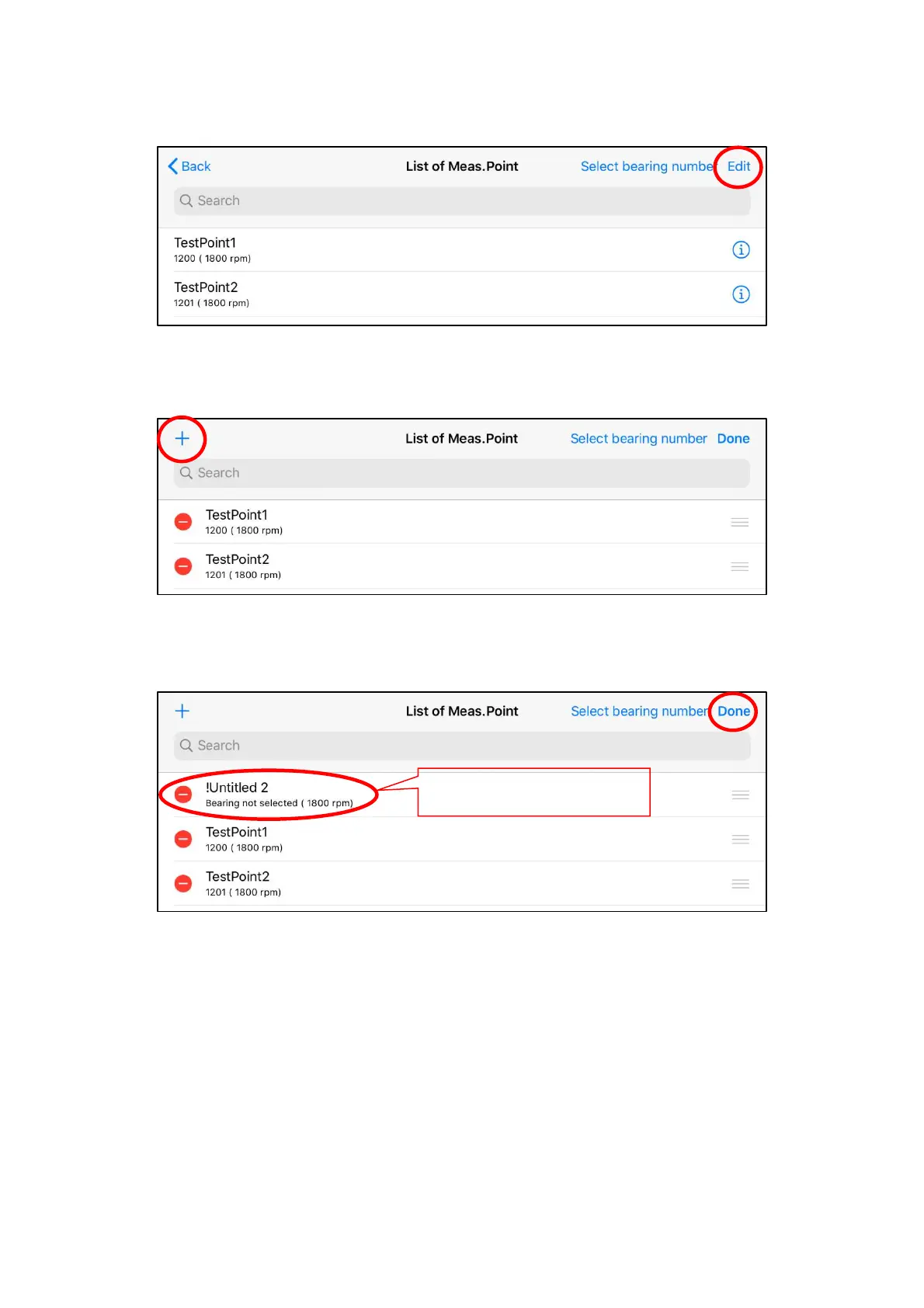
(1) New registration of measurement point
Tap "Edit" button on the screen of “List of Meas. Point”.
Figure 4.9 List of measurement point
Tap "+" button on the upper left of the screen.
Figure 4.10 Selection of new editing
After adding required number of measurement points, tap "Done" button.
Figure 4.11 New registration of measurement point
Added measurement points
(Name changes each time.)


 To Next Page