31
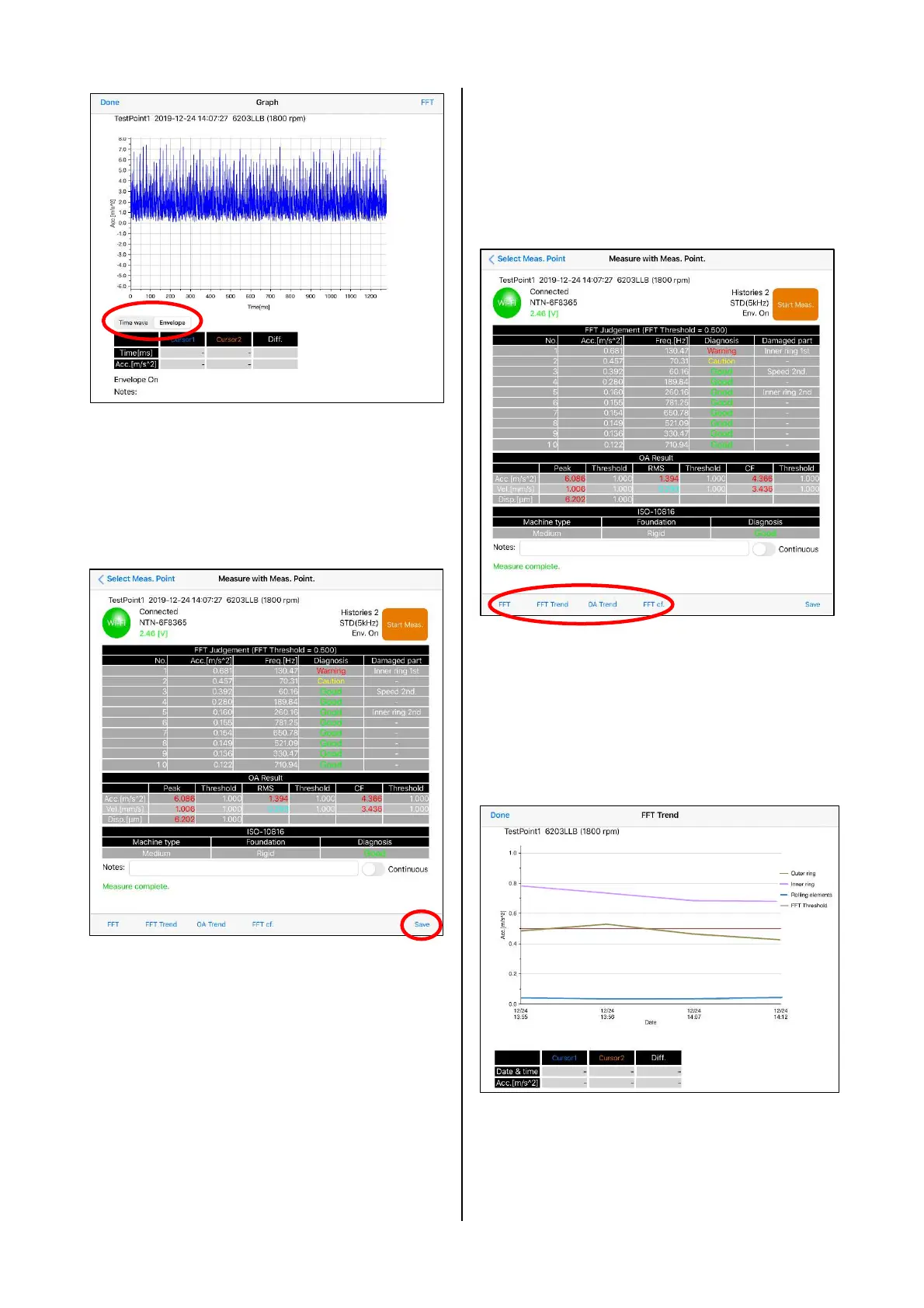
Figure 4.35 Time waveform screen
(waveform after envelope processing)
(8) When saving the data, "Save" at the bottom
right of the measurement result screen is
tapped.
Figure 4.36 Data save
(9) If there is a saving history of data for the
selected measurement point on the screen of
Measure with Meas. Point, "FFT Trend", "OA
Trend", and "FFT cf." at bottom of the screen
become active and the display of the history is
possible.
Figure 4.37 History display
(10) By using FFT Trend, the tendency
management of the acceleration that
corresponds to the damage frequency of the
inner ring, outer ring and rolling elements of
the bearing can be performed.
Figure 4.38 FFT Trend


 To Next Page