Revision 1.03
Operation 5-7
When TEST GEN is enabled, the LED
will light and the LCD will display the
screen shown above. The ID can be
edited from this screen.
To modify the TEST TONE levels, scroll
the wheel to the right twice and the
TONE LEVEL screen will appear. The
tone levels can be set from -26dBFS to
-10dBFS.
When the TEST TONE is “on,” the left
channel contains a continuous tone and
the right channel has a pulsing tone.
5.5 Main Menu Selections
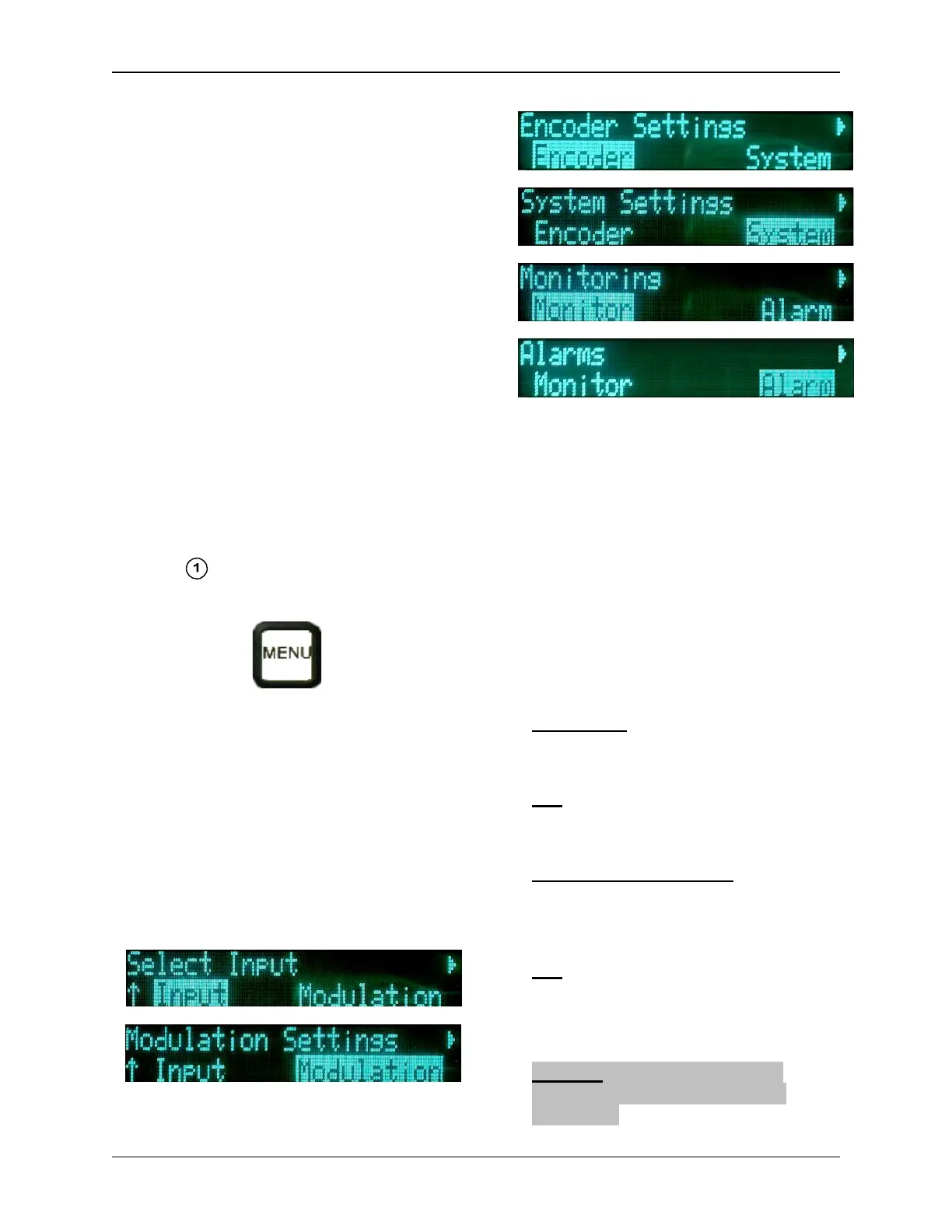
The user can customize the Channel-
Master TX7 operation (rather than us-
ing the factory defaults) through the
Main Menu. After pressing the MENU
Button , the Main Menu Screen will
appear.
From the Upper Level Menu, the user
can select one of six sub-menus to ac-
cess. They are:
• Input Menu
• Modulation Settings Menu
• Encoder Settings Menu
• System Settings Menu
• Monitoring Menu
• Alarms
5.6 Input Menu Selections
The Input Menu selections are depend-
ent on whether the unit is set for Analog
or Digital modulation (Section 5.2).
Only one input can be made active at a
time. The Input Menu controls the ac-
tive input, regardless of any signals pre-
sent on the input connectors.
When digital modulation is selected,
the available input selections are:
Composite - The signal is converted
to digital via the MPEG Encoder and
routed to the digital modulator.
SDI - The signal routes through the
MPEG Encoder and then to the digital
modulator.
External 70 MHz Digital - This input
bypasses the encoder and modulator,
and routes to the heterodyne up-
converter.
ASI - Input bypasses the Encoder
and goes to the digital modulator.
(The ASI rate must be at or below the
maximum digital modulation rate.)
Firewire – The MPEG2 data is
extracted and sent to the digital
modulator.


 To Next Page