1.
2.
3.
4.
1.
2.
3.
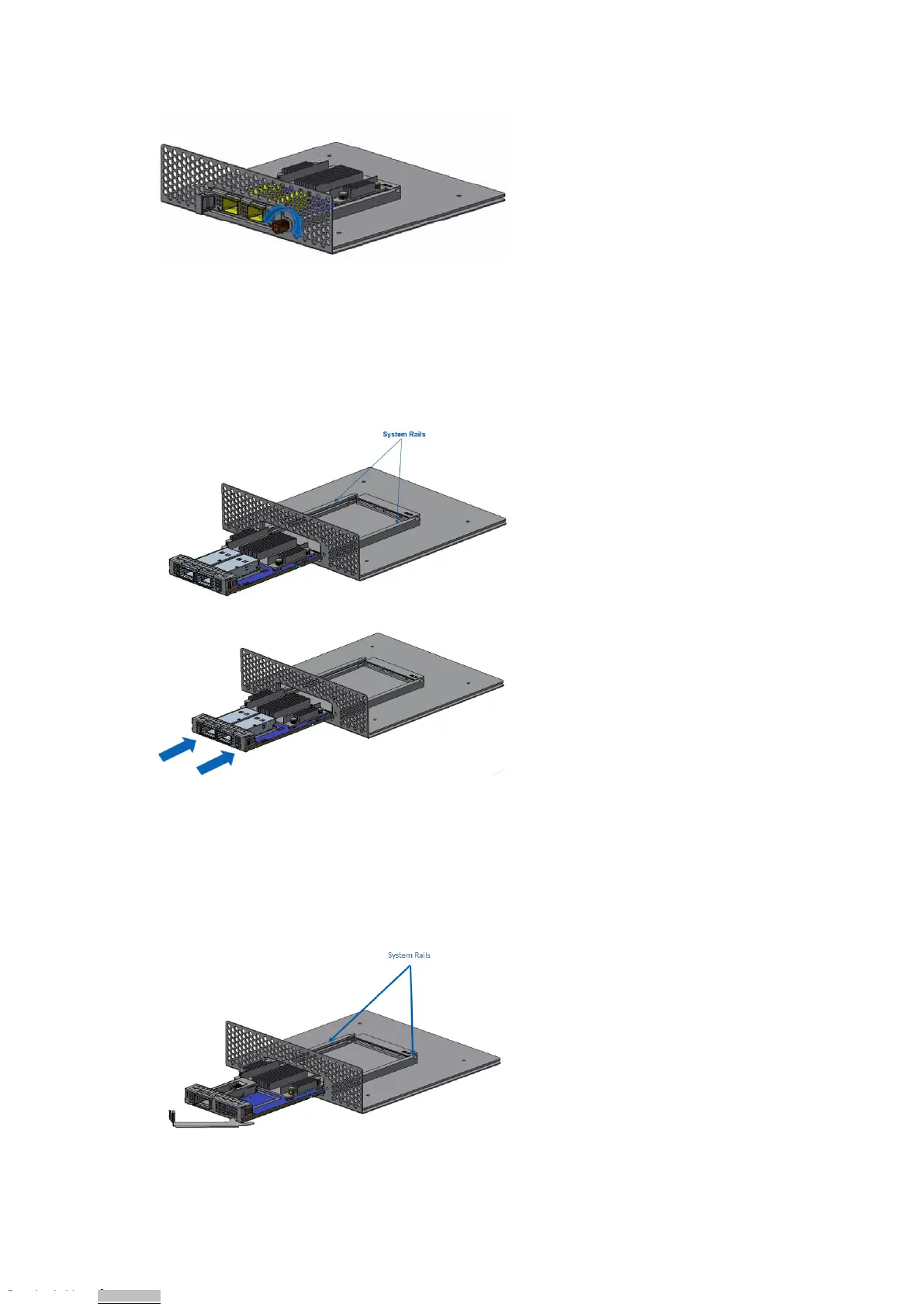
Cards with Internal Lock Bracket
Before installing the card, ensure the system is off, and the power cord is not connected to
the server. Please follow proper electrical grounding procedures.
Open the system case.
Align the card with the system rails.
Push the card until connectors are in full mate and a clicking sound is heard.
Cards with Ejector-Latch Bracket
Before installing the card, ensure the system is off, and the power cord is not connected to
the server. Please follow proper electrical grounding procedures.
Open the system case.
Align the card with the system rails while ensuring the ejector latch is open.
Downloaded from Arrow.com.Downloaded from Arrow.com.Downloaded from Arrow.com.Downloaded from Arrow.com.Downloaded from Arrow.com.Downloaded from Arrow.com.Downloaded from Arrow.com.Downloaded from Arrow.com.Downloaded from Arrow.com.Downloaded from Arrow.com.Downloaded from Arrow.com.Downloaded from Arrow.com.Downloaded from Arrow.com.Downloaded from Arrow.com.Downloaded from Arrow.com.Downloaded from Arrow.com.Downloaded from Arrow.com.Downloaded from Arrow.com.Downloaded from Arrow.com.Downloaded from Arrow.com.Downloaded from Arrow.com.Downloaded from Arrow.com.Downloaded from Arrow.com.Downloaded from Arrow.com.










 To Next Page