SAMM User Manual
21
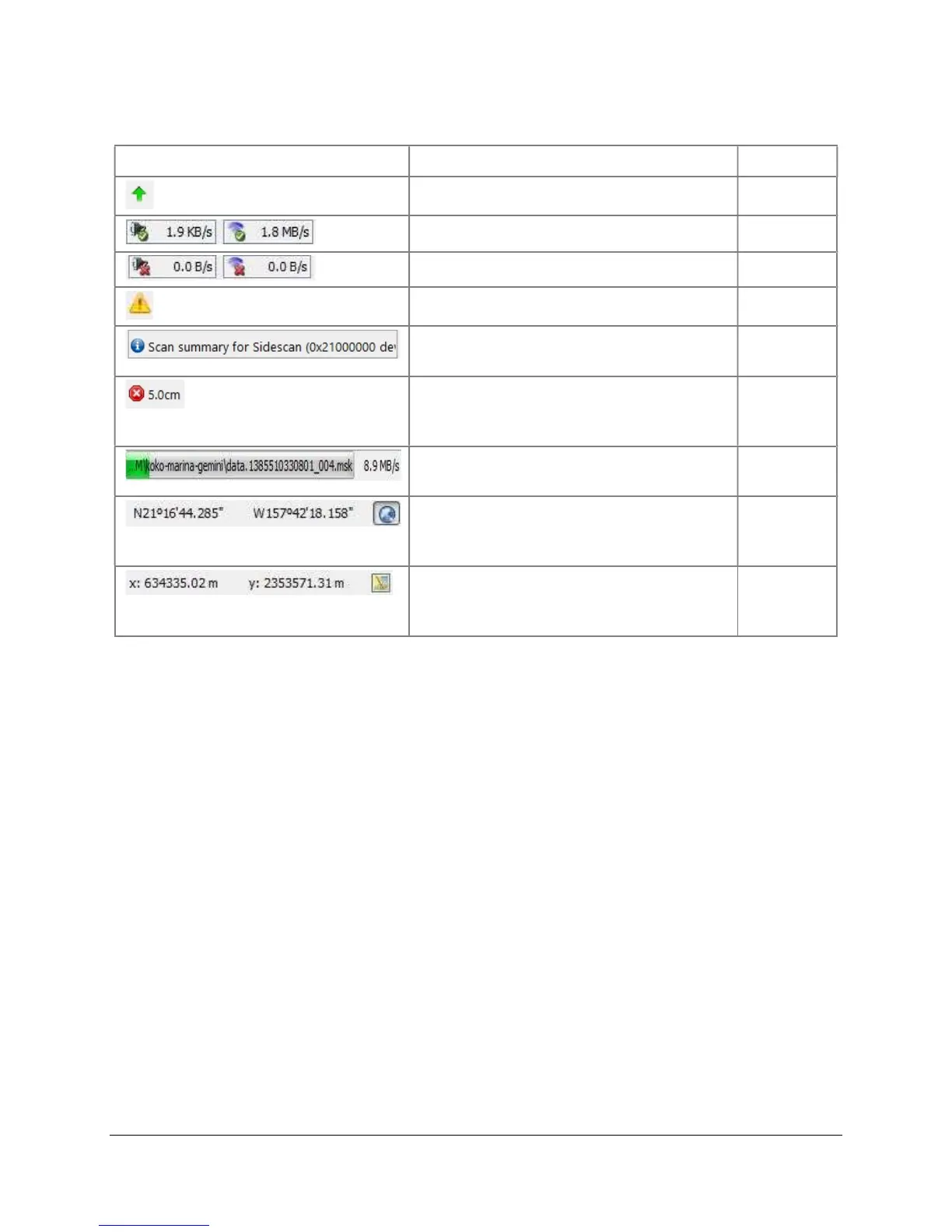
Icon/Output Definition Mode
New version available All
Sensors connected, shows data rate Acquisition
Sensors not connected
Acquisition
An error occurred All
Scrolling Event Log bar, click to open the
Event Log window.
All
Button to cancel file
acquisition/playback/loading, also
indicates current mosaic resolution
All
File acquisition/playback/loading
progress
All
Position of cursor in mosaic window in
GPS coordinates, click toggle button for
XY
All
Position of cursor in mosaic window in
UTM coordinates, click toggle button for
Degrees
All
This page is intentionally left blank.


 To Next Page
 Loading...