SAMM User Manual
26
Table 6. Parameters and Units
Meters
Feet
Yards
Status bar
Degree minute seconds
Degree decimal minutes
Decimal degrees
Live Info
Status bar
Contacts
Meters
Feet
Yards
Contacts
Measure Tool (not yet available)
Survey Setup subpanel of Configuration
window
(depth/altitude)
Meters
Feet
Yards
Fathoms
Live Info
Contacts
ground
Meters per second
Feet per second
Knots
(Not yet implemented)
Meters per second
Feet per second
Live info
Degrees Celsius
Degrees Fahrenheit
Degrees Kelvin
Properties
To change the units of measure:
1. Click the Configuration icon.
2. In the Units of measure subpanel in the Display tab, click the dropdown menu for any
field and click the desired unit.
3. Click Close.
4.3 Mosaic Tab
Mosaic tab provides options how SAMM creates mosaic and data files.
4.3.1 General
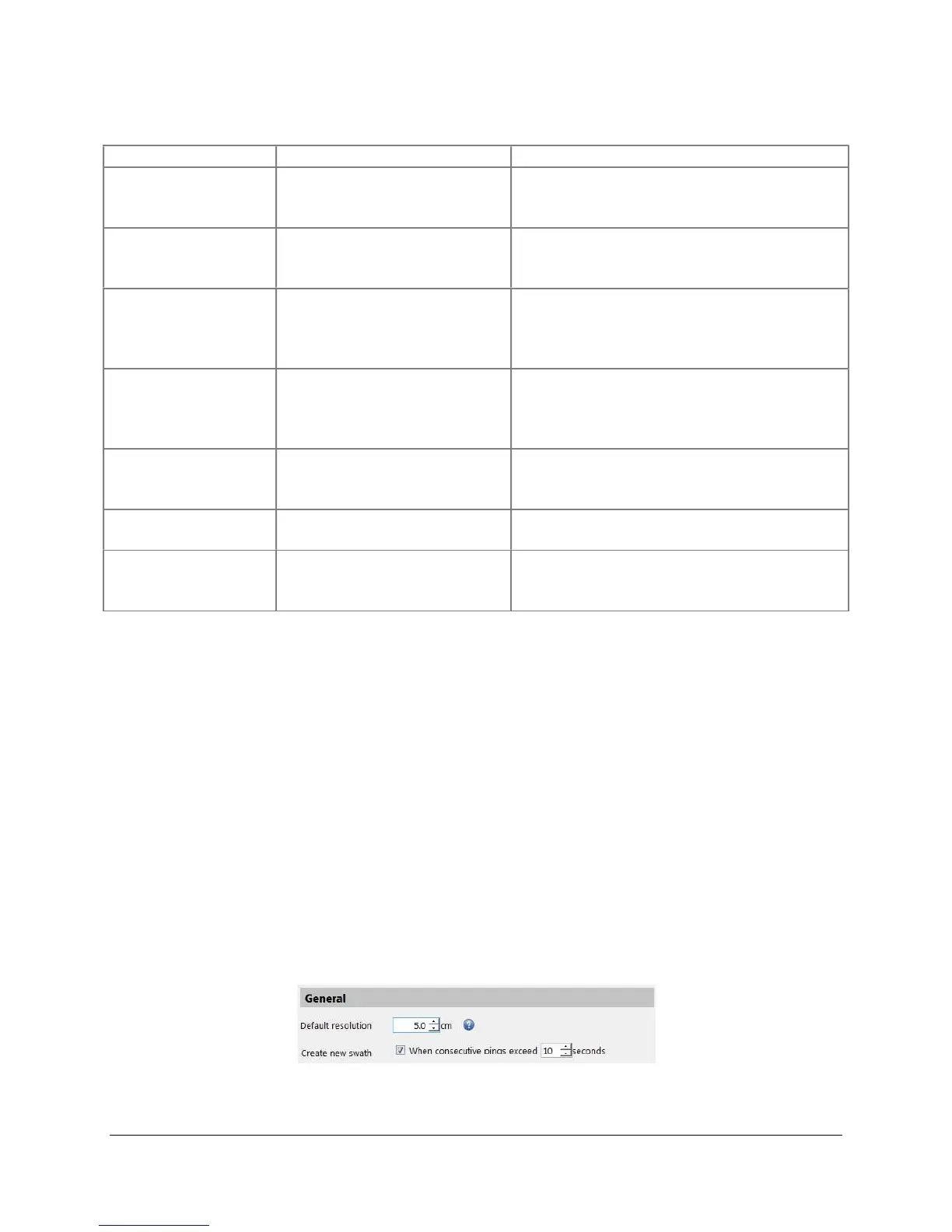
General panel allows the user to change the default resolution of the mosaic and how SAMM
starts a new swath (Figure 19). This sets the highest resolution of the mosaic, but does not
change the logged data. In this section you can also direct SAMM to generate a new swath
automatically if time gap between successive pings is greater than the user specified limit. This
can be useful for automatically creating new swaths in file playback or loading.
Figure 19. General Panel



 To Next Page