SAMM User Manual
56
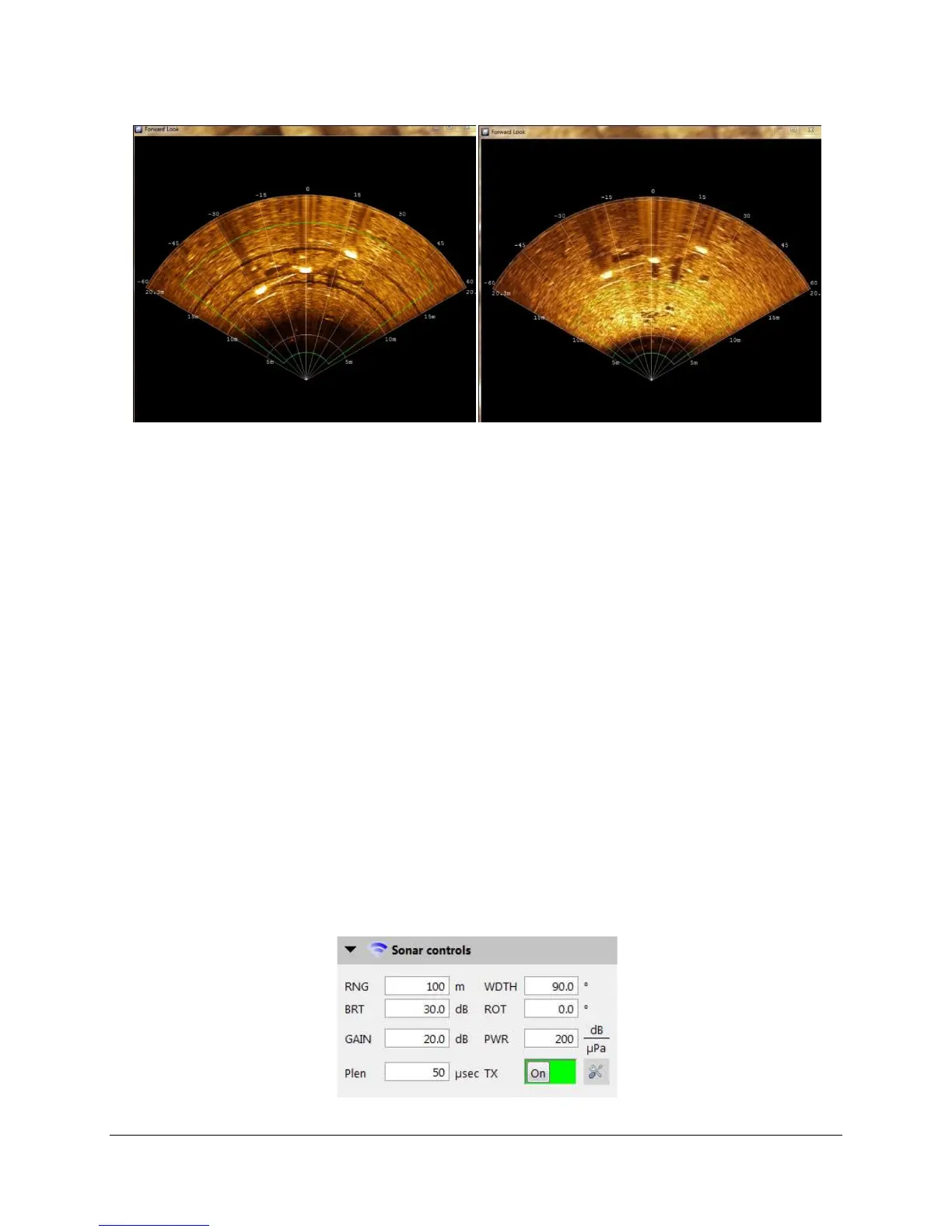
Figure 47. Black banding artifacts with high gain and the same data with lower gain.
The current sensor sound velocity displays at sensor depth in the sonar controls box (in
meters/second). The sound velocity value can be overridden by checking the checkbox next to
the Fixed Sound Vel. box. This is typically performed when actual sound velocity sensor data
are not available; the Tritech Gemini is equipped with a sound velocity probe, so sensor data
should be used if accurate. Sound velocity generally varies from 1450 m/s for very cold waters
to 1550 m/s for very warm waters. In most circumstances you do not need to change the sound
velocity.
Auto ping mode is the default mode and should be used most of the time. In this mode, the
sonar controls when it pings; it pings again when it has pushed the last processed ping to the
receiving software. If you disable auto ping mode, the sonar will wait to ping until it has received
the command to ping from SAMM. If the ping backlog gets too high, SAMM may discard some
raw ping records in an attempt to keep up. Auto ping mode is sufficient for most computer
systems and should be used unless SAMM is overwhelmed with ping packets. The Auto ping
mode is analogous to the Continuous mode in Tritech's Seanet Pro software, while disabling the
Auto ping mode is analogous to the Triggered mode.
R2Sonic Sonar Controls
The R2Sonic sonar controls include range (RNG), sector width (WIDTH), brightness (BRT),
sector rotation (ROT), gain (GAIN), power (PWR), pulse length (Plen), and transmit on/off (TX)
(Figure 48). Projector type (PROJ), frequency (FREQ), and time synch method (SYNC) can be
accessed by clicking the advanced setting button. These controls work the same way as the
corresponding controls in the R2Sonic native software.
Figure 48. R2Sonic Sonar Controls



 To Next Page