SAMM User Manual
82
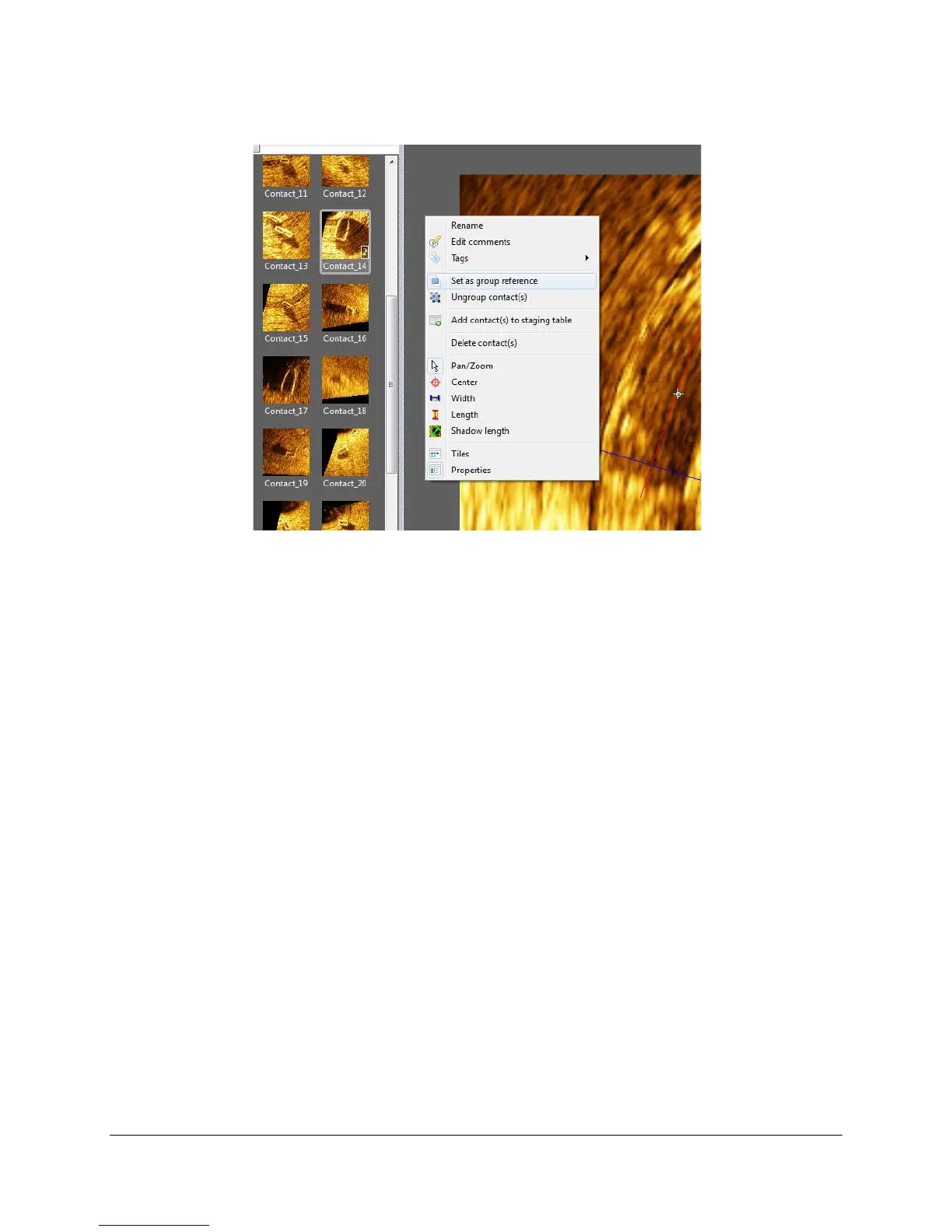
Figure 67. Grouped Contacts and Context Menu
After you have removed redundancies in your dataset by grouping unique objects, you are
ready to export the contacts.
8.5 Export Contacts
The staging table, as the name implies, controls which contacts are exported to the *.html and
*.xml reports.
8.5.1 Send contacts to the staging table
To efficiently add contacts to the staging table, limit the thumbnail list by searching and filtering,
then batch select the contacts. Searching the thumbnail list hides all of the contacts that do not
match the search terms. To search by name, enter the name in the Search field. You may also
search the tags list for tag names. To do this, either click on the Search dropdown menu in the
thumbnail list, or right-click on a thumbnail/tile and hover over Tags. Then, enter the name of
the tag in the field. Clear the search using the Clear search button.
You may also filter by tag to limit the thumbnails shown in the list. To do this, access the tags
window in the same way by either clicking on the Search dropdown menu in the thumbnail list,
or right-clicking on a thumbnail/tile and hovering over Tags. Then, click the checkbox next to the
tag whose thumbnails you want to keep in the thumbnail list. Or, enter tags:// and then the
name of the tag in the search bar (Figure 68).



 To Next Page