SAMM User Manual
30
To configure for playback mode with demo
data:
To configure for data acquisition:
in the Size field, enter Width: 3.0
and Length: 8.0.
5. Click the Display tab.
6. In the Swath colormap panel,
leave the Mosaic in progress field
set to Goldenrod; and
leave the Completed field set to
Goldenrod..
7. In the Units of measure panel, visually
confirm the Distance and Vertical
distance (depth/altitude) fields are
set to Meters (m). Click the Mosaic
tab.
8. In the General panel, set the Default
resolution to 5.0 cm.
9. The MSK output panel is not applicable
in playback mode. Do not change the
setting.
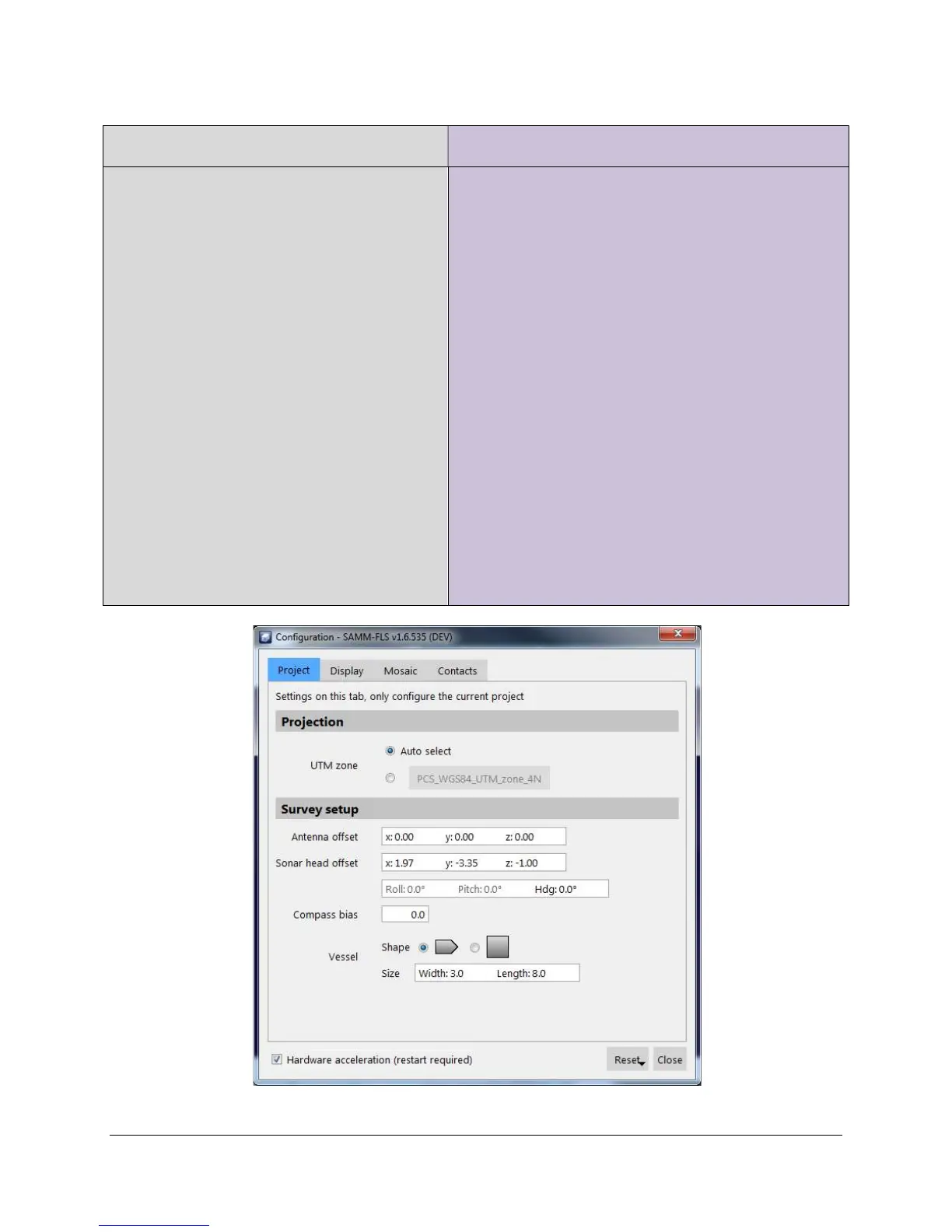
10. Check that your Configuration window
matches Figure 25.
reference point using the same numbering
convention;
in the Hdg field, enter the heading bias in
degrees;
in the Compass bias field, enter the
heading mount bias plus the declination of
your survey location in degrees;
choose your vessel shape; and
in the Size field, enter the length and width
of the boat in the unit set in the
configuration window.
6. Click the Display tab.
7. In the Swath colormap panel, choose the
desired colormap for active, inactive, and
selected swaths.
8. In the Units of measure panel, set the distance
and vertical distance units to the unit of your
measured antenna and sonar offsets. Click
the Mosaic tab.
9. In the MSK output panel, choose the desired
method by which to break raw data files.
Figure 25. Configuration Window for Demo Data



 To Next Page