SAMM User Manual
70
Brightness: -25 Brightness: 0 Brightness: 25
Gamma: 0.50 Gamma: 1.00 Gamma: 1.50
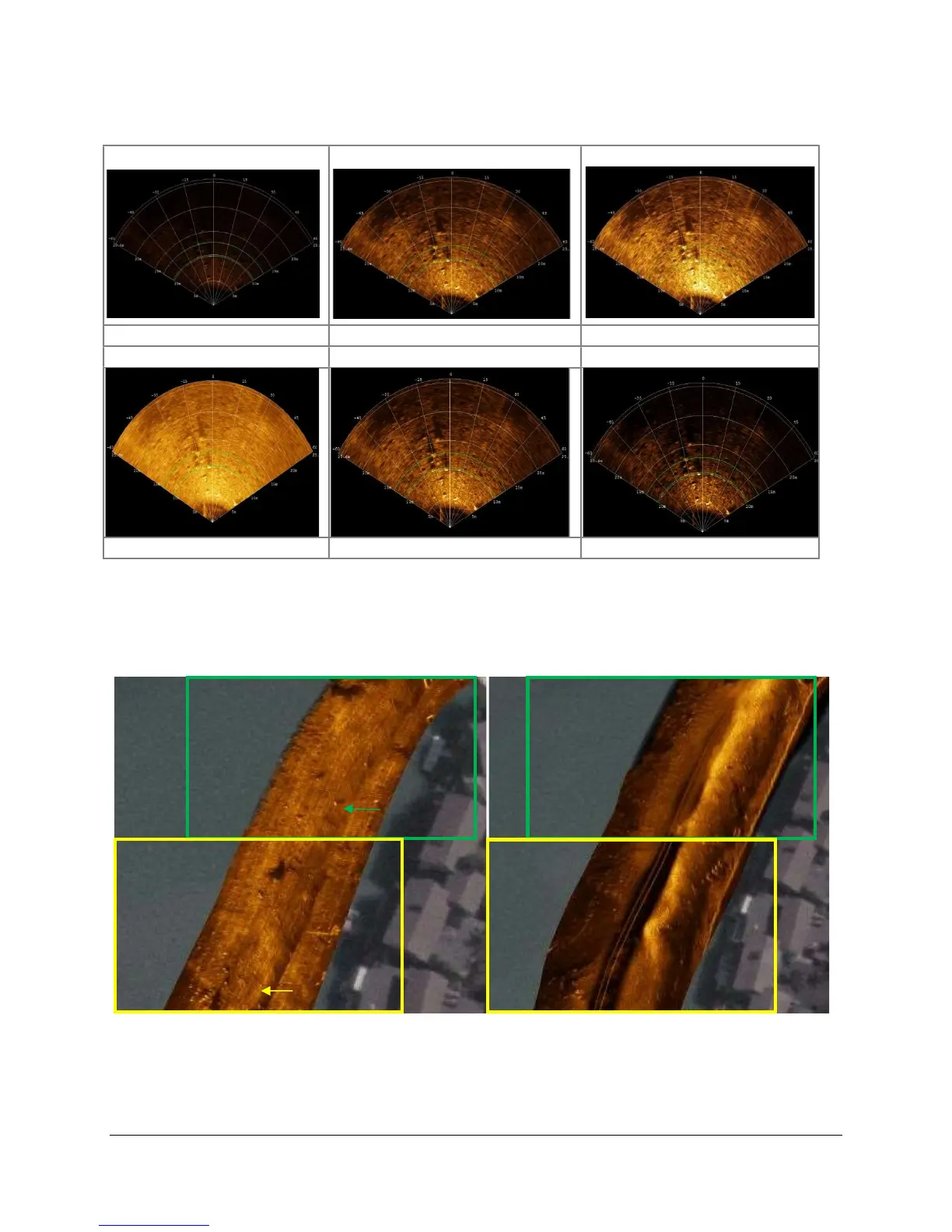
Figure 62. Brightness and Gamma Rendering Effects
6. Drag the Feathering slider bars to the left and right.
Adjusting the horizontal feathering varies the sharpness of port and starboard
boundaries at overlapping swaths, while adjusting the vertical feathering affects the
clarity of the entire image (Figure 63).
Figure 63. Feathering Effect
7. In the Swath list, select the swath that is currently being mosaicked and click the Display
selected swath properties button.
8. Click the 100% button next to Opacity and drag the slider bar to the left and right.
Transparency of the swath in the mosaic window changes with the slider.
100% Horizontal Feathering
0% Horizontal Feathering
100% Vertical Feathering
0% Vertical Feathering



 To Next Page