SAMM User Manual
48
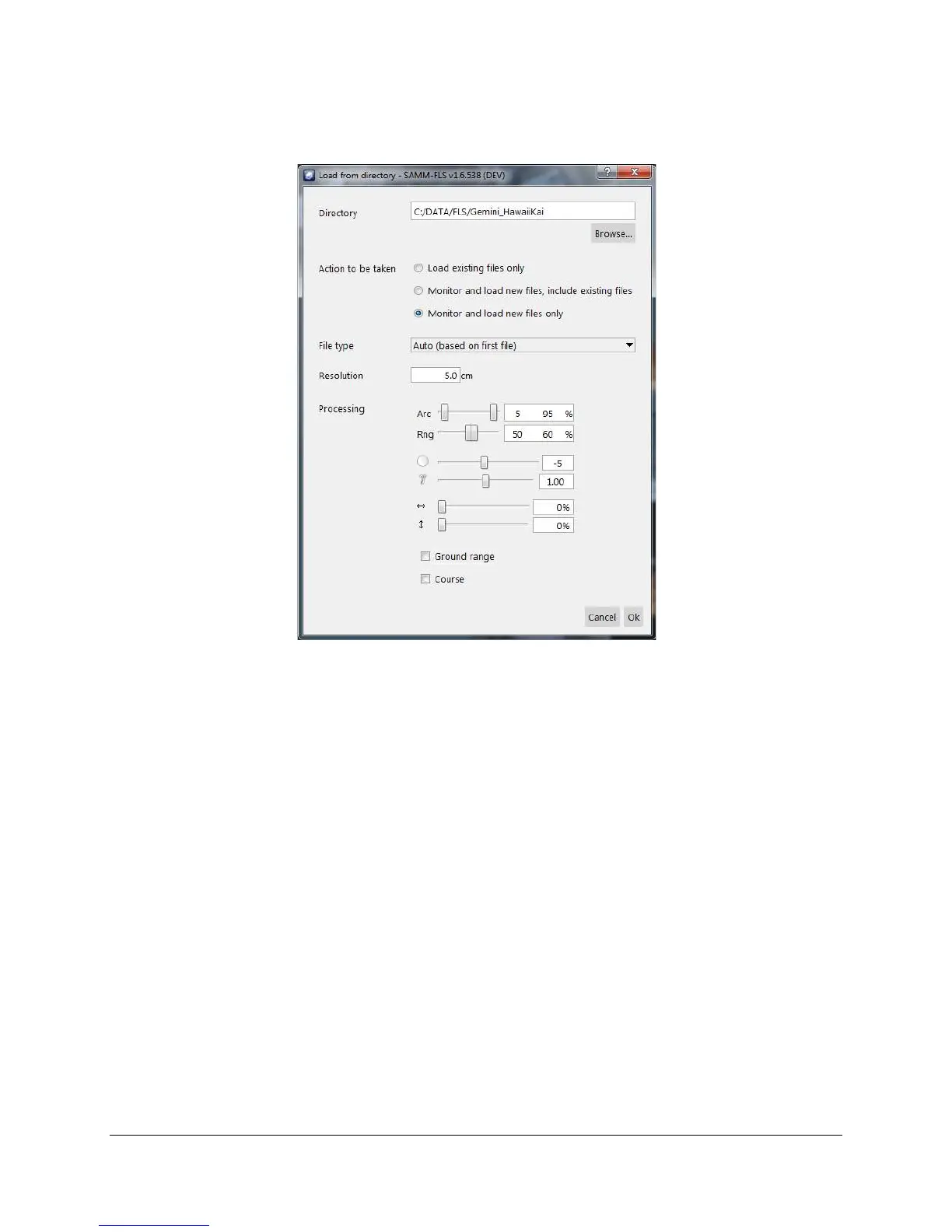
Load from directory window allows the user to set up how the data files are loaded (Figure 38).
Figure 38. Load from directory dialog
To load data files from directory:
1. Click the Add data icon.
2. Click Load from directory.
3. Click Browse... and navigate to the directory where you want to load files.
4. For the Action to be taken item, select one of the 3 modes:
Load existing files only
Monitor and load new files, include existing files
Monitor and load new files only
5. Select file type from the dropdown list. Note that SAMM can load data files of the same
type.
6. Set mosaic resolution.
7. Processing options enables the user to set processing parameters for mosaicking (See
Section 7.4 for detail).
8. Click OK.
9. Monitor file queue indicator and file loading progress in the status bar. The swaths
display as files are loaded.
10. To stop file loading when in directory monitor mode, click the Add data icon (with red x).



 To Next Page