23
ENTERING SETTINGS -SET MODE #1
TO SET - FO2 (while in the Surface Mode)
Factory set for Air, FO2 can also be set to values between 21
and 50% in increments of 1%.
• Press Both buttons simultaneously, release when SET: 1
appears.
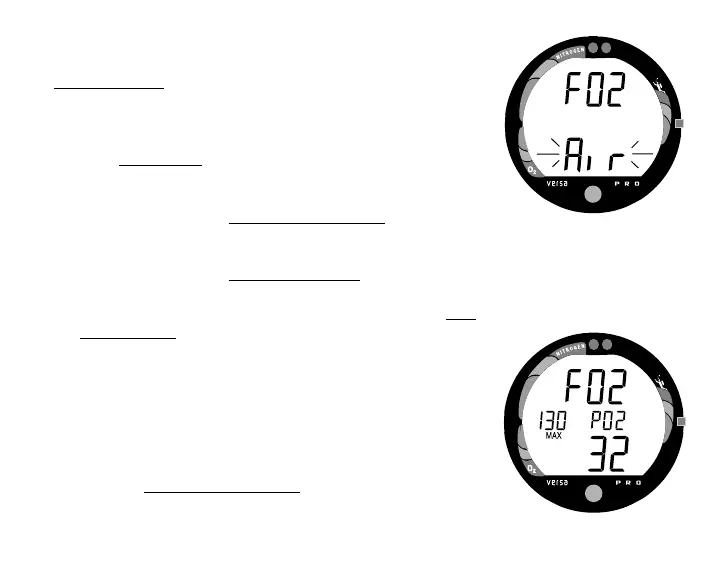
• Press and release the Advance (Front) button, FO2 ap-
pears with the value flashing (Fig. 19).
• Press and release the Side (Select) button repeatedly to
increase the FO2 value from 21 to 50% in increments of
1%, then display AIR again; - or - Press and hold the Side
(Select) button to scroll from AIR to 32%, then press and
hold again to scroll from 32 to 50%, then AIR.
• For each FO2 value that appears, the display indicates the
Maximum Depth that can be achieved for a PO2 of 1.60
ATA (Fig. 20), or the setting selected by the user. If FO2 is
set for Air, no value is displayed.
• Press the Advance (Front) button to accept the setting and
advance to Set Depth Alarm, or press and hold Both
buttons for 2 seconds to revert to Surface Mode.
Fig. 19 - Set FO2
Fig. 20 - FO2 set for 32%



 To Next Page