24
TO SET - MAX DEPTH ALARM
(while in the Surface Mode)
Factory set for 330 feet, the Alarm can be set to values be-
tween 30 feet (3 meters) and 330 feet ( 99 meters) in incre-
ments of 10 foot (3 meters).
• Press Both buttons simultaneously, release when SET: 1
appears.
• Press and release the Advance (Front) button, FO2 ap-
pears with the value flashing.
• Press the Advance (Front) button 1 more time.
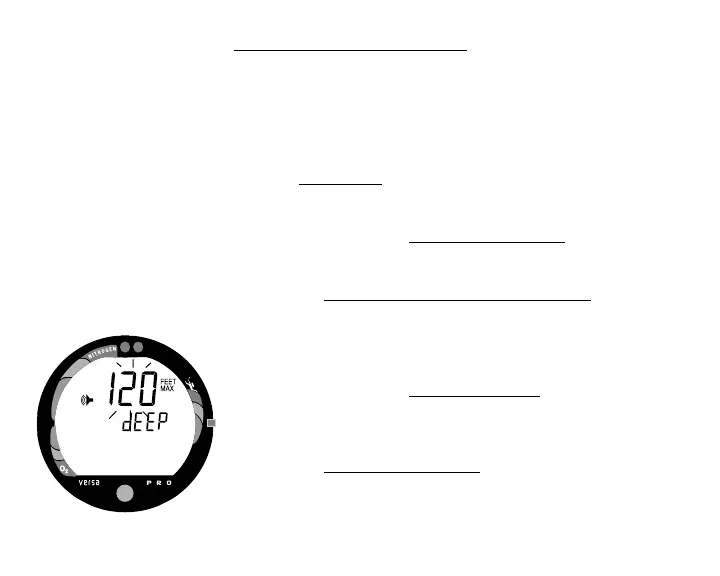
• The graphics FEET MAX and dEEP, and Alarm icon
appear with the Max Depth value flashing (Fig. 21).
• Press and release the Select (Side) button until the desired
Depth Alarm value appears, or press and hold the button
to scroll through the Set Points.
• Press the Advance (Front) button to accept the setting and
advance to Elapsed Dive Time Alarm, or press and hold
Both buttons for 2 seconds to revert to Surface Mode.
Fig. 21 - Set Max Depth Alarm



 To Next Page