75
Ascending
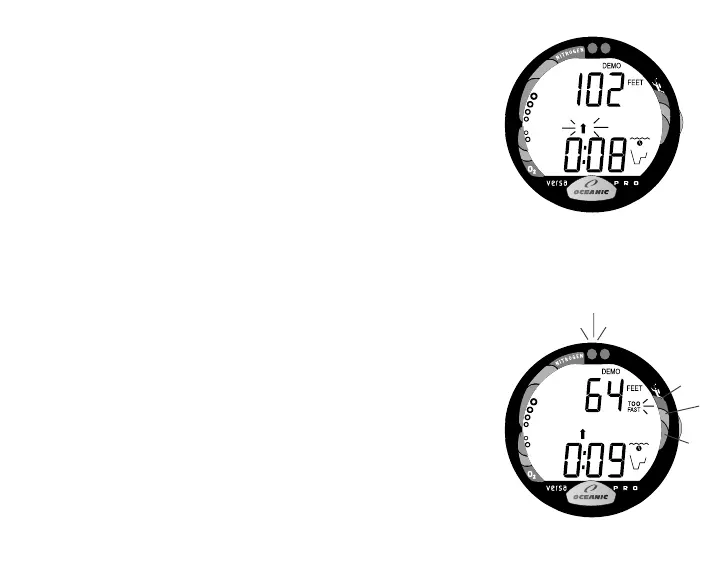
Rate of Ascent can be set for 1 or 3 feet per second (fps) prior
to start of Ascent or while stopped.
• Press/hold the Advance (Front) button for 2 seconds to
access an Ascent Rate of 1 fps. The UP Arrow will appear
flashing (Fig. 86).
• To change the Rate to 3 fps, press/hold Advance (Front)
for 2 seconds. The graphic TOO FAST appears and the
alarm will sound and red LED will flash (Fig. 87).
• Press/hold the Advance (Front) button to return the Rate to
1 fps.
• Press and release the Advance (Front) button while the
Arrow is flashing to start the Ascent at the selected rate.
• Press and release the Advance (Front) button during the
Ascent to stop the Ascent.
• Press and release the Advance (Front) button while the
Ascent is stopped to access Alternate Displays.
• Press/hold the Advance (Front) button for 2 seconds while
the Ascent is stopped to restart the Ascent.
• Pressing and holding both buttons simultaneously for 2
seconds will revert operation to real Surface Mode.
Fig. 86 - Simulated Ascent
Fig. 87 - Ascent Rate Accelera-
tion



 To Next Page