72
SIMULATOR MODE
This mode provides you with the ability to practice various
dive mode scenarios and computer functions while observing
the various displays.
• The SmartGlo Backlight functions as it normally does.
• At any time while in Simulator Mode, pressing and holding
both buttons simultaneously for 2 seconds shall revert
operation to real Surface Mode.
• The set points entered into the Versa Pro do not affect the
operation of the Simulator which has its own settings that
allow Digital Gauge Mode to be set ON or OFF, calcula-
tions to be cleared, and FO2 to be set.
Access and Setup (while in Surface Mode)
• Press and hold Both buttons for 6 seconds.
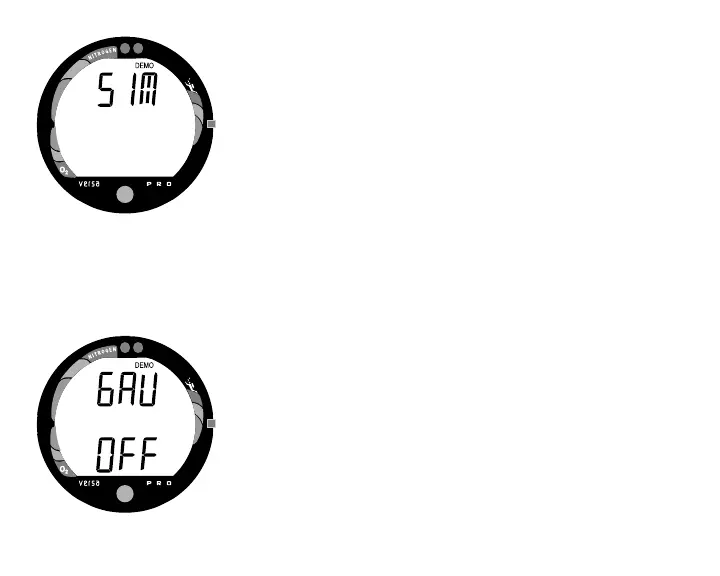
• Release the buttons during the 2 second window when
DEMO and SIM appear (Fig. 79).
• Press and release the Advance (Front) button to access SIM
MODE. The graphics DEMO and GAU will appear with
OFF (or ON) flashing (Fig. 80).
• When set ON, the SIMULATOR will operate as the unit
would in User Set Digital Gauge Mode only displaying
Depth and Elapsed Dive Time. When set OFF, it operates
as it would as an Air or Nitrox computer.
Fig. 80 - Set Demo Gauge
Fig. 79 - Simulator Mode



 To Next Page