63
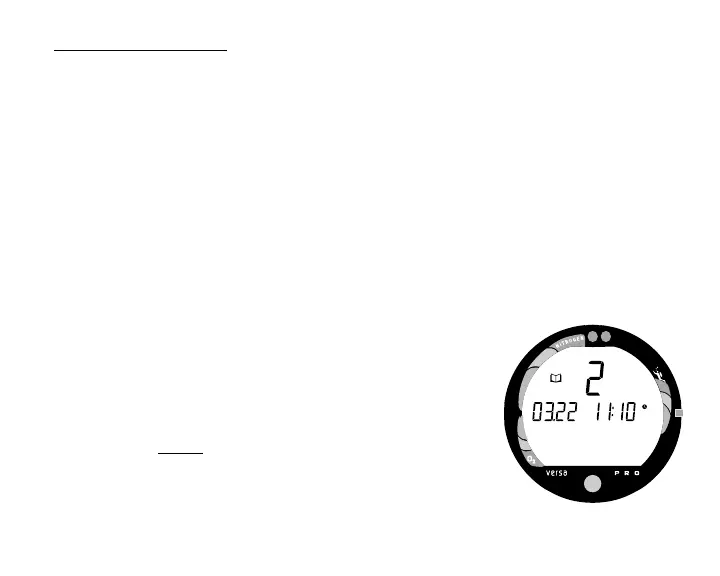
To view that dive's Log (Fig. 67) -
Refer to page 66 for a description of the Log Mode displays.
• Press the Advance (Front) button 1 time.
• Press the Select (Side) button 1 time to view the Nitrogen
data screen.
• Press the Select (Side) button again to view the Oxygen
data screen (if a nitrox dive).
• Press Both buttons simultaneously for 2 seconds to return to
Surface Mode.
• The unit will revert to Surface Mode after 2 minutes if no
button is pressed.
Log Data will not be stored in the unit's memory until the 10
minute Transition Period on the surface is completed.
Once 10 minutes have elapsed, the Surface Mode icon and
Surface Interval time display colon stop flashing indicating
that the Dive and Transition Period are completed, and a
subsequent descent will be considered a new dive.
If you descend during the 10 minute Transition Period, time
underwater will be considered a continuation of that dive. The
time at the surface (if less than 10 minutes) will not be added
as Dive Time.
Fig. 67 - Log Mode
(during Transition Period)



 To Next Page