OFITE, 11302 Steeplecrest Dr., Houston, TX 77065 USA / Tel: 832-320-7300 / Fax: 713-880-9886 / www.ote.com 29
Software
Setup
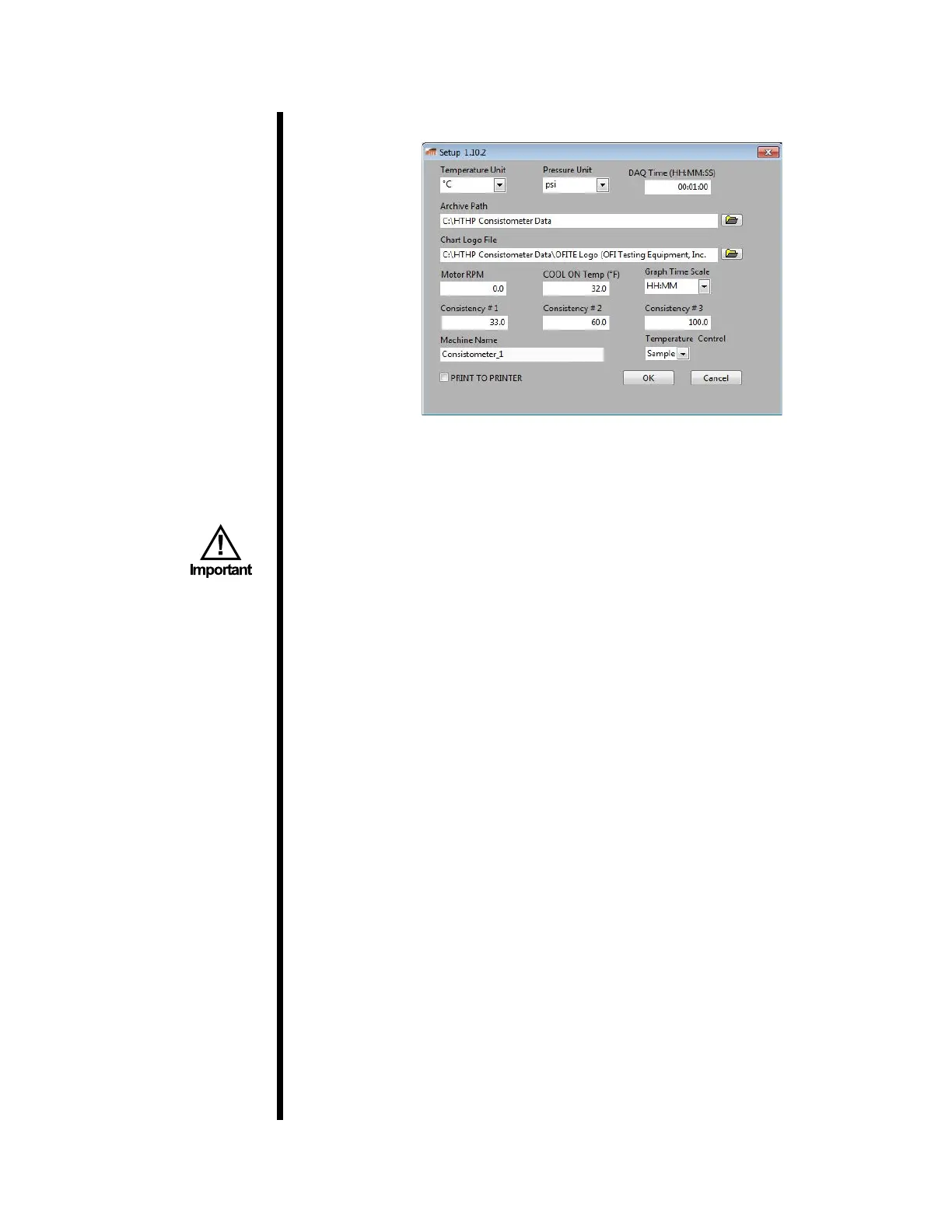
To change the software settings, select “Setup” from the “Utilities” menu.
Temperature Unit: °F or °C. Changing this setting will change the tempera-
ture units on the Eurotherm temperature controller.
Pressure Unit: Select psi or MPa. Changing this setting will change the pres-
sure units on the Eurotherm Temperature Controller.
When the pressure units are changed, the HTHP Consistometer will
automatically reboot. Do not change this option during a test.
Average Parameters: This will round off all data values to the nearest whole
number.
DAQ Time: The time interval to collect data.
Archive Path: Select a folder to store test data.
Chart Logo File: Select a logo le (.jpg) to display on the graph.
Motor RPM: The rotational speed of the motor.
COOL ON Temp: After a test, the cooling system will engage if the tempera-
ture is above this setting (°F). The COOL switch must be set to AUTO.
Consistency #1: The consistency at which the yellow light comes on.
Consistency #2: The consistency at which the green light turns off.
Consistency #3: The consistency at which the yellow light turns off and the
red light comes on. When the consistency reaches this value, the test will
stop automatically to prevent damage to the equipment.
Machine Name: This name will print on the chart to identify which
Consistometer generated the data.
Temperature Control: Sample of Bath. Determines which thermocouple is
used to control temperature.
Print to Printer: At the end of a test, the software will automatically save an
image le of the test graph. Select this option to also print the graph to the
default printer.



 To Next Page