OFITE, 11302 Steeplecrest Dr., Houston, TX 77065 USA / Tel: 832-320-7300 / Fax: 713-880-9886 / www.ote.com 71
Appendix
Multiple Instruments
It is possible to control multiple HTHP Consistometers from a single
computer. To setup the software for multiple HTHP Consistometers, repeat
the following procedure for each instrument.
1. Plug each instrument into a separate serial port on the computer.
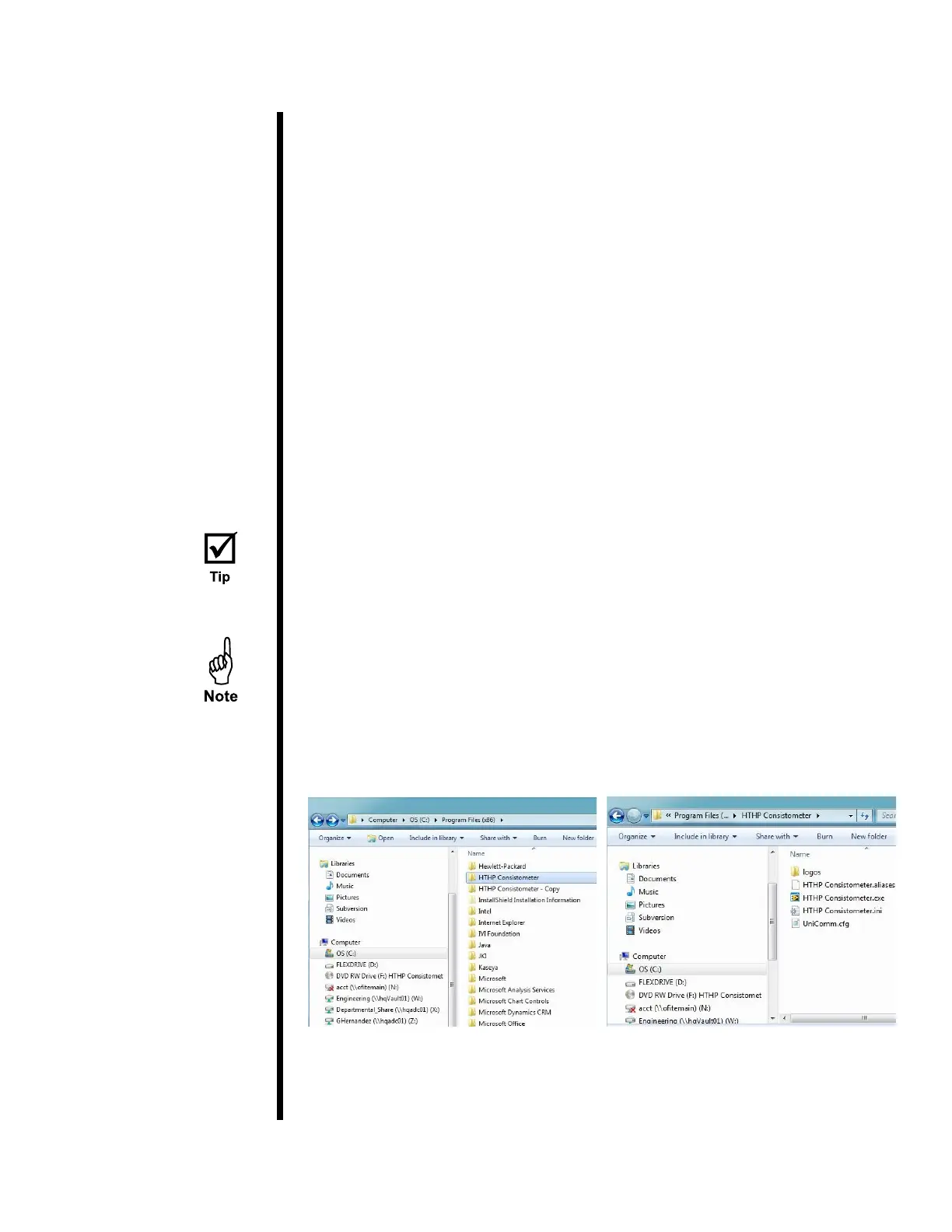
2. On the computer, navigate to the “C:\Program Files (x86)” folder.
3. Locate the “HTHP Consistometer” folder and select it.
4. Hold down the CTRL key and then hit "C". Then hold down the CTRL key
and hit V. This will create a duplicate of the folder called “HTHP
Consistometer - Copy”.
5. Choose a name to identify the new instrument.
6. Rename the new folder with the name of the instrument.
7. Locate the program le (.exe) inside the folder and rename it with the
name of the instrument.
For convenience, create a shortcut to this le on the desktop.
8. Open the software using the new program le.
9. Change the “Archive Path” to a new folder.
Each instrument must have its own Archive Path.



 To Next Page