OFITE, 11302 Steeplecrest Dr., Houston, TX 77065 USA / Tel: 832-320-7300 / Fax: 713-880-9886 / www.ote.com 65
Appendix
Chart Recorder
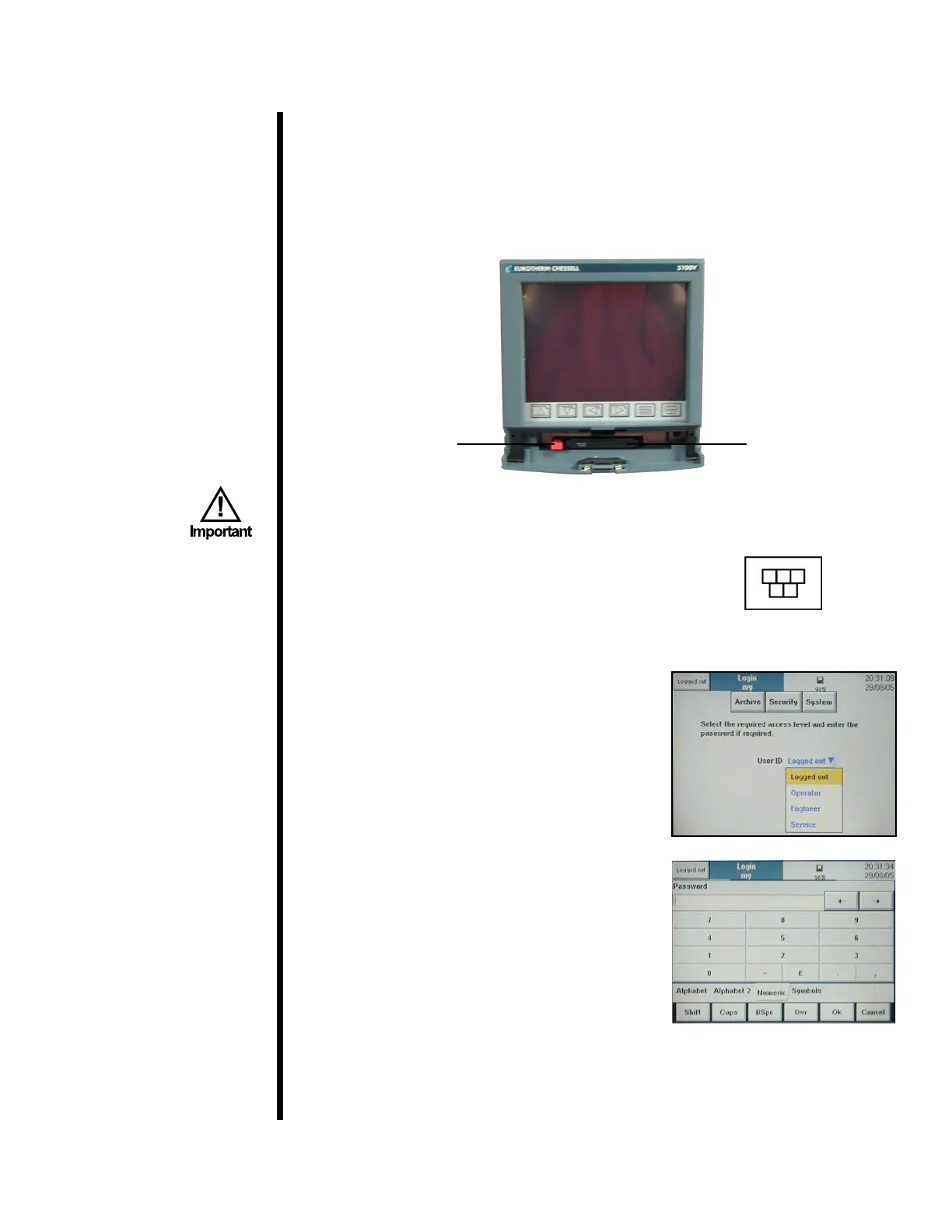
The OFITE HTHP Consistometer includes a digital chart recorder for
displaying and recording test data. It features a removable drive for
easily transferring test data to a PC for processing. The unit is setup to
automatically record data onto the disk during the test. However, for this
feature to work, you must have the disk inserted into the drive when the unit
is powered on. Otherwise, the data must be manually archived at the end of
the test.
Recorder DiskEject Button
Menu Button
It is strongly recommended that you carefully study the instruction
manual provided by the manufacturer before using this equipment.
To manually archive test data:
1. Press the “Menu” button.
2. Press “Operator” from the menu.
3. At the top of the screen, press “Security”
and then choose “Log In”.
4. You will then be prompted for a UserID.
Touch the UserID eld and choose
“Engineer” from the list.
5. Now touch the “Password” eld. At the
bottom of the screen, choose “Numeric” as
the input method and then type “100” and
press “OK”.
6. At the top of the screen, choose
“Archive” and then choose “Local”.



 To Next Page