43502101TH Rev.1 134 /
Oki Data CONFIDENTIAL
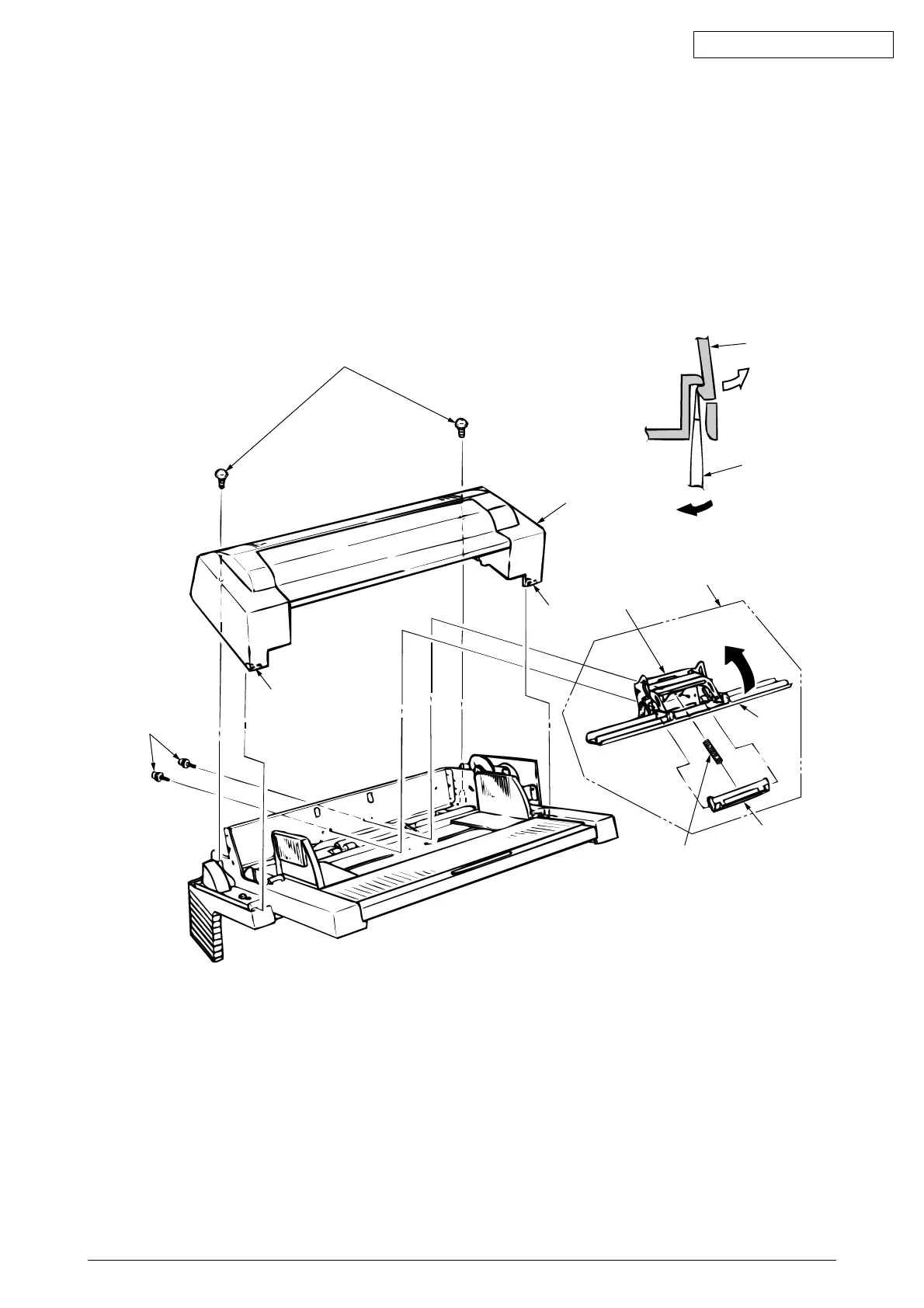
3.3.2 Separator
(1) Turn the power switch off “O” and remove the connector cable.
(2) Disengage the link and paper feeder cover (see 3.3.1).
(3) Remove 2 screws 1, disengage the locks at 2 locations on the upper frame 2 with a screwdriver,
and remove the upper frame 2.
(4) Remove 2 screws 3, and take out the separator assembly 4.
(5) Disengage the separator 7 from the separator bracket 6 while lifting the paper hold 5, and take
out the separator (be careful not to lose the spring 8 when you are doing this).
1
Lock
3
Lock
2
2
Screwdriver(–)
4
6
5
7
8



 To Next Page