- 103 -
Printing from the Multi-Purpose Tray
Appendix
Setting Up
2
Before Use
1
Printing
3
Basic Device Operations
4
Index
Using Windows PCL Printer Drivers
1
Open the le to be printed using
WordPad.
2
Click [Page setup] in the [File] menu.
3
Select the paper size and print
orientation, and click [OK].
4
Click [Print] in the [File] menu.
5
Click [Preferences].
6
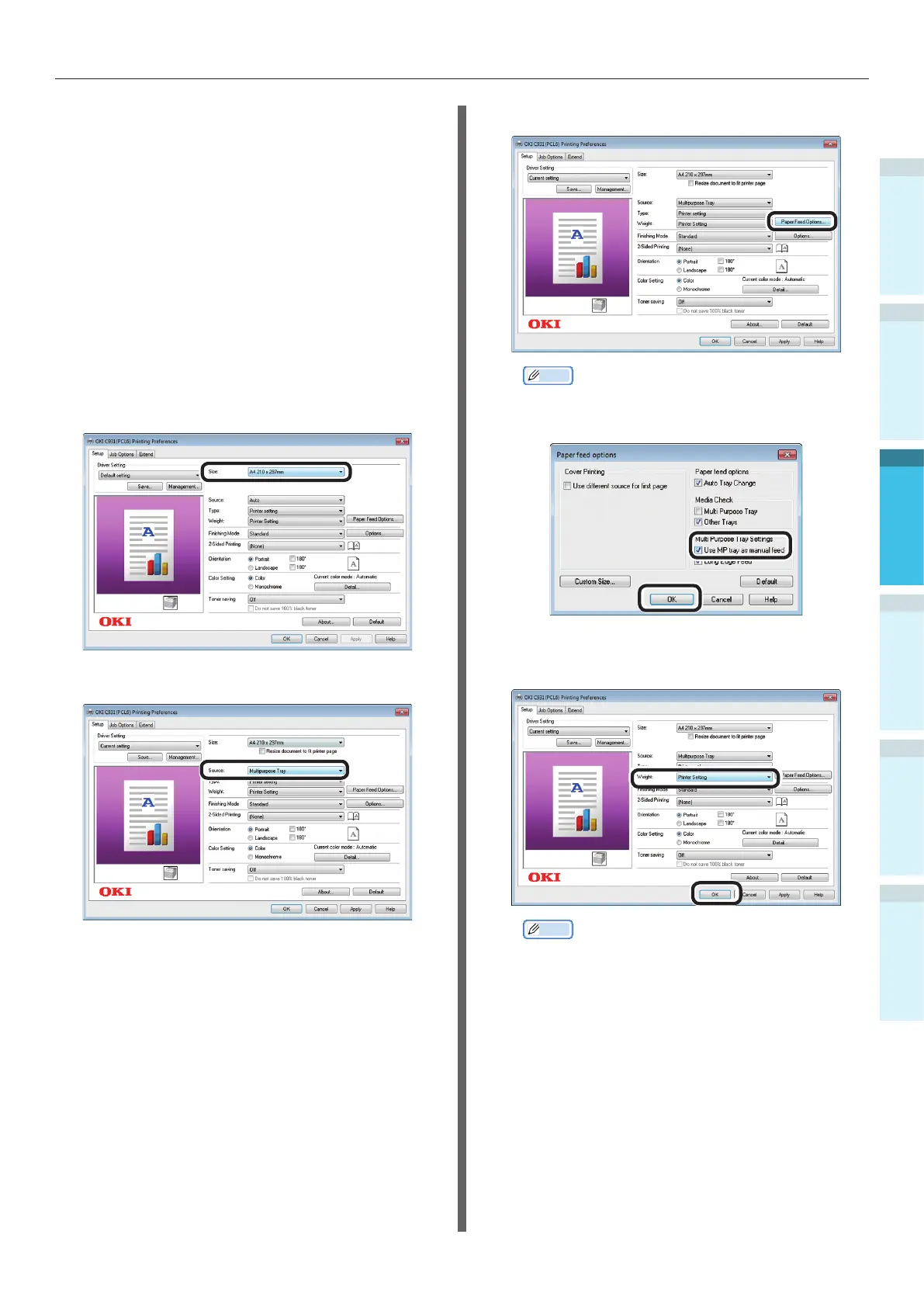
Select [Size] in the [Setup] tab.
7
Select [Multipurpose Tray] in [Source].
8
Click [Paper Feed Options].
Memo
To print pages individually, enable [Use MP tray as
manual feed] in [Multi Purpose Tray Settings], and
click [OK].
9
Select a suitable value in [Weight], and
click [OK].
Memo
Normally, select [Printer Setting]. Select [Printer
Setting] to use the values set using the printer
control panel.
10
Click [Print] in the "Print" screen to
print.


 To Next Page