- 59 -
Test Printing Using the Printer Only
AppendixPrinting
3
Setting Up
2
Before use
1
Basic Device Operations
4
Index
Test Printing Using the Printer Only
Check that printing is actually enabled using the printer only. Check by printing the device setup and
setup details, which enable the status to be checked. (Printer information.)
Memo
Print the "printer information" on A4 size paper. Set A4 size paper in the paper feed tray.
Reference
See “Turning ON the Power Supply” (P.57) for how to turn ON the power supply.
1
Set A4 paper in tray 1.
2
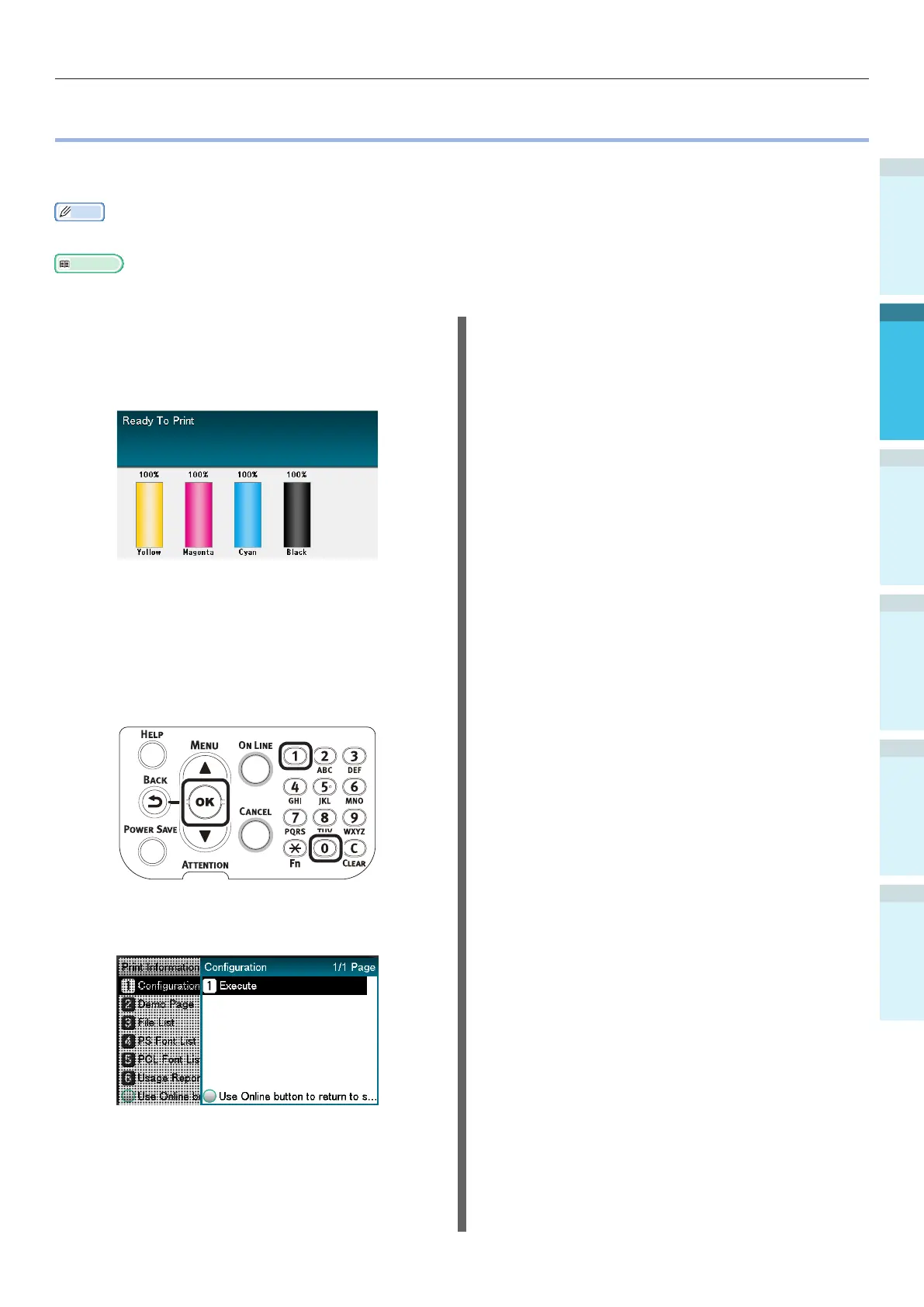
Check that the standby screen is
displayed in the liquid crystal panel.
3
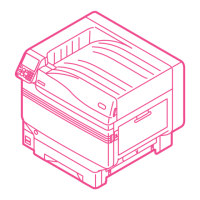
Press the [Fn] key.
The numerical value input screen will be
displayed.
4
Press [1], [0], [0], and then press the
[OK] button.
5
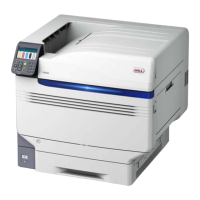
When [Execute] has been selected,
press the [OK] button.
The printer information will be
displayed.


 To Next Page