- 109 -
Outputting Paper
Appendix
Setting Up
2
Before Use
1
Printing
3
Basic Device Operations
4
Index
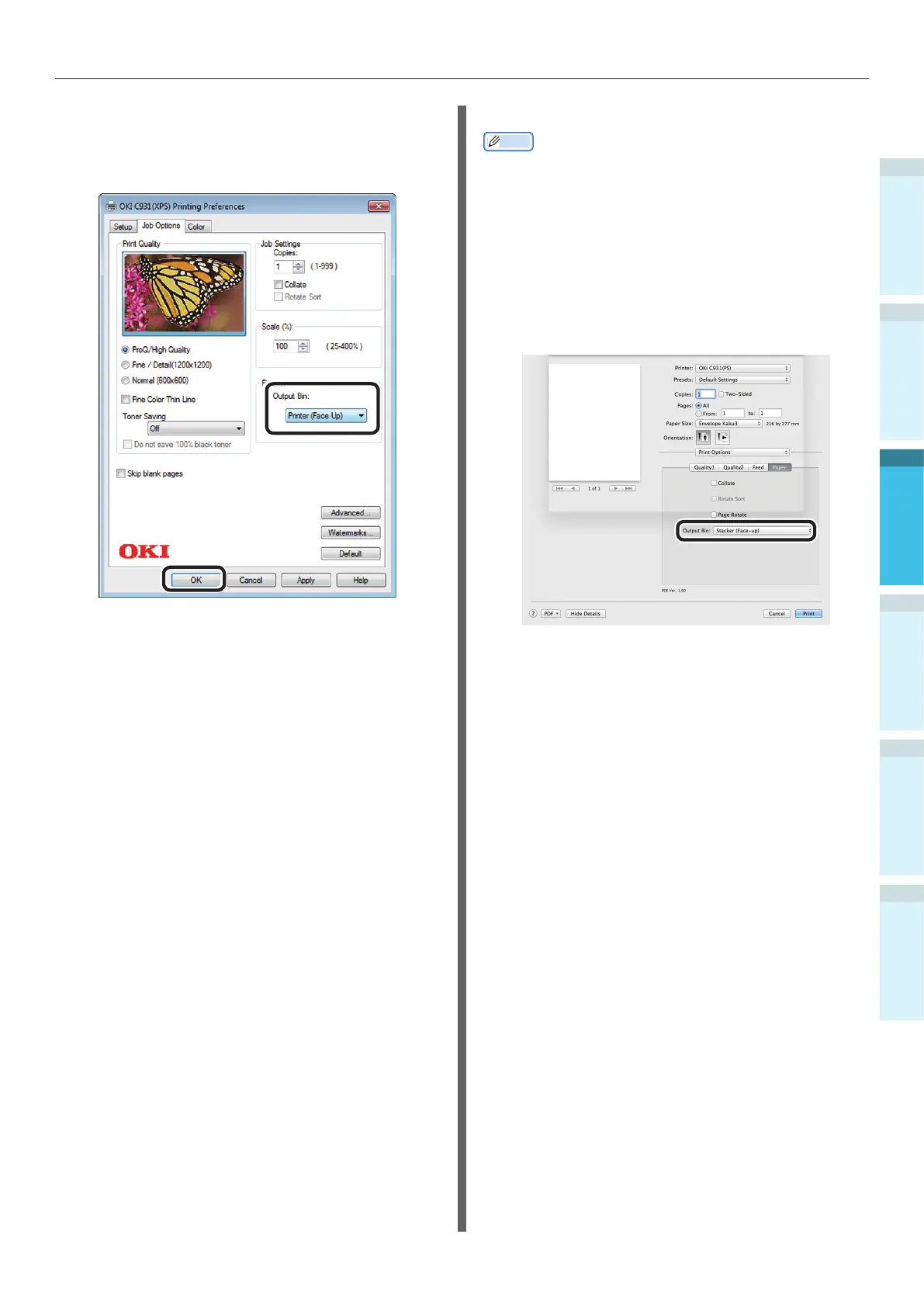
Using Windows XPS Printer Drivers
6
Select [Printer (Face Up)] in [Output
Bin] in [Job Options], and click [OK].
7
Implement printing.
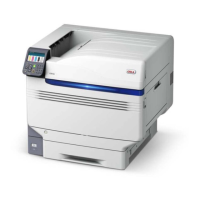
Using Mac OS X Printer Drivers
Memo
This section uses "TextEdit" as an example.
5
Select [Print] in the [File] menu.
6
Select [Print Options] using the print
dialog box.
7
Select [Stacker (Face-up)] in [Output
Bin] in the [Paper] tab.
8
Click [Print] to print.
Printed paper is output to the face-up
stacker.


 To Next Page