EasyManua.ls Logo

Oki MC160MFP - User Manual

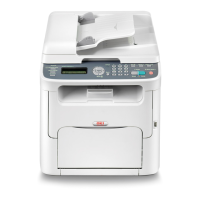
Oki MC160MFP
268 pages
Print Icon
To Next Page IconTo Next Page
Loading...
User Guide
Print/Copy/Scan Modes
59320401 my.okidata.com
MC160n MFP

Table of Contents

Other manuals for Oki MC160MFP

Questions and Answers

  • M
    Monique DavilaAug 13, 2025
    Why is my Oki MC160MFP mis-feeding media?
    • M
      Manuel DiazAug 13, 2025
      Media mis-feeding in your Oki All in One Printer can occur for several reasons. It could be due to the media not being correctly positioned in the tray, so remove the misfed media and reposition it properly. The number of sheets in the tray might exceed the maximum allowed; remove the excess media. Ensure the media guides are correctly adjusted to the media size. Warped or wrinkled media can also cause issues, so remove and smooth it out. If the media is moist, replace it with dry media. Special media should be loaded in Tray 1 only, and label sheets should be loaded according to the manufacturer’s instructions.
  • J
    Jon CastroAug 16, 2025
    What to do if my Oki All in One Printer prints uneven color density?
    • M
      Michael PonceAug 16, 2025
      Uneven print or color density on your Oki All in One Printer may be due to a defective or low toner cartridge, so remove the toner cartridges and check for damage. The imaging cartridge could also be defective; remove it and check for damage. Additionally, ensure the printer is on a flat, hard, and level surface.
  • K
    Katelyn KochAug 20, 2025
    Why is my Oki MC160MFP wrinkling the media?
    • B
      Brandon ScottAug 21, 2025
      Wrinkled media in your Oki All in One Printer can be caused by several factors. The media may be moist from humidity or water spillage, so replace it with new, dry media. The media feed roller or fuser unit may be defective, so check them for damage. Also, unsupported media (wrong size, thickness, type, etc.) can cause wrinkling, so use Oki approved media.
  • J
    johnsondavidAug 25, 2025
    How to fix insufficient fusing on my Oki All in One Printer?
    • G
      Gabriel ReynoldsAug 25, 2025
      Insufficient fusing or the image coming off when rubbed with your Oki All in One Printer can occur if the media is moist, so replace it with new, dry media. Unsupported media (wrong size, thickness, type, etc.) may also be the cause, so use Oki approved media. Additionally, if printing labels, letterhead, or thick stock, specify the appropriate media type in the printer driver.
  • P
    Pamela FletcherAug 28, 2025
    What to do if the Oki MC160MFP All in One Printer shows a media miss-feed message?
    • J
      James RobertsonAug 28, 2025
      If the media miss-feed message stays on your Oki All in One Printer, open and close the scanner unit again to reset the machine. Also, check the media path again to ensure that you have removed all of the misfed media.
  • E
    emily21Sep 1, 2025
    Why does my Oki MC160MFP misfeed in the ADF?
    • D
      Denise LarsonSep 1, 2025
      Media misfeeding in the ADF of your Oki All in One Printer can happen if the loaded document does not meet the specifications, so load the correct document. It may also occur if the loaded document exceeds the maximum capacity, so ensure it does not. Check that the document guides are slid against the edges of the document.
  • N
    ngutierrezSep 4, 2025
    How to resolve duplex mis-feeds in Oki All in One Printer?
    • R
      Ricardo ChanSep 5, 2025
      Duplex mis-feeds in your Oki All in One Printer can be caused by using unsupported media (wrong size, thickness, type, etc.), so use Oki approved media. Also, check the media path inside the duplex again to ensure that you have removed all of the misfed media.
  • M
    mrojasSep 8, 2025
    What causes several sheets to go through my Oki MC160MFP All in One Printer together?
    • E
      Eric ClarkSep 8, 2025
      If several sheets go through your Oki All in One Printer together, it could be because the front edges of the media are not even; remove the media and even up the front edges, then reload it. Alternatively, the media may be moist from humidity, so remove the moist media and replace it with new, dry media.

Oki MC160MFP Specifications

General IconGeneral
FunctionsPrint, Copy, Scan, Fax
Print TechnologyLaser
Print Resolution1200 x 1200 dpi
Scan Resolution600 x 600 dpi
Fax Modem Speed33.6 kbps
Paper Input Capacity250 sheets
ConnectivityUSB, Ethernet
Operating System CompatibilityWindows, Mac

Related product manuals