162 Replacing Consumables
Replacing the Imaging Cartridge
For optimum print quality and performance, use only approved Oki imaging car-
tridge for your specific machine type.
" You are advised to replace the imaging cartridge when the message I/C
LIFE END/REPLACE I/C appears.
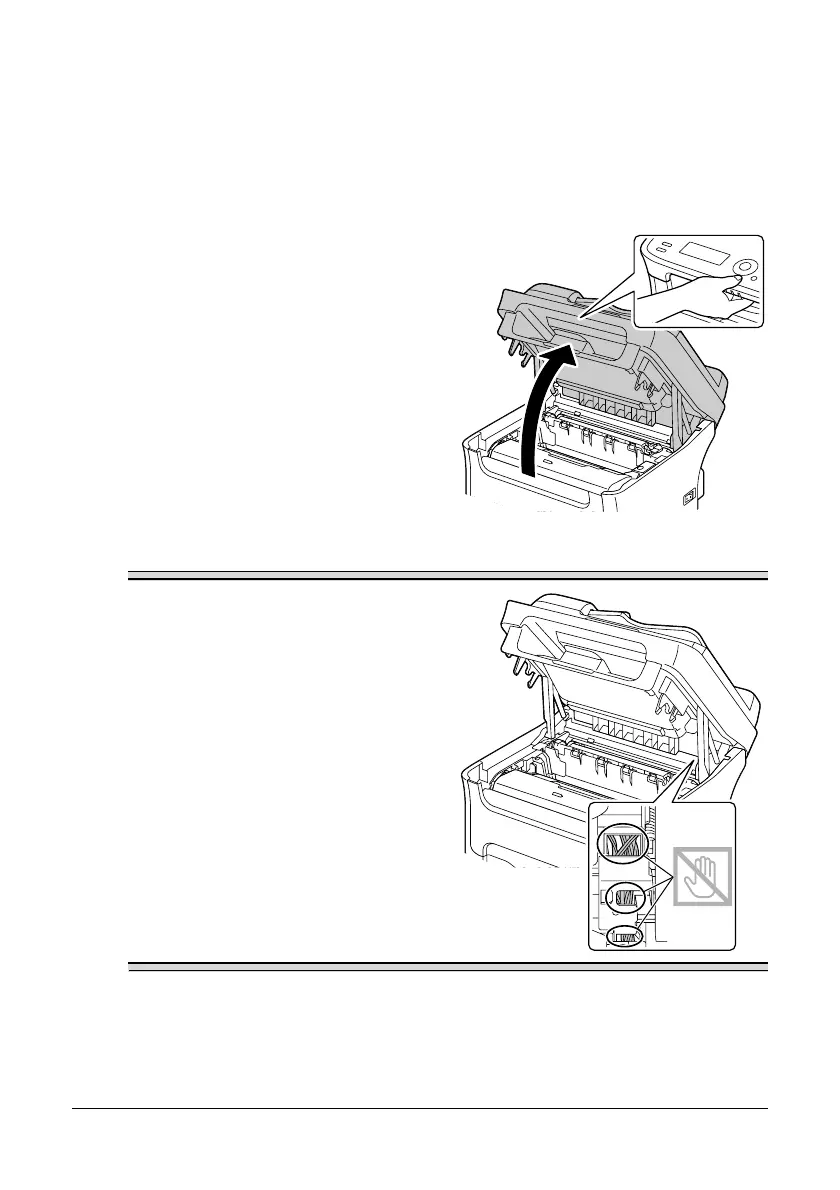
1 Open the scanner unit.
" If there is paper in the output
tray, remove it, and then fold
up the output tray before
opening the scanner unit.
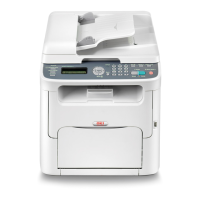
Note
Do not touch the wires and flat cable
shown in the illustration.





 To Next Page