38
9. Press .
REGISTERING MONEY RECEIVED ON
ACCOUNT
Up to 8 digits can be used for registering money
received on account.
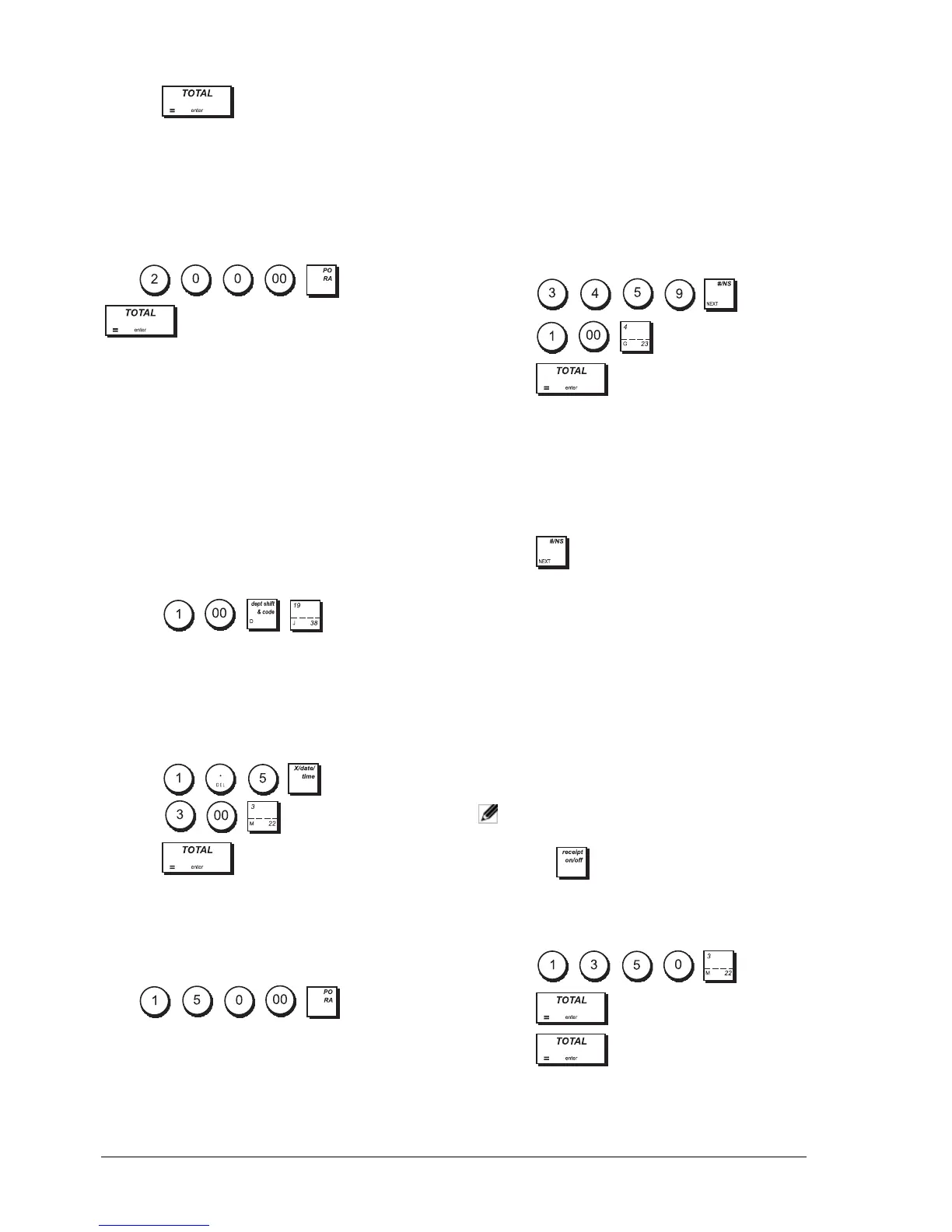
Example: Register £200.00 received on account.
Press ->
RA
.
The cash drawer opens and the transaction is recorded
on receipt.
REGISTERING NEGATIVE DEPARTMENT
T
RANSACTIONS
As prerequisite to negative department transactions,
program a normal department to a negative status as
explained in "Programming Departments". These
transactions are useful when the clerk pays back money
to the customer, such as the refund of a deposit.
Example: With Department 38 activated for Single,
negative item sales, register a deposit refund of £1.00
for the return of bottles.
1. Press .
REGISTERING PRODUCT QUANTITY
T
RANSACTIONS
Example: Register the sale of 1.5 Kg of apples costing
£3.00 per kilogram to Department 3.
1. Press
.
2. Press
.
PAYING MONEY OUT
Up to 8 digits can be registered for money paid out.
Example: Pay out £150.00.
Press ->
PO.
The cash drawer opens and the transaction is recorded
on receipt.
REGISTERING AN IDENTIFICATION NUMBER
TO A TRANSACTION
Up to 10 digits can be used for the identification
number. This entry can be made prior to any operation.
The identification number is not added to the
management report or totals.
Example: Assign the identification number 3459 to a
£1.00 sale to Department 4. Enter an exact cash tender
sale.
1. Press .
2. Press .
3. Press .
REGISTERING A NO SALE
This operation opens the cash drawer and prints a No
Sales receipt. The activity is registered in the activity
counter of the financial report. If you do not want to
allow a No Sales receipt to be printed see "#/NS
Function Key".
1. Press .
ISSUING A COPY OF THE LAST SALES
R
ECEIPT
You can print one or more copies of the last receipt
issued. For this feature to be operational, the
multiple receipts option must be set, see "Receipt
Printing Mode" for details.
To be able to issue a copy of the last sales receipt, the
cash register can accumulate a maximum of 60
transaction lines in Random Access Memory (RAM). If
the last sales receipt has more than 60 lines, the copy
will only provide the resulting sales total.
NOTE: This feature will override non-print mode if
it was previously activated by pressing
.
Example: Register a £13.50 sale to Department 3 and
enter an exact cash tender sale. Print a copy of the sales
receipt.
1. Press .
2. Press .
3. Press .















 To Next Page