4-30 Epson TM-U950 Commands
ESC { n
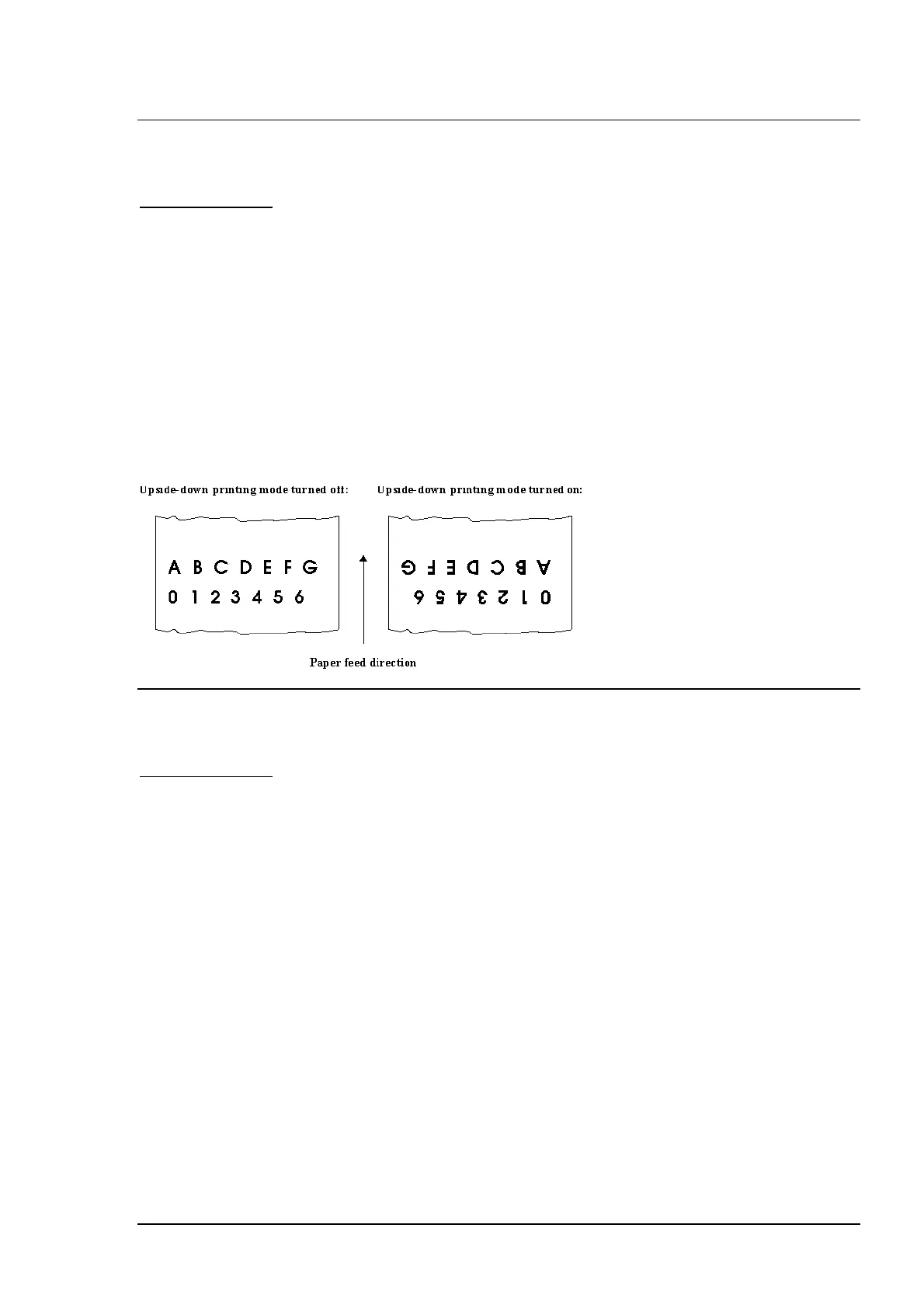
Turn on/off upside-down printing mode
Hexadecimal code: 1B 7B n
Range:
n = 0-255
Turns upside-down printing mode on or off.
Notes:
-
When the LSB of
n
is 0, upside-down printing mode is turned off.
-
When the LSB of
n
is 1, upside-down printing mode is turned on.
- In upside-down printing mode, the printer rotates the line to be printed by 180° and then
prints it.
- This command is enabled only when input at the beginning of a line.
-
Only the lowest bit of
n
is effective.
Default:
n = 0
Example:
GS ENQ
Real-time printer status transmission
Hexadecimal code: 1D 05
Transmits status of the printer in real time.
Notes:
- The printer transmits only one byte without checking the DSR signal.
- This command is also available in the off-line status, in the receive buffer full state, and
in an error state.
- The printer status is transmitted whenever the data sequence of (1D)H (05)H is received.
For example:
. in ESC p m t1 t2, d1=(1D)H, d2=(05)H
. in ESC * m nL nH [d]nL+ 256 x nH, d1=(1D)H, d2=(05)H
- This command should not be used within the data sequence of another command that
consists of 2 or more bytes. For example, if you attempt to transmit ESC 3 n to the
printer, be sure to transmit n before transmitting GS ENQ regardless of the condition of
the DTR signal (DSR for the host computer). If GS ENQ interrupts before n is received, n
is processed as (1D)H.















 To Next Page