EasyManua.ls Logo

Olympus CLV-190 - User Manual

Olympus CLV-190
130 pages
Print Icon
To Next Page IconTo Next Page
Loading...
INSTRUCTIONS
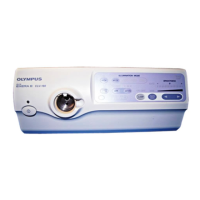
EVIS EXERA III XENON LIGHT SOURCE
OLYMPUS CLV-190
Labels and Symbols 1
Important Information — Please Read Before
Use 3
Summary of the Equipment Functions 12
Chapter 1 Checking the Package Contents 15
Chapter 2 Nomenclature and Functions 17
Chapter 3 Installation and Connection 27
Chapter 4 Inspection 41
Chapter 5 Operation 65
Chapter 6 Lamp Replacement 81
Chapter 7 Reprocessing, Storage,
Disposal, and Transportation 93
Chapter 8 Troubleshooting 103
Appendix 109
USA: CAUTION: Federal law restricts this device to sale by or on the order of a physician.

Table of Contents

Questions and Answers

  • J
    Jason HowardNov 25, 2025
    Why is the field of view too dark or bright on my Olympus Medical Equipment?
    • C
      Christopher GarciaNov 25, 2025
      If the field of view and image are too dark or too bright on your Olympus Medical Equipment, consider these potential causes: * The examination lamp may be old or the emergency lamp may be active, requiring replacement of the examination lamp. * The endoscope or light guide might not be correctly connected to the output socket; ensure a secure connection. * The brightness might be unsuitable; adjust the brightness to a suitable level. * Transillumination may be activated; wait for auto return or press the transillumination button again. * The video system center and/or light source cable may be improperly connected; ensure proper connection. * The video system center may be OFF; turn it ON. * The NBI mode may be set; press the observation mode button to return to the normal ...
  • T
    Tiffany WilliamsAug 23, 2025
    What to do if no light is emitted from the endoscope of my Olympus Medical Equipment?
    • J
      James JonesAug 23, 2025
      If no light is emitted from the endoscope of your Olympus Medical Equipment, ensure that the examination lamp has been ignited by pressing the lamp button. Also, check that the endoscope or light guide is securely connected to the output socket.
  • R
    Rachel MartinezAug 25, 2025
    Why is my Olympus Medical Equipment beeping?
    • J
      Justin JenkinsAug 25, 2025
      If you hear a series of beeps from the Olympus Medical Equipment, it indicates that the temperature of the light source is too high. Turn the light source OFF, make sure the ventilation grills are not covered, allow the light source to cool down, and then turn it ON again.
  • M
    Megan BaileyAug 27, 2025
    How to fix Olympus Medical Equipment when the examination lamp does not ignite?
    • K
      kdennisAug 27, 2025
      If the examination lamp on your Olympus Medical Equipment does not ignite, consider the following: * Press the lamp button to attempt ignition. * Ensure the examination lamp is installed correctly. If not, install the examination lamp. * If already installed, reinstall the examination lamp. * The examination lamp may be broken, requiring replacement with a new one. * If the examination light is ON, turn it OFF and try igniting the examination lamp again.
  • M
    Maria PhillipsAug 29, 2025
    Why is NBI observation disabled on my Olympus Medical Equipment?
    • T
      taylorjacobAug 29, 2025
      If NBI observation is disabled on your Olympus Medical Equipment, it might be due to an incompatible endoscope or light source cable being connected. Ensure you connect an endoscope and light source cable that are compatible with NBI observation. Also, verify that the NBI observation mode is selected by pressing the observation mode button.
  • M
    Melinda MartinSep 23, 2025
    What does it mean when the Olympus Medical Equipment emergency lamp indicator blinks?
    • A
      Anna DavisSep 23, 2025
      If the emergency lamp indicator is blinking on your Olympus Medical Equipment, the emergency lamp has likely blown or failed. Immediately turn the light source OFF and unplug the power cord from the wall mains outlet and the power inlet.
  • K
    kennethbooneSep 16, 2025
    Why can't I activate the transillumination function on my Olympus CLV-190?
    • J
      Jody PhillipsSep 16, 2025
      If the transillumination function cannot be activated on your Olympus Medical Equipment, it may be due to the endoscope not being connected to the output socket. Ensure the endoscope is securely connected. It could also be due to a light guide being connected or an incompatible endoscope being used. Connect the endoscope with the transillumination function compatibility.
  • J
    Jeffrey LopezSep 18, 2025
    Why can't I set the high intensity mode on my Olympus Medical Equipment?
    • C
      Carlos StewartSep 18, 2025
      If the high intensity mode cannot be set on your Olympus Medical Equipment, an incompatible endoscope or light guide might be connected to the output socket. Connect an endoscope or light guide cable with high intensity mode compatibility.
  • A
    amandakruegerSep 8, 2025
    What does it mean if the Olympus CLV-190 examination lamp doesn't ignite and the emergency lamp indicator lights up?
    • J
      James JeffersonSep 8, 2025
      If the examination lamp does not ignite and the emergency lamp indicator lights up on your Olympus Medical Equipment, it could be due to the examination lamp not being installed, not installed correctly, or being broken. Install or reinstall the examination lamp, or replace it with a new one.
  • K
    Keith BirdSep 5, 2025
    Why doesn't the brightness change on my Olympus Medical Equipment?
    • X
      xedwardsSep 5, 2025
      If the brightness does not change on your Olympus Medical Equipment even when the brightness buttons are pressed, the level might be set to the minimum or maximum. Adjust the brightness to an optimum level or try turning the light source OFF and then ON again.

Summary

Labels and Symbols

Rear and Side Panel Labels

Details labels and symbols located on the rear and side panels of the light source.

Front Panel Labels

Details labels and symbols located on the front panel of the light source.

Important Information and Safety Precautions

General Dangers, Warnings, and Cautions

Covers signal words, dangers, warnings, cautions, and potential hazards during operation.

Cardiac Application Safety

Details safety precautions and requirements for using the light source in cardiac applications.

Summary of Equipment Functions

Examination Light Functions

Describes providing, adjusting, and monitoring the examination light.

Observation Modes and Special Functions

Details optical-digital observation, transillumination, and high intensity modes.

Chapter 1 Checking the Package Contents

Chapter 2 Nomenclature and Functions

Chapter 3 Installation and Connection

3.1 Precautions for Installation and Connection

Safety and cautionary guidelines before installation and connection.

3.8 Connecting to AC Mains Power Supply

Procedures for safely connecting to the power supply.

Chapter 4 Inspection

4.1 Precautions for Inspection

Safety warnings and guidelines before conducting equipment inspection.

4.9 Inspection of Brightness Adjustment

Procedures for inspecting automatic and manual brightness adjustments.

Chapter 5 Operation

5.1 Attention to Operation

Important warnings and precautions for operating the light source safely.

5.3 Turning Light Source ON and Igniting Lamp

Step-by-step guide to power on the unit and ignite the examination lamp.

5.5 Brightness Adjustment

Details on adjusting light intensity using automatic and manual methods.

Chapter 6 Lamp Replacement

6.1 Replacement of the Examination (Xenon) Lamp

Safety warnings and general information about replacing the lamp.

6.2 Removal of the Lamp

Step-by-step instructions for safely removing the old lamp.

6.3 Insertion of the Lamp

Detailed procedure for installing a new examination lamp.

Chapter 7 Reprocessing, Storage, Disposal, and Transportation

7.1 Reprocessing

General information on reprocessing the light source and accessories.

7.5 Reprocessing Workflow

Details the steps for disinfection and cleaning the light source and accessories.

Chapter 8 Troubleshooting

8.1 Troubleshooting Overview

General advice on troubleshooting and contacting Olympus if problems persist.

8.2 Troubleshooting Guide

Lists common problems, their possible causes, and solutions.

Olympus CLV-190 Specifications

General IconGeneral
CategoryMedical Equipment
CompatibilityOlympus endoscopes
NBI (Narrow Band Imaging)Yes
Lamp Life500 hours
Color Temperature6000 K
Power Consumption500 VA
Cooling SystemForced air cooling
Light Source TypeXenon
Brightness AdjustmentAutomatic and manual

Related product manuals