EasyManua.ls Logo

Olympus CLV-190 - User Manual

Olympus CLV-190
130 pages
Print Icon
To Next Page IconTo Next Page
Loading...
INSTRUCTIONS
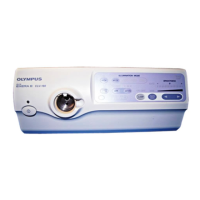
EVIS EXERA III XENON LIGHT SOURCE
OLYMPUS CLV-190
Labels and Symbols 1
Important Information — Please Read Before
Use 3
Summary of the Equipment Functions 12
Chapter 1 Checking the Package Contents 15
Chapter 2 Nomenclature and Functions 17
Chapter 3 Installation and Connection 27
Chapter 4 Inspection 41
Chapter 5 Operation 65
Chapter 6 Lamp Replacement 81
Chapter 7 Reprocessing, Storage,
Disposal, and Transportation 93
Chapter 8 Troubleshooting 103
Appendix 109
USA: CAUTION: Federal law restricts this device to sale by or on the order of a physician.

Table of Contents

Questions and Answers

  • A
    amandakruegerSep 8, 2025
    What does it mean if the Olympus CLV-190 examination lamp doesn't ignite and the emergency lamp indicator lights up?
    • J
      James JeffersonSep 8, 2025
      If the examination lamp does not ignite and the emergency lamp indicator lights up on your Olympus Medical Equipment, it could be due to the examination lamp not being installed, not installed correctly, or being broken. Install or reinstall the examination lamp, or replace it with a new one.
  • M
    Michael SnyderAug 22, 2025
    Why does the Olympus CLV-190 Medical Equipment power fail to turn ON?
    • A
      Alicia ChangAug 22, 2025
      If the Olympus Medical Equipment power fails to turn ON, check the following: * Ensure the power switch is turned ON. * Verify the power cord is correctly connected to a wall mains outlet. * Make sure the lamp cover is closed firmly. * Confirm the power switch of the mobile workstation is ON.
  • K
    Keith BirdSep 5, 2025
    Why doesn't the brightness change on my Olympus Medical Equipment?
    • X
      xedwardsSep 5, 2025
      If the brightness does not change on your Olympus Medical Equipment even when the brightness buttons are pressed, the level might be set to the minimum or maximum. Adjust the brightness to an optimum level or try turning the light source OFF and then ON again.
  • H
    hensonaliciaSep 3, 2025
    Why does the Olympus Medical Equipment examination lamp ignite automatically?
    • F
      fryethomasSep 3, 2025
      If the examination lamp ignites automatically when the light source is turned ON in your Olympus Medical Equipment, the auto ignition mode is selected. Set the lamp ignition mode switch on the rear panel to “MANU”.
  • V
    Vanessa MitchellSep 2, 2025
    What to do if the endoscope cannot be connected to the Olympus CLV-190 Medical Equipment light source?
    • A
      Alexander MatthewsSep 2, 2025
      If the endoscope cannot be connected to the light source of your Olympus Medical Equipment, it might be due to incompatibility. Connect an endoscope that is compatible with the light source.
  • R
    Rebecca ShortSep 1, 2025
    Why is the air/water feeding not working on my Olympus CLV-190?
    • A
      Andrew SimmonsSep 1, 2025
      If the air/water feeding function is not working on your Olympus Medical Equipment, it could be due to the following reasons: * The air pump incorporated in the light source is not working; operate the air/water feeding function. * The endoscope is not connected to the output socket; ensure it is securely connected. * The light guide is connected to the output socket; connect the light guide to an endoscope with the air-feeding function.
  • S
    Sydney QuinnAug 30, 2025
    How to reset the lamp usage indicator on Olympus Medical Equipment?
    • N
      nicole26Aug 30, 2025
      If the lamp usage indicator on your Olympus Medical Equipment cannot be reset, make sure the examination lamp is off. Press the lamp button for more than 1 second to extinguish the examination lamp, then press and hold the counter reset button for about 3 seconds. Ensure you press and hold the counter reset button for about 3 seconds.
  • M
    Maria PhillipsAug 29, 2025
    Why is NBI observation disabled on my Olympus Medical Equipment?
    • T
      taylorjacobAug 29, 2025
      If NBI observation is disabled on your Olympus Medical Equipment, it might be due to an incompatible endoscope or light source cable being connected. Ensure you connect an endoscope and light source cable that are compatible with NBI observation. Also, verify that the NBI observation mode is selected by pressing the observation mode button.
  • M
    Megan BaileyAug 27, 2025
    How to fix Olympus Medical Equipment when the examination lamp does not ignite?
    • K
      kdennisAug 27, 2025
      If the examination lamp on your Olympus Medical Equipment does not ignite, consider the following: * Press the lamp button to attempt ignition. * Ensure the examination lamp is installed correctly. If not, install the examination lamp. * If already installed, reinstall the examination lamp. * The examination lamp may be broken, requiring replacement with a new one. * If the examination light is ON, turn it OFF and try igniting the examination lamp again.
  • R
    Rachel MartinezAug 25, 2025
    Why is my Olympus Medical Equipment beeping?
    • J
      Justin JenkinsAug 25, 2025
      If you hear a series of beeps from the Olympus Medical Equipment, it indicates that the temperature of the light source is too high. Turn the light source OFF, make sure the ventilation grills are not covered, allow the light source to cool down, and then turn it ON again.

Summary

Labels and Symbols

Rear and Side Panel Labels

Details labels and symbols located on the rear and side panels of the light source.

Front Panel Labels

Details labels and symbols located on the front panel of the light source.

Important Information and Safety Precautions

General Dangers, Warnings, and Cautions

Covers signal words, dangers, warnings, cautions, and potential hazards during operation.

Cardiac Application Safety

Details safety precautions and requirements for using the light source in cardiac applications.

Summary of Equipment Functions

Examination Light Functions

Describes providing, adjusting, and monitoring the examination light.

Observation Modes and Special Functions

Details optical-digital observation, transillumination, and high intensity modes.

Chapter 1 Checking the Package Contents

Chapter 2 Nomenclature and Functions

Chapter 3 Installation and Connection

3.1 Precautions for Installation and Connection

Safety and cautionary guidelines before installation and connection.

3.8 Connecting to AC Mains Power Supply

Procedures for safely connecting to the power supply.

Chapter 4 Inspection

4.1 Precautions for Inspection

Safety warnings and guidelines before conducting equipment inspection.

4.9 Inspection of Brightness Adjustment

Procedures for inspecting automatic and manual brightness adjustments.

Chapter 5 Operation

5.1 Attention to Operation

Important warnings and precautions for operating the light source safely.

5.3 Turning Light Source ON and Igniting Lamp

Step-by-step guide to power on the unit and ignite the examination lamp.

5.5 Brightness Adjustment

Details on adjusting light intensity using automatic and manual methods.

Chapter 6 Lamp Replacement

6.1 Replacement of the Examination (Xenon) Lamp

Safety warnings and general information about replacing the lamp.

6.2 Removal of the Lamp

Step-by-step instructions for safely removing the old lamp.

6.3 Insertion of the Lamp

Detailed procedure for installing a new examination lamp.

Chapter 7 Reprocessing, Storage, Disposal, and Transportation

7.1 Reprocessing

General information on reprocessing the light source and accessories.

7.5 Reprocessing Workflow

Details the steps for disinfection and cleaning the light source and accessories.

Chapter 8 Troubleshooting

8.1 Troubleshooting Overview

General advice on troubleshooting and contacting Olympus if problems persist.

8.2 Troubleshooting Guide

Lists common problems, their possible causes, and solutions.

Olympus CLV-190 Specifications

General IconGeneral
CategoryMedical Equipment
CompatibilityOlympus endoscopes
NBI (Narrow Band Imaging)Yes
Lamp Life500 hours
Color Temperature6000 K
Power Consumption500 VA
Cooling SystemForced air cooling
Light Source TypeXenon
Brightness AdjustmentAutomatic and manual

Related product manuals