ESG-400
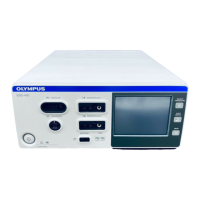
2-2 Verifying the contact quality monitor function
1) Connect the power cord and the footswitch to the electrosurgical generator (refer to chapter 1-5-3 and
1-5-8).
2) All steps for this test are described in the table 7.3 at the next page. Assign the footswitch according to the
column “Mode”. Connect the appropriate resistor R (J004) described in the column “Action” via the
connection cable (J011) with the neutral electrode socket at the front panel (refer to chapter 1-5-2). For
some tests leave the connector open or short circuit the connection cable (J011).
3) Follow the steps described in the column “Action” and verify the reaction of the corresponding contact
quality monitor indicator for non-split neutral electrode or split neutral electrode at the front panel (refer to
chapter 1-5-2) according to table 7.3.
4) Repeat step 2 and 3 until all action items in table 7.3 have been checked.
5) Record the test results in the Inspection Card (refer to chapter 5-3).
7.022.211 / ISSUE 5 80 / 110 Chapter 5: Inspection








 To Next Page