EasyManua.ls Logo

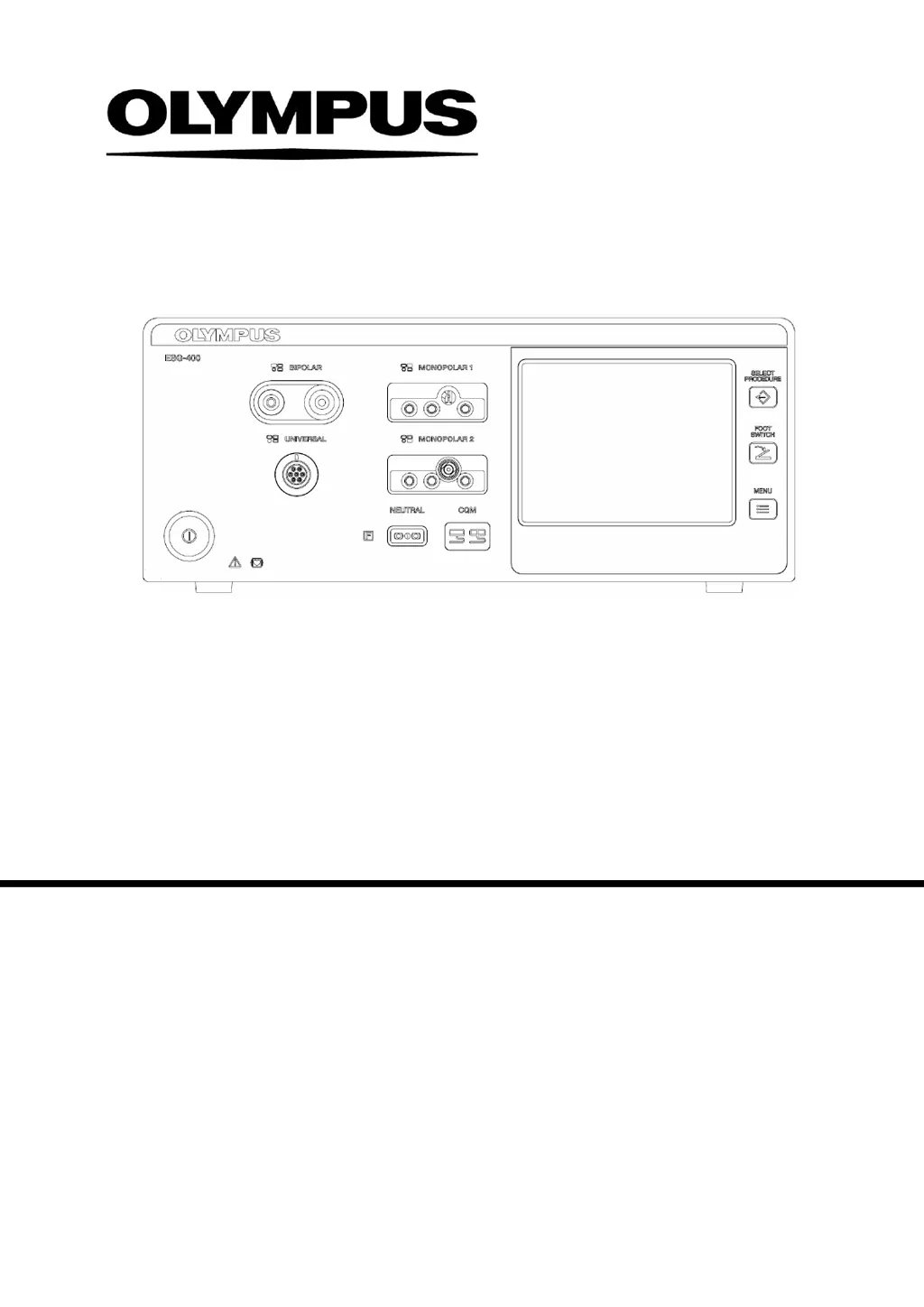
Olympus ESG-400 - Service Manual

Olympus ESG-400
110 pages
Print Icon
To Next Page IconTo Next Page
Loading...
j
MAINTENANCE / ON-SITE - MANUAL
Electro Surgical Generator
ESG-400
7.022.211 / ISSUE 5

Table of Contents

Other manuals for Olympus ESG-400

Questions and Answers

  • H
    Helen AcostaAug 20, 2025
    How to fix an Olympus Medical Equipment electrosurgical generator that won't turn on?
    • K
      Kenneth KingAug 20, 2025
      If the electrosurgical generator does not respond after you press the power switch, first, check the power cable and the grounded wall outlet for correct connection. If the connection is correct, verify that the grounded wall outlet has the correct output voltage, or try using an alternative outlet. If the issue persists, inspect the power cable for any damages and replace it if necessary. If none of these steps resolve the problem, contact Olympus.
  • L
    lisathomasAug 22, 2025
    What to do if Olympus Medical Equipment electrosurgical generator doesn't respond to the foot switch?
    • A
      Aaron NunezAug 22, 2025
      If the electrosurgical generator does not respond to foot switch or hand switch activation, verify the foot switch and the HF instrument are correctly connected. Also, check the foot switch, the hand switch, and the connection cable for any damage, replacing them if necessary. Ensure you are pressing the correct foot switch pedal or hand switch button on the HF instrument.
  • C
    Christopher MccannAug 25, 2025
    Why is the touchscreen on my Olympus Medical Equipment not working?
    • T
      Tammy JonesAug 25, 2025
      If the touchscreen of your Olympus Medical Equipment cannot be controlled, first ensure that there are no objects in contact with the screen. If the problem continues, contact Olympus.
  • M
    Michael GarciaAug 26, 2025
    How to fix no sound during activation on Olympus Medical Equipment?
    • T
      Teresa MartinezAug 26, 2025
      If no sound is audible during activation of your Olympus electrosurgical generator, first increase the volume using the touchscreen within the “Menu screen” or use the volume control on the rear panel of the device. If this does not resolve the issue, stop using the electrosurgical generator and turn it off, then contact Olympus.
  • J
    jeremiahsanchezAug 27, 2025
    What to do if Olympus Medical Equipment output cannot be deactivated?
    • S
      Sara WarnerAug 27, 2025
      If the output of the Olympus electrosurgical generator cannot be deactivated, and the autostart function is selected, remove the electrode from the tissue. If the issue continues, immediately switch off the electrosurgical generator by pressing the power switch and replace the foot switch or HF instrument with hand switch. If the problem persists, contact Olympus.
  • B
    breannaharringtonAug 29, 2025
    Why Olympus Medical Equipment generator doesn't react to button press during standby?
    • A
      Ashley HarmonAug 30, 2025
      If the electrosurgical generator does not react when a push button on the front panel is pressed during standby, release the push button. If the problem persists, contact Olympus.
  • K
    Krista StoutSep 1, 2025
    Why Olympus Medical Equipment generator doesn't react to button press during activation?
    • R
      rodriguezalexisSep 1, 2025
      If the electrosurgical generator does not react when a button on the front panel is pressed during activation, release the foot switch or hand switch to stop the activation.
  • A
    April JenkinsSep 3, 2025
    Why can't I adjust the volume on my Olympus Medical Equipment?
    • C
      cowensSep 3, 2025
      If the volume cannot be adjusted on your Olympus Medical Equipment via the volume control within the “Menu screen” or at the rear panel, no action is required because the volume of error-related audible signals is not adjustable. If the problem persists, contact Olympus.
  • T
    Terry VelasquezSep 5, 2025
    Why is there no output power from my Olympus Medical Equipment despite activation sound?
    • B
      Brenda LandrySep 5, 2025
      If the foot switch or hand switch is pressed and the activation sound is audible but no output power is delivered, check the correct assignment of the foot switch. Also, check the HF instrument plug for correct connection. If the issue persists, contact Olympus.
  • C
    chunterSep 6, 2025
    What causes no output power in RFCoag mode on Olympus Medical Equipment?
    • Q
      qbaileySep 7, 2025
      If no output power is delivered when RFCoag mode with or without RCAP is selected and the end of activation signal is audible, ensure the electrode has contact with the tissue. Also, check the HF instrument plug for correct connection and replace the HF instrument connection cable if it is damaged. If the issue persists, contact Olympus.

Summary

Introduction and User Information

Maintenance Instructions

Details the scope and purpose of the maintenance manual for safe generator operation.

Signal Words and User Qualifications

Explains hazard signal words and specifies required user training for safe operation.

Safety Precautions and Guidelines

User Error Prevention and Environmental Conditions

Advice on user actions to prevent errors and guidelines for operating environment conditions.

Device Handling and Safety Concerns

Accessory Handling, Electric Shock, and Burn Prevention

Guidance on safe accessory use, preventing electric shock, and managing burn risks.

Operational Risks and Maintenance Procedures

Fire;Explosion Safety and Hazard Awareness

Precautions against fire, explosion, contamination, and output performance issues.

Authorized Repair and Maintenance

Specifies authorized personnel for repairs and preventive maintenance.

Copyright and Trademarks

Chapter 1: Product Specifications

Outline, Features, and Limitations

Basic information on intended use, product features, and usage restrictions.

Detailed Specifications and Components

Technical data, part descriptions, connectors, and system diagrams.

Cleaning, Storage, and Disposal

Procedures for unit maintenance, storage, and safe disposal.

Chapter 2: Block Descriptions

Internal Block Architecture and Components

Overview of the motherboard, HVPS, Generator, Relay boards, and front panel.

Chapter 3: Repair System

Main Unit, Board Compatibility, and Accessories

Information on the main unit, board compatibility, and optional accessories for repair.

Repair Precautions and Settings

General precautions and considerations before performing repairs or adjustments.

Chapter 4: Troubleshooting Guide

General Troubleshooting and Neutral Electrode Issues

Initial steps for malfunctions and specific problems with the neutral electrode.

Error Handling and Code Resolution

Guidance on interpreting error messages, codes, and applying remedial actions.

Chapter 5: Inspection Procedures

Inspection Equipment and Preparation

Lists necessary equipment and preparation steps for inspections.

Electrical Safety and Performance Testing

Procedures for electrical safety, leakage currents, and output performance checks.

Functional Checks and Record Keeping

Testing features, error messages, final checks, and using the inspection card.

Chapter 6: Device Menu Functions

Safety Test and Software Version Display

Procedures for activating safety test mode and checking the software version.

Chapter 7: Revision History

Olympus ESG-400 Specifications

General IconGeneral
BrandOlympus
ModelESG-400
CategoryInverter
LanguageEnglish

Related product manuals