ESG-400
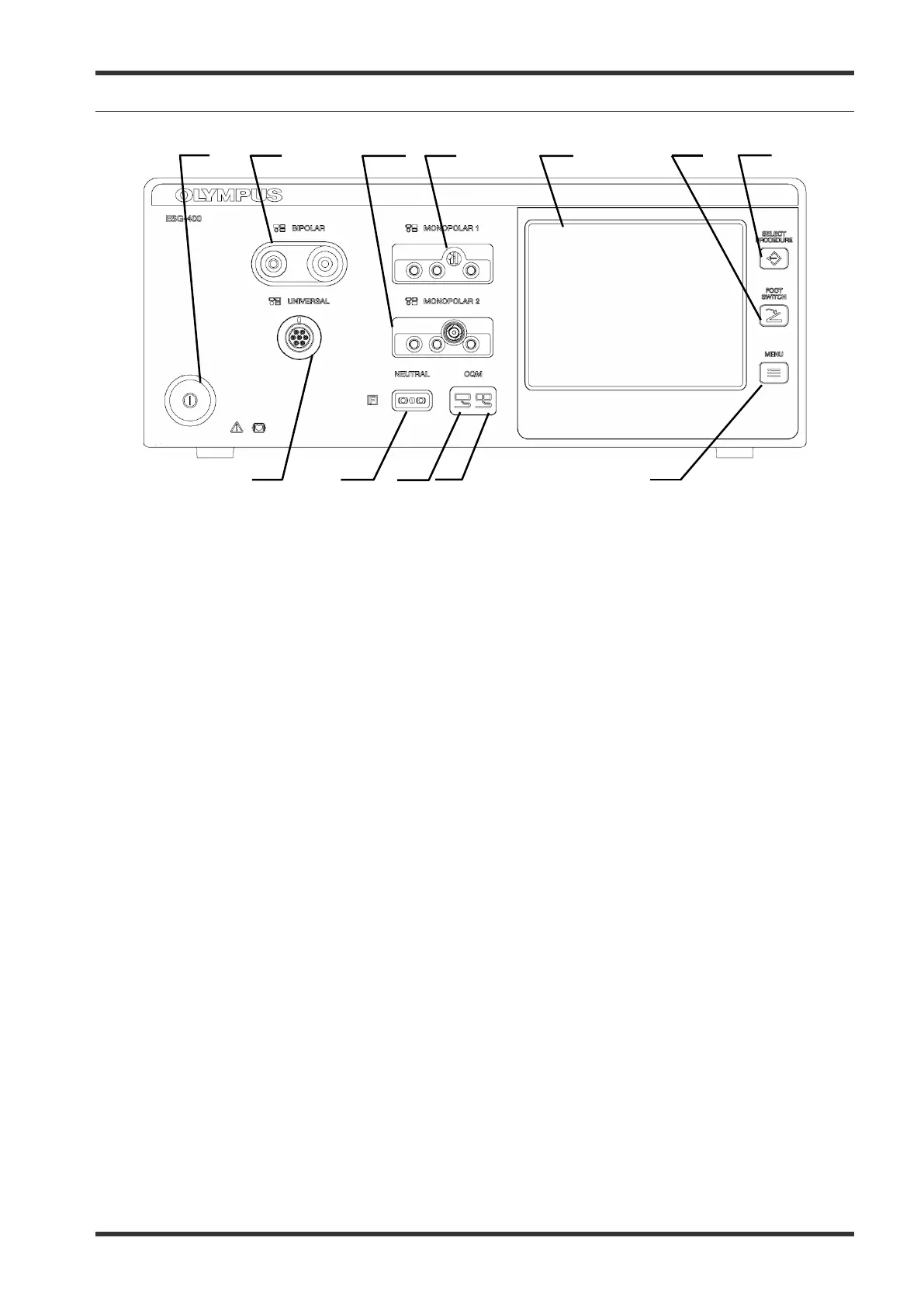
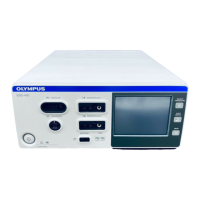
5-2 Front panel
1.
Power switch
This switch turns the electrosurgical generator on and off.
2.
BIPOLAR socket
This socket connects the plug of a bipolar HF instrument (applied part).
3.
MONOPOLAR 2 socket
This socket connects the plug of a monopolar HF instrument (applied part).
4.
MONOPOLAR 1 socket
This socket connects the plug of a monopolar HF instrument (applied part).
5.
Touch-screen
Displays the connection status of the accessories and peripherals connected to the electrosurgical
generator
. It is also used to show and modify the output settings (e.g. mode, output power, effect) as
well as to control other functions (e.g. save procedures, delete procedures).
6.
FOOTSWITCH push button
This button is used to open the “Footswitch screen” to assign one or two footswitch(es) or the autostart
function to a specific output socket.
7.
SELECT PROCEDURE push button
This button is used to open the “Select Procedure screen” to recall saved settings.
8.
MENU push button
This button is used to open the “Menu screen” to control several functions (save or delete a procedure,
control the touch tone, output volume and brightness as well as other functions).
7.022.211 / ISSUE 5 22 / 110 Chapter 1: PRODUCT SPECIFICATIONs








 To Next Page