ESG-400
2-11 Final test
2-11-1 Self test
1) Connect the electrosurgical generator via power cord (J016) to mains. Switch the generator on by
pressing the “Power Switch”.
2) The generator should boot without any alarm. If an alarm occurs, refer to Chapter 4 (Troubleshooting).
2-11-2 Display and sound check
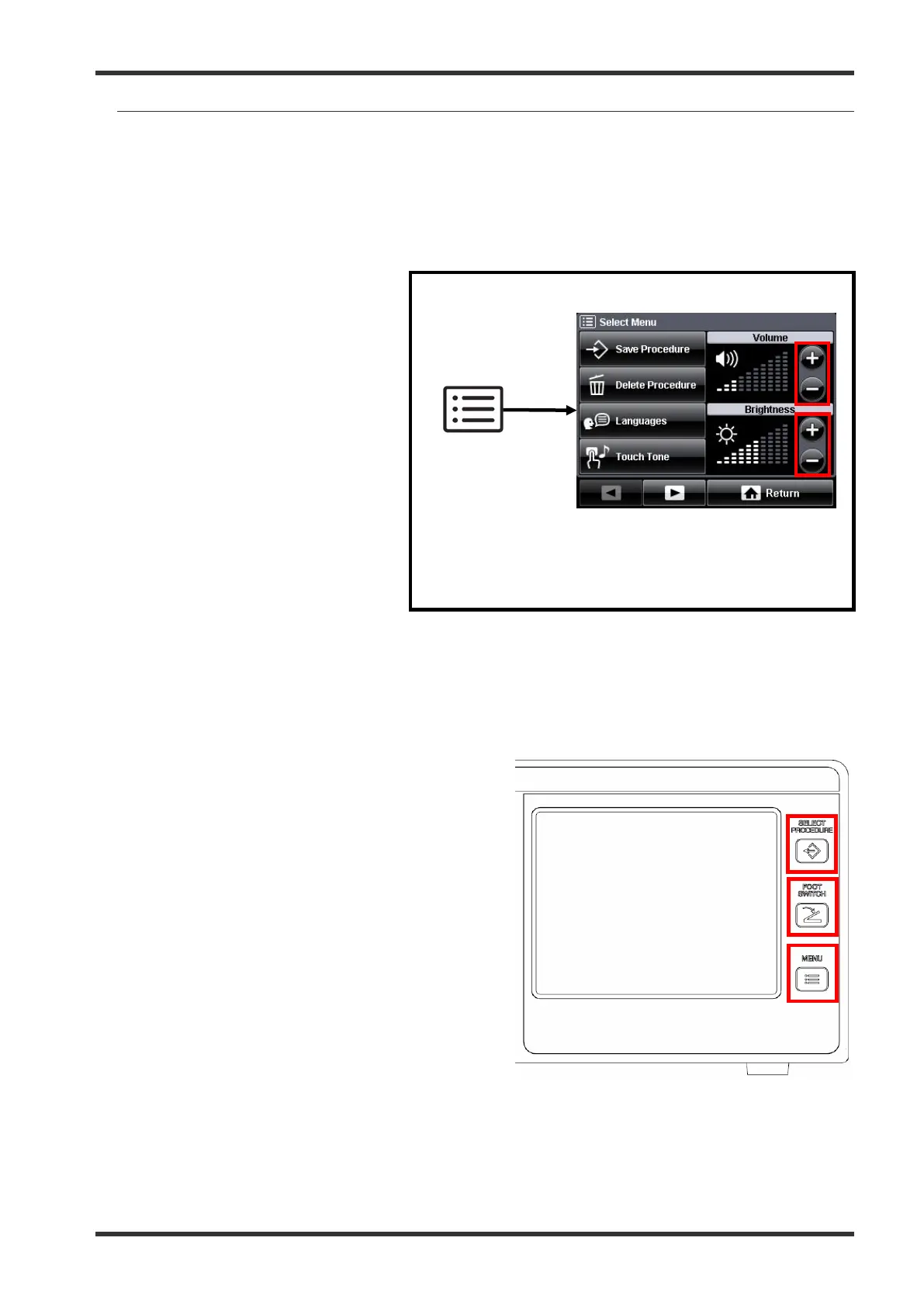
1) Check the adjustment of display
brightness and volume via touch
screen. Enter the “Select Menu”
by pressing the push button
“MENU push button”. Change
the Volume via the rocker switch.
A sound should be carried
according to the setting. Change
the Brightness via the rocker
switch. The brightness should
change according to the setting.
2) Check the adjustment of the
volume via the volume control
knob at the rear of the housing.
There will be an acoustic
feedback for the setting.
3) Record the test results in the Inspection Card (refer to chapter 5-3).
2-11-3 Functionality of push buttons
1)
Check the functionality of each push button
by pressing.
2) The buttons should perform according to the
description in the instruction for use.
3)
Record the test results in the Inspection
Card (refer to chapter 5-3).
Fig. 5.2.12. Position of the push buttons
2-11-4 Communication test
1) Connect the sockets “LINK-IN” and “LINK-OUT” at the rear of the housing by the Communication Cable
Fig. 5.2.11. Checking volume and brightness
7.022.211 / ISSUE 5 95 / 110 Chapter 5: Inspection








 To Next Page