X
Y
Z
DATA
Z LIMIT
COUNT
FULL
HALF
TRACK
SHOT
COARSE EPI DIA FN
FINE
AF FOCUS LED
27
STM7
3
Outputting counter data of X-, Y- and Z-axis
4
Counting counter data of X-, Y- and Z-axis in-half
a
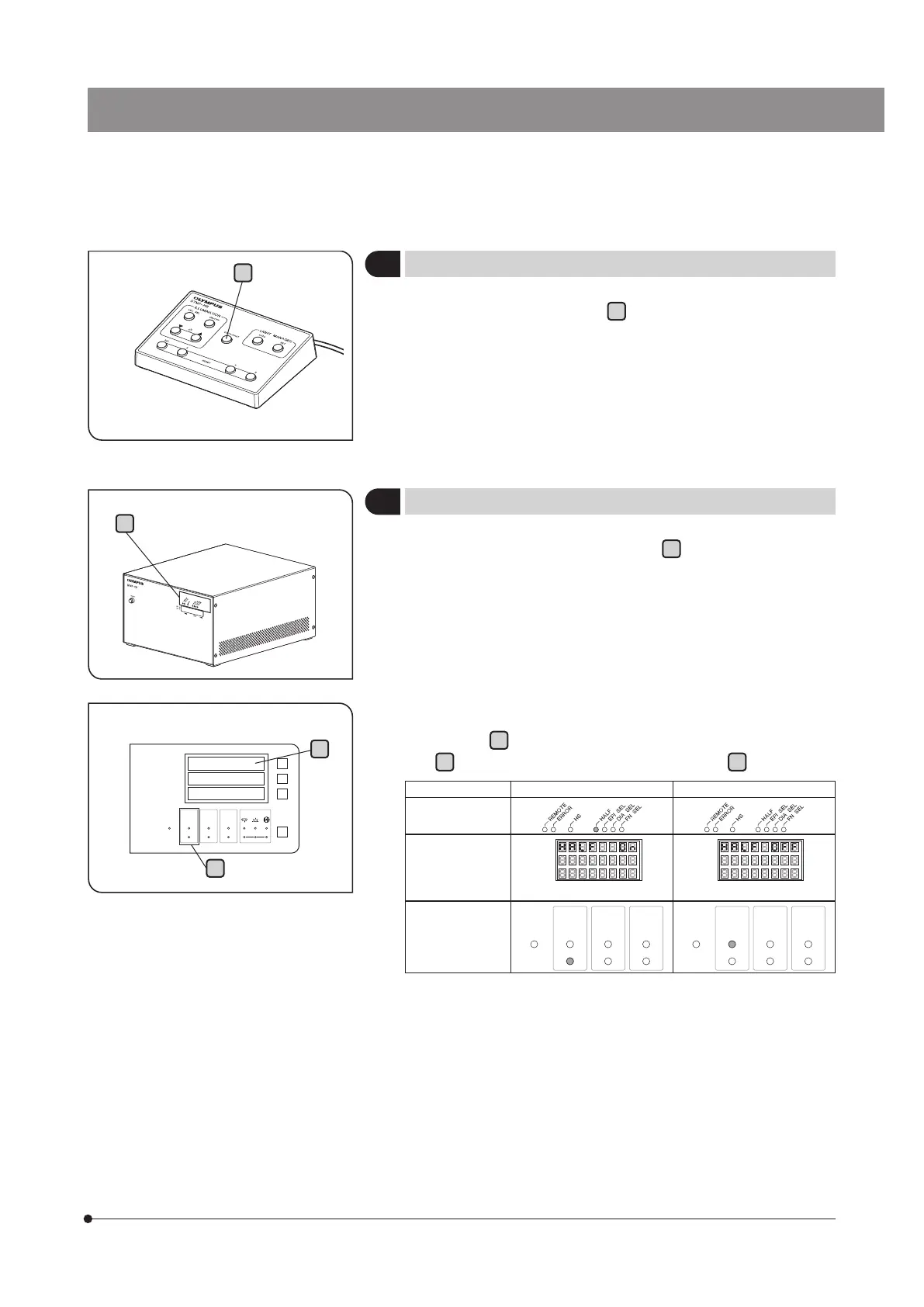
Press the DATA/HALF button
a
to output the data to the controller,
the data processing device or the printer connected to the RS-232C
connector.
When keeping the DATA/HALF button
a
pressed for 3 seconds or
longer, the counter data of the X-, Y- and Z-axis will be displayed in
half of the actual movement values. (The value displayed when the
button is pressed is held in memory.)
When keeping the DATA/HALF button pressed further again, the count-
in-half function is turned OFF. (The value displayed at this time is also
held in memory)
} The ON/OFF of the count-in-half function can be confirmed with the
indicator
b
of the control box for manual STM7-CB or the display X
c
of the digital indicator STM7-DI or the COUNT
d
.
Count-in-half function: ON Count-in-half function: OFF
STM7-CB
(Always displayed)
Display X of
STM7-DI
(Displayed for a
specified time)
COUNT of STM7-
DI
(Always displayed)
COUNT
FULL
HALF
TRACK
SHOT
COARSE
FINE
AF FOCUS
COUNT
FULL
HALF
TRACK
SHOT
COARSE
FINE
AF FOCUS
b
c
d


 To Next Page